import torch
import torchvision
import matplotlib.pyplot as plt

x=torchvision.io.read_image('luna-2.jpeg')
print(type(x))
print(x.dtype)
print(x.shape)
plt.imshow(x.permute(1, 2, 0))
<class 'torch.Tensor'>
torch.uint8
torch.Size([3, 3024, 4032])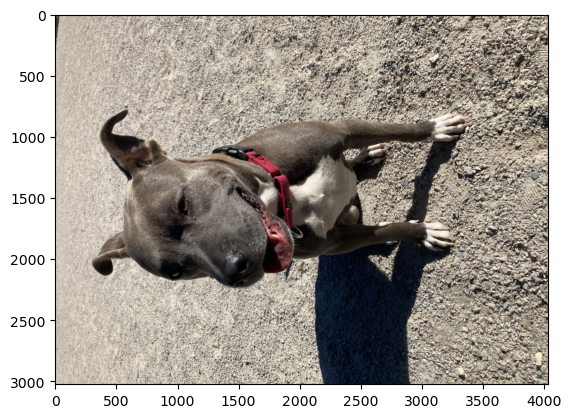
IMPORTANT NOTE: This notebook requires the file luna-2.jpeg to run, you can replace this image file with an image of your choosing to get the notebook to run.
Computer vision (CV)
natural language processing (NLP) tasks where text can be augmented through techniques like synonym replacement, word shuffling, or adding noise to the text.Linear transformations are constructed from basic geometric actions like rotation, scaling, contraction, skewing, and projection.
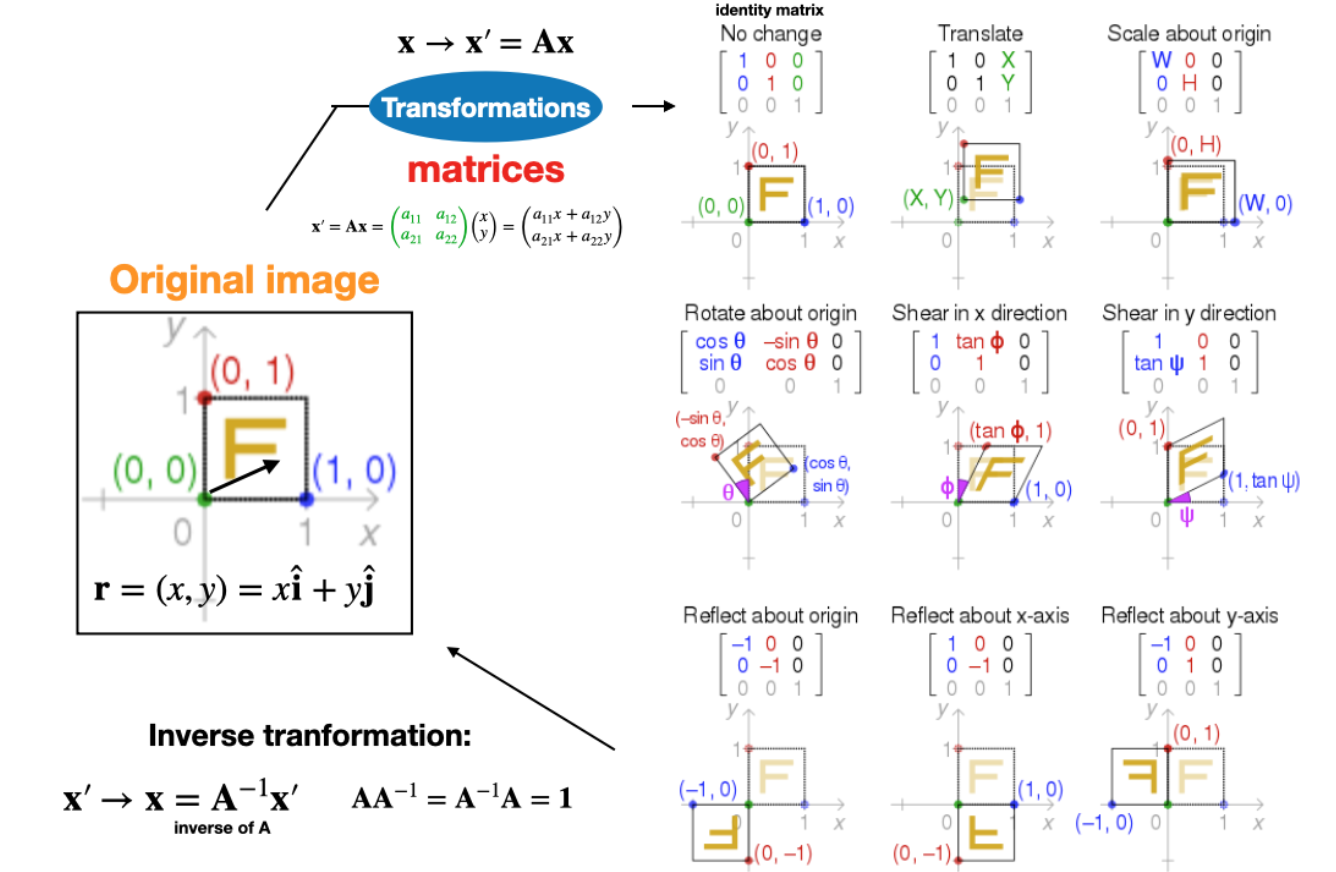
Image source: https://en.wikipedia.org/wiki/Transformation_matrix
In two dimensions, the standard rotation matrix has the following form: \[ R(\theta)=\left[\begin{array}{cc} \cos \theta & -\sin \theta \\ \sin \theta & \cos \theta \end{array}\right] . \]
This rotates column vectors by means of the following matrix multiplication, \[ \left[\begin{array}{l} x^{\prime} \\ y^{\prime} \end{array}\right]=\left[\begin{array}{cc} \cos \theta & -\sin \theta \\ \sin \theta & \cos \theta \end{array}\right]\left[\begin{array}{l} x \\ y \end{array}\right] . \]
Thus, the new coordinates \(\left(x^{\prime}, y^{\prime}\right)\) of a point \((x, y)\) after rotation are \[ \begin{aligned} & x^{\prime}=x \cos \theta-y \sin \theta \\ & y^{\prime}=x \sin \theta+y \cos \theta \end{aligned} . \]
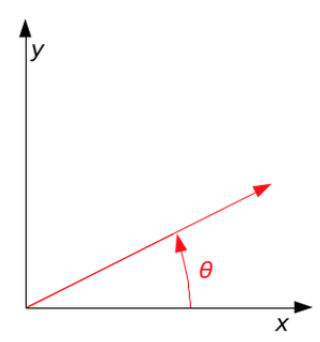
Source: https://en.wikipedia.org/wiki/Rotation_matrix
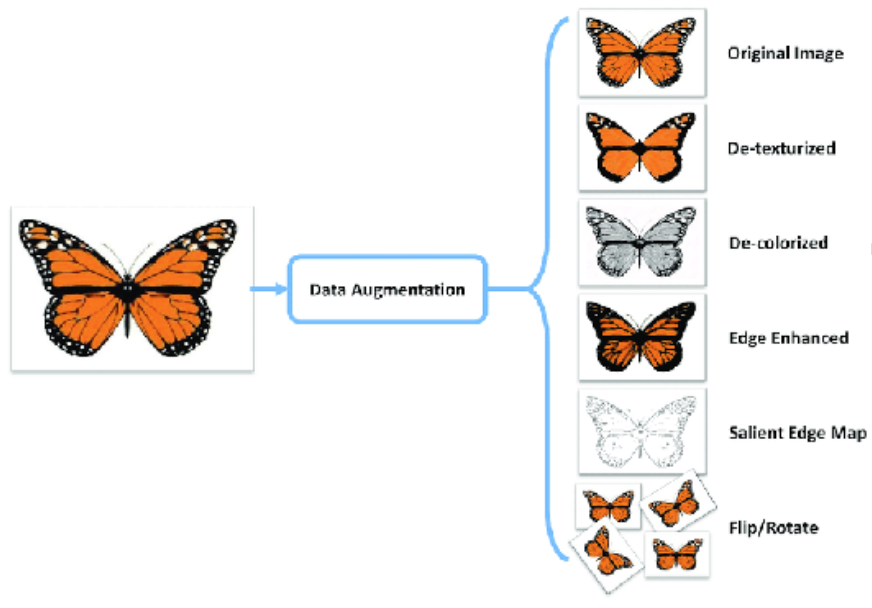
Would data augmentation work for both regression and classification learning tasks? Why or why not?

Overview and introduction
Example
import torch
import torchvision
import matplotlib.pyplot as plt
x=torchvision.io.read_image('luna-2.jpeg')
print(type(x))
print(x.dtype)
print(x.shape)
plt.imshow(x.permute(1, 2, 0))<class 'torch.Tensor'>
torch.uint8
torch.Size([3, 3024, 4032])
print("shape before:", x.shape)
x=torchvision.transforms.functional.rotate(x,-90,expand=True)
print("shape after:", x.shape)
plt.imshow(x.permute(1, 2, 0))
shape before: torch.Size([3, 3024, 4032])
shape after: torch.Size([3, 4032, 3024])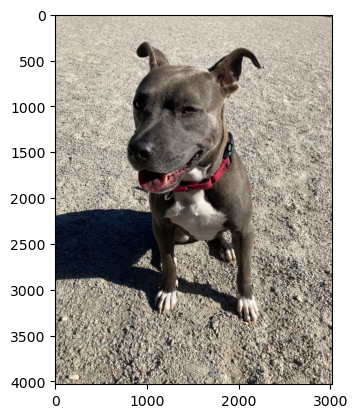
# NUMBER BETWEEN 0 AND 1 TO DOWNSAMPLE IMAGE BY
scale_factor=0.05

# NEW HEIGHT AND WIDTH
H=int(scale_factor*x.shape[-2])
W=int(scale_factor*x.shape[-1])

# RESIZE
resize=torchvision.transforms.Resize((H,W))

#SHOW OUTPUT
print("shape before:", x.shape)
x=resize(x)
print("shape after:", x.shape)
plt.imshow(x.permute(1, 2, 0))
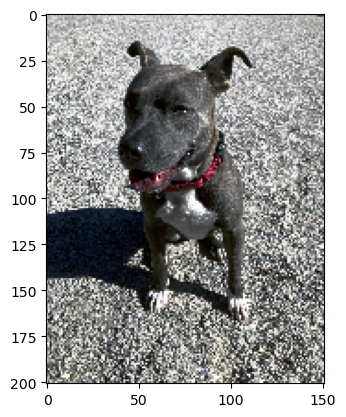
shape before: torch.Size([3, 4032, 3024])
shape after: torch.Size([3, 201, 151])/Users/jameshickman/miniconda3/envs/dsan6600/lib/python3.11/site-packages/torchvision/transforms/functional.py:1603: UserWarning: The default value of the antialias parameter of all the resizing transforms (Resize(), RandomResizedCrop(), etc.) will change from None to True in v0.17, in order to be consistent across the PIL and Tensor backends. To suppress this warning, directly pass antialias=True (recommended, future default), antialias=None (current default, which means False for Tensors and True for PIL), or antialias=False (only works on Tensors - PIL will still use antialiasing). This also applies if you are using the inference transforms from the models weights: update the call to weights.transforms(antialias=True).
warnings.warn(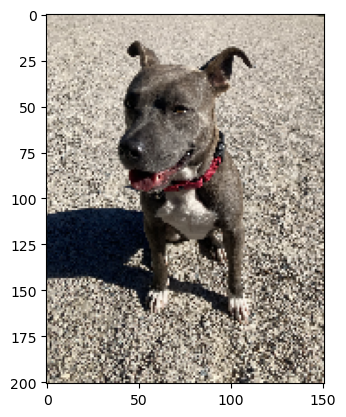
# Grayscale version of the input.
# If num_output_channels == 1 : returned image is single channel
# If num_output_channels == 3 : returned image is 3 channel with r == g == b
transform=torchvision.transforms.Grayscale(3)
x1=transform(x)
print("shape before:", x.shape)
plt.imshow(x1.permute(1, 2, 0))
print("shape after:", x1.shape)
shape before: torch.Size([3, 201, 151])
shape after: torch.Size([3, 201, 151])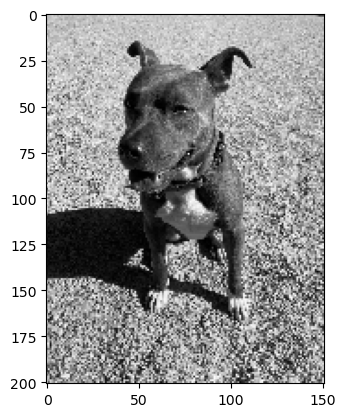
#INSERT CODE TO GENERATE THE OUTPUT SHOWN BELOW
transform=torchvision.transforms.Pad(12, fill=0, padding_mode='constant')
x1=transform(x)
print("original",x.shape)
print("transformed",x1.shape)
plt.imshow(x1.permute(1, 2, 0))
plt.show()
original torch.Size([3, 201, 151])
transformed torch.Size([3, 225, 175])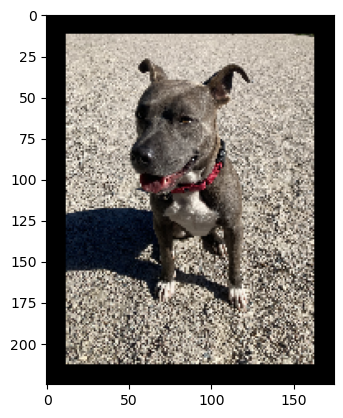
#INSERT CODE TO GENERATE THE OUTPUT SHOWN BELOW
padH=20
padW=60
print("padH=",padH,"padW=",padW)
transform=torchvision.transforms.Pad((int(padW/2),int(padH/2)), fill=255, padding_mode='constant')
x1=transform(x)
print("original",x.shape)
print("transformed",x1.shape)
plt.imshow(x1.permute(1, 2, 0))
plt.show()
padH= 20 padW= 60
original torch.Size([3, 201, 151])
transformed torch.Size([3, 221, 211])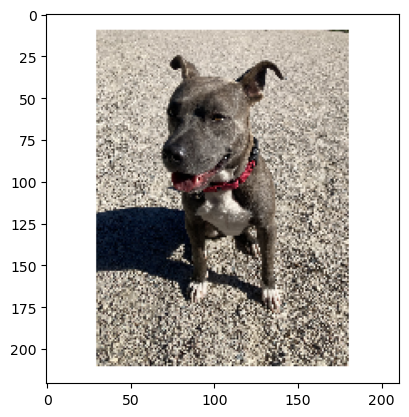
Aside: In mathematical modeling, e.g. differential equations solvers and other simulation methodologies, periodic boundary conditions wrap a system’s boundary, connecting opposite edges to simulate an infinite space, commonly used in simulations and calculations.
#INSERT CODE TO GENERATE THE OUTPUT SHOWN BELOW
transform=torchvision.transforms.Pad(100, fill=255, padding_mode='symmetric')
x1=transform(x)
print("original",x.shape)
print("transformed",x1.shape)
plt.imshow(x1.permute(1, 2, 0))
plt.show()
original torch.Size([3, 201, 151])
transformed torch.Size([3, 401, 351])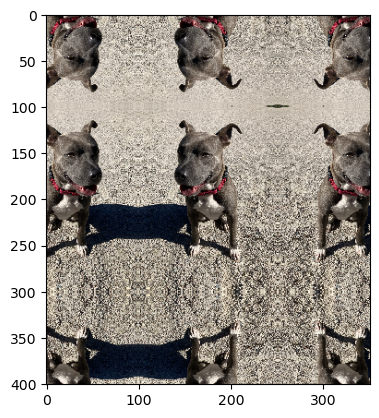
#INSERT CODE TO GENERATE THE OUTPUT SHOWN BELOW
transform=torchvision.transforms.ColorJitter(brightness=0.3, contrast=0.6, saturation=0.2, hue=0)
x1=transform(x)
print("original",x.shape)
print("transformed",x1.shape)
plt.imshow(x1.permute(1, 2, 0))
original torch.Size([3, 201, 151])
transformed torch.Size([3, 201, 151])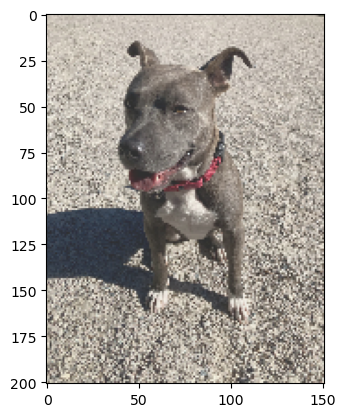
#INSERT CODE TO GENERATE THE OUTPUT SHOWN BELOW (NOTE OUTPUT SILL BE DIFFERENT DUE TO RANDOMNESS)
transform=torchvision.transforms.RandomCrop(50, padding=None, pad_if_needed=False, fill=0, padding_mode='constant')
x1=transform(x)
print("original",x.shape)
print("transformed",x1.shape)
plt.imshow(x1.permute(1, 2, 0)); plt.show()
original torch.Size([3, 201, 151])
transformed torch.Size([3, 50, 50])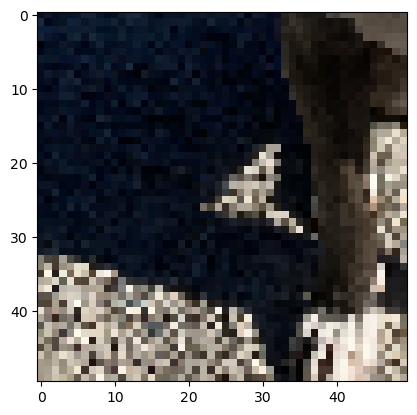
#INSERT CODE TO GENERATE THE OUTPUT SHOWN BELOW (NOTE OUTPUT SILL BE DIFFERENT DUE TO RANDOMNESS)
transform=torchvision.transforms.RandomCrop((50,100), padding=None, pad_if_needed=False, fill=0, padding_mode='constant')
x1=transform(x)
print("original",x.shape)
print("transformed",x1.shape)
plt.imshow(x1.permute(1, 2, 0)); plt.show()
original torch.Size([3, 201, 151])
transformed torch.Size([3, 50, 100])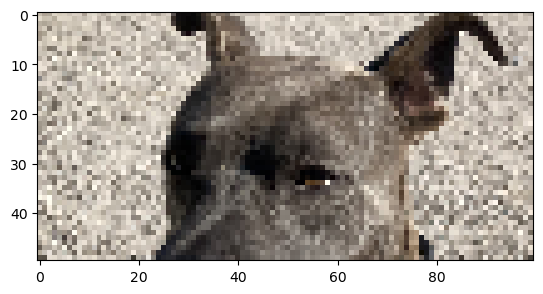
#INSERT CODE TO GENERATE THE OUTPUT SHOWN BELOW (NOTE OUTPUT SILL BE DIFFERENT DUE TO RANDOMNESS)(CROP+PAD)
transform=torchvision.transforms.RandomCrop((50,60), padding=None, pad_if_needed=False, fill=0, padding_mode='constant')
x1=transform(x)
padH=x.shape[-2]-x1.shape[-2]
padW=x.shape[-1]-x1.shape[-1]
print(x.shape,x1.shape,padH,padW,x.shape[-2],x1.shape[-2])
transform=torchvision.transforms.Pad((int(padW/2),int(padH/2)), fill=255, padding_mode='constant')
x1=transform(x1)
print(x1.shape)
plt.imshow(x1.permute(1, 2, 0)); plt.show()
torch.Size([3, 201, 151]) torch.Size([3, 50, 60]) 151 91 201 50
torch.Size([3, 200, 150])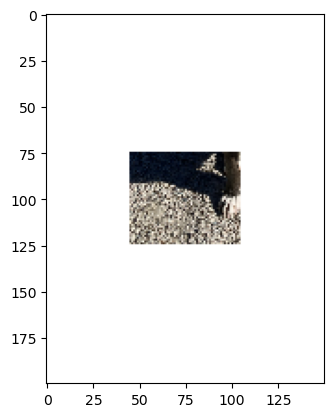
Rotate the image by angle. If the image is torch Tensor
degrees (sequence or number) – Range of degrees to select from. If degrees is a number instead of sequence like (min, max), the range of degrees will be (-degrees, +degrees).
expand (bool, optional) – Optional expansion flag. If true, expands the output to make it large enough to hold the entire rotated image.
If false or omitted, make the output image the same size as the input image. Note that the expand flag assumes rotation around the center and no translation.
#INSERT CODE TO GENERATE THE OUTPUT SHOWN BELOW (NOTE OUTPUT SILL BE DIFFERENT DUE TO RANDOMNESS)
transform=torchvision.transforms.RandomRotation((-50,50), expand=False,fill=255)
x1=transform(x)
print("original:",x.shape)
print("transformed:",x1.shape)
plt.imshow(x1.permute(1, 2, 0)); plt.show()
original: torch.Size([3, 201, 151])
transformed: torch.Size([3, 201, 151])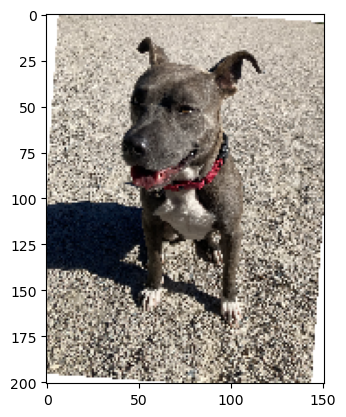
mean=torch.mean(x.float(), dim = [1,2])
std=torch.std(x.float(), dim = [1,2])
print(mean,std)
transform=torchvision.transforms.Normalize(mean,std)
x1=transform(x.float())
print("original:",x.shape)
print("transformed:",x1.shape)
plt.imshow(x1.permute(1, 2, 0)); plt.show()Clipping input data to the valid range for imshow with RGB data ([0..1] for floats or [0..255] for integers).tensor([142.9925, 134.8592, 125.6389]) tensor([72.4379, 70.4008, 64.9320])
original: torch.Size([3, 201, 151])
transformed: torch.Size([3, 201, 151])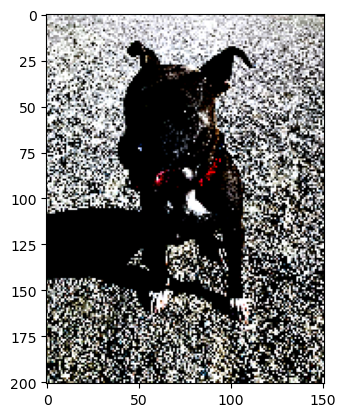
PIL is the Python Imaging Library which provides the python interpreter with image editing capabilities.
Convert a tensor or an ndarray to PIL Image. This transform does not support torchscript.
Converts a torch.*Tensor of shape C x H x W or a numpy ndarray of shape H x W x C to a PIL Image while preserving the value range.
transform=torchvision.transforms.ToPILImage()
print(type(x))
x1=transform(x)
print(type(x1))
x1.show()
<class 'torch.Tensor'>
<class 'PIL.Image.Image'>transforms = torch.nn.Sequential(
torchvision.transforms.RandomRotation((-50,50), expand=False,fill=255),
torchvision.transforms.RandomCrop((100,100), padding=None, pad_if_needed=False, fill=0, padding_mode='constant')
)
#Scripting a function or nn.Module will inspect the source code, compile it as TorchScript code using the TorchScript compiler
scripted_transforms = torch.jit.script(transforms)
x1=scripted_transforms(x)
print("original:",x.shape)
print("transformed:",x1.shape)
plt.imshow(x1.permute(1, 2, 0)); plt.show()original: torch.Size([3, 201, 151])
transformed: torch.Size([3, 100, 100])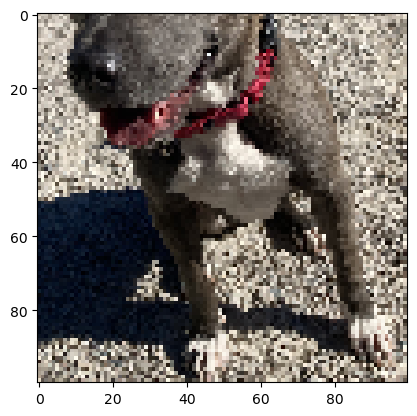
#INSERT CODE TO GENERATE THE OUTPUT SHOWN BELOW (NOTE OUTPUT SILL BE DIFFERENT DUE TO RANDOMNESS)
transforms = torch.nn.Sequential(
    torchvision.transforms.RandomAdjustSharpness(2.,p=1.),
    torchvision.transforms.RandomAutocontrast(p=1.),
    torchvision.transforms.RandomInvert(),
    torchvision.transforms.RandomRotation((-50,50), expand=False,fill=255),
)

#Scripting a function or nn.Module will inspect the source code, compile it as TorchScript code using the TorchScript compiler
scripted_transforms = torch.jit.script(transforms)

x1=scripted_transforms(x)
print("original:",x.shape)
print("transformed:",x1.shape)
plt.imshow(x1.permute(1, 2, 0)); plt.show()
original: torch.Size([3, 201, 151])
transformed: torch.Size([3, 201, 151])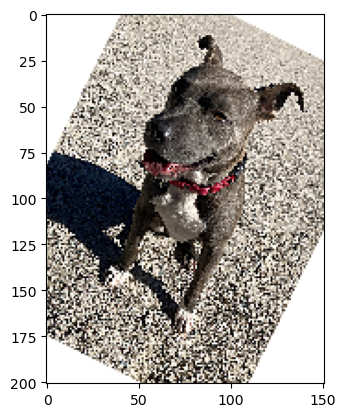
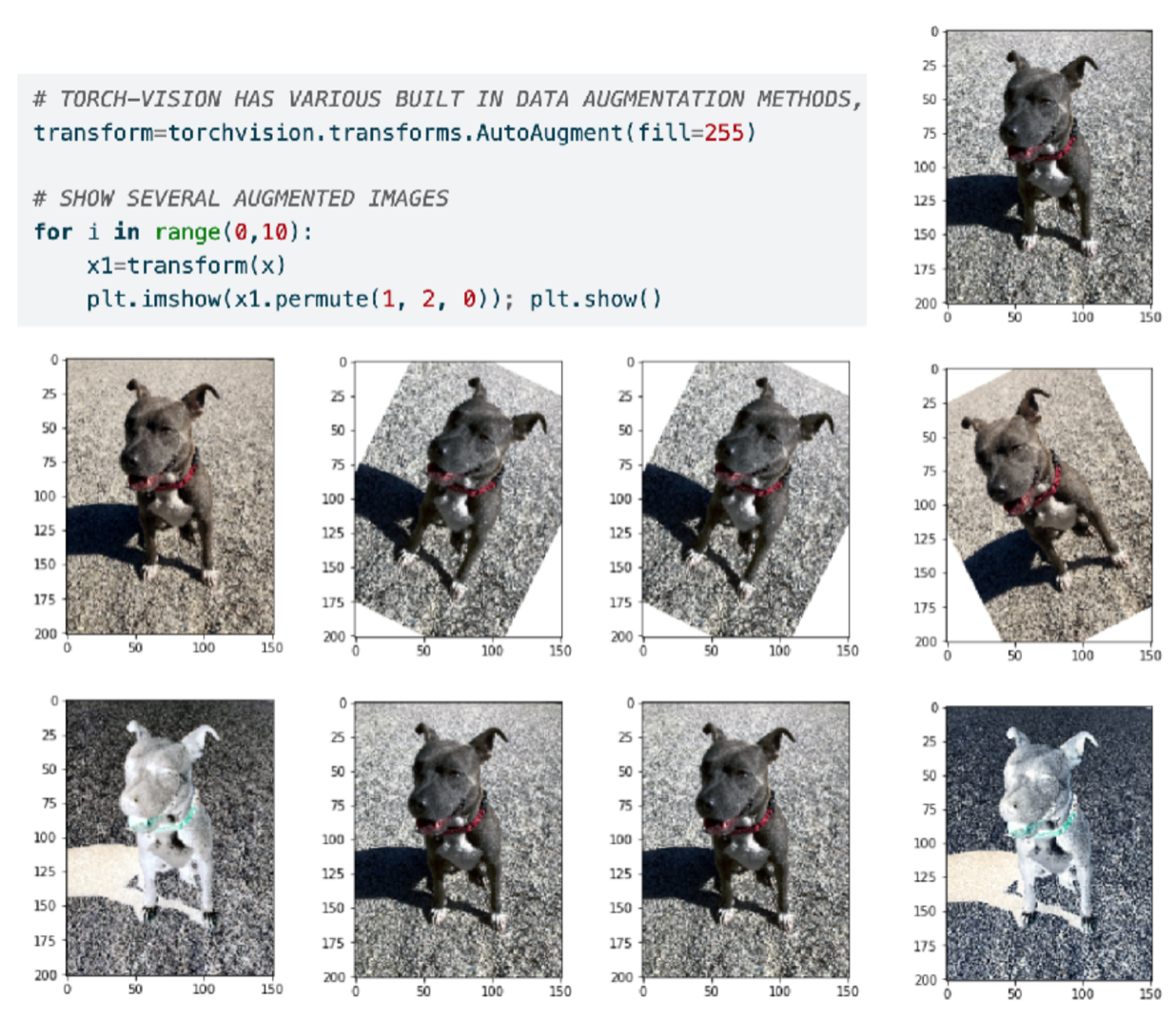
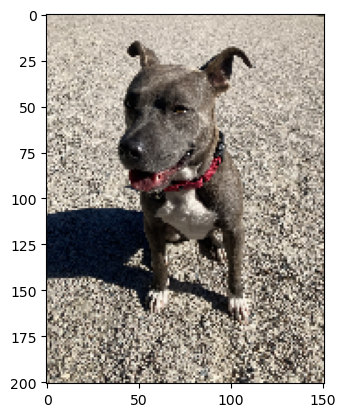
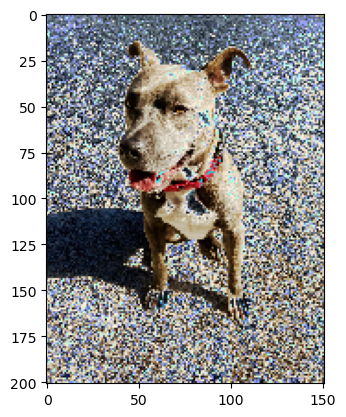
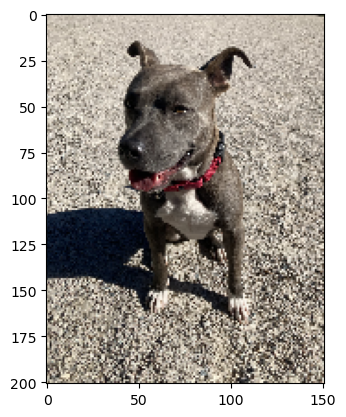
Though the data augmentation policies are directly linked to their trained dataset, empirical studies show that ImageNet policies provide significant improvements when applied to other datasets.
In TorchVision we implemented 3 policies learned on the following datasets: ImageNet, CIFAR10 and SVHN.
The new transform can be used standalone or mixed-and-matched with existing transforms:
# TORCH-VISION HAS VARIOUS BUILT IN DATA AUGMENTATION METHODS, THE FOLLOWING IS AN EXAMPLE OF ONE
transform=torchvision.transforms.AutoAugment(fill=255)
# transform=torchvision.transforms.RandAugment(num_ops=1)

# SHOW SEVERAL AUGMENTED IMAGES
for i in range(0,5):
    x1=transform(x)
    plt.imshow(x1.permute(1, 2, 0)); plt.show()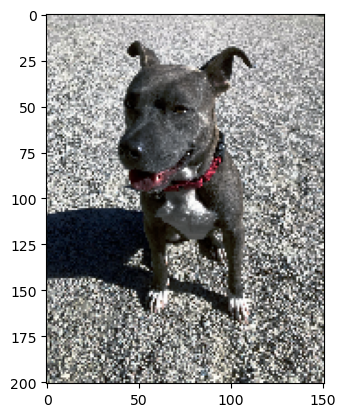
Torch vision also has several useful utility functions including the following
#INSERT CODE TO GENERATE THE OUTPUT SHOWN BELOW (use torchvision.utils.draw_bounding_boxes)
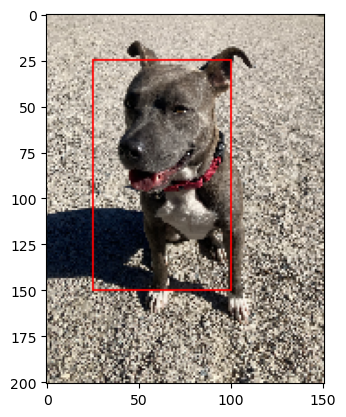
x1=torchvision.utils.draw_bounding_boxes(x,torch.tensor([[25,25,100,150]]),colors=['red'])
plt.imshow(x1.permute(1, 2, 0)); plt.show()