The following is a recording on this topic, I hope you find it useful!
Feel free to watch at 1.5x or 2x speed.
Note: If you find something missing or incorrect in the recording, then please let me know!
what is Quarto
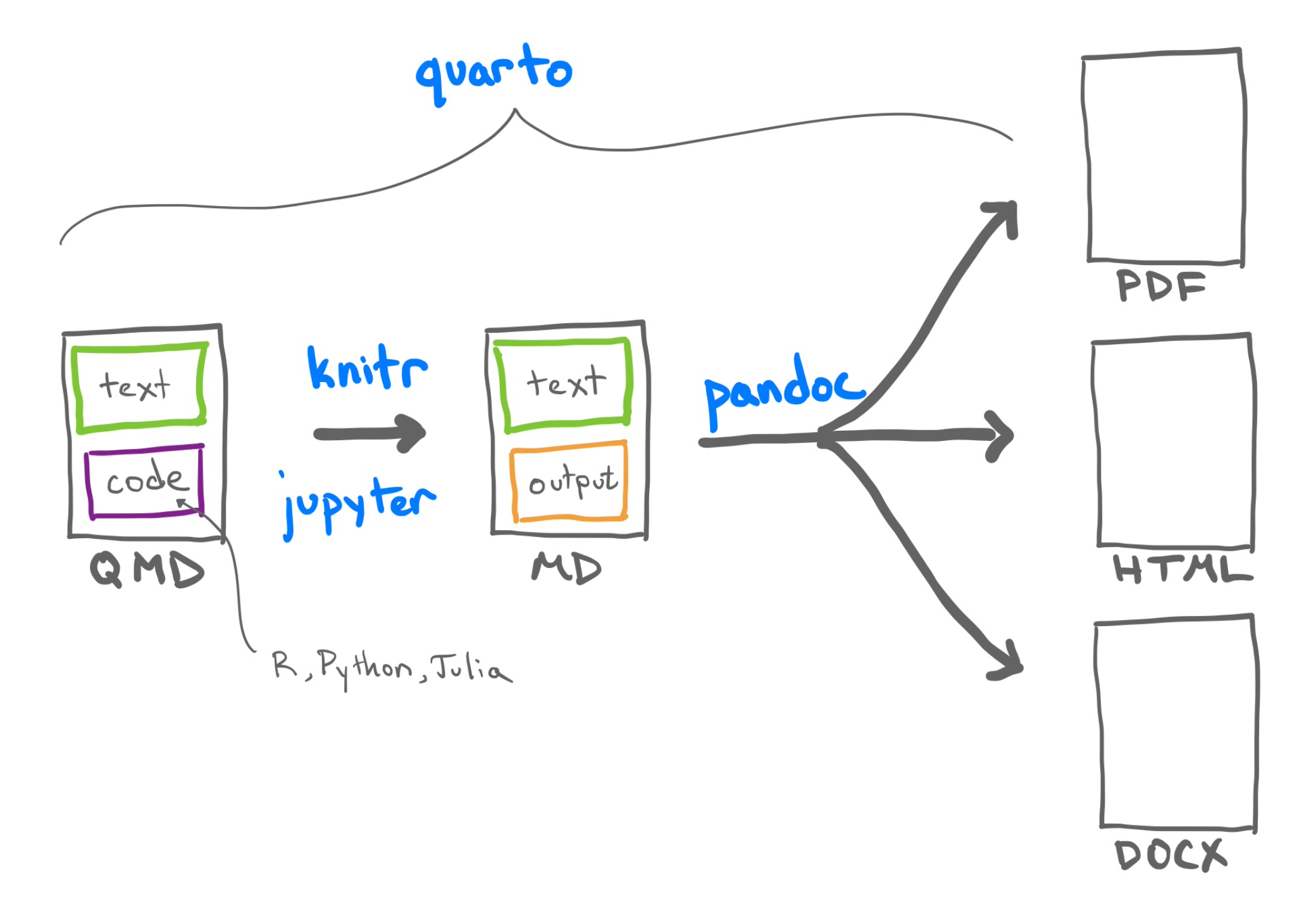
Quarto (.qmd) is similar to Jupyter notebooks (.ipynb) and RMarkdown (.rmd).
Integrates easily with VS Code or other text editors.
Jupyter notebooks rendered in .html often lack aesthetic appeal.
Quarto produces more professional, visually appealing documents.
Generalizes .ipynb with added functionality (cross-referencing, BibTeX, theming).
Outputs can be more interactive, useful for DSAN-5300.
More about Quarto
Here is a little more information about Quarto from their website. (https://quarto.org/)
Quarto is an open-source scientific and technical publishing system built on Pandoc
You can create dynamic content with Python, R, Julia, and Observable.
Author documents as plain text markdown or Jupyter notebooks.
Publish high-quality articles, reports, presentations, websites, blogs, and books in HTML, PDF, MS Word, ePub, and more.
Author with scientific markdown, including equations, citations, crossrefs, figure panels, callouts, advanced layout, and more.
File Formats
With Quarto you can do your entire workflow (code+write-up), output it to HTML, and then use this as your ‘’tab’’ for your website.
.qmd (Quarto Markdown):
Combines markdown with executable code blocks.
Supports multiple languages.
Ideal for creating dynamic reports or documents.
Native to Quarto.
.ipynb (Jupyter Notebook):
Interactive document format.
Combines code, output, and markdown.
Popular for data science and machine learning projects.
Supports Python, R, and more.
Conversion between .ipynb to .qmd
If you want, you can code in .ipynb and then convert it to .qmd for output to html at the end (or vice versa). This is done using the following commands from the command line.
quarto convert basics-jupyter.ipynb # converts to qmd
quarto convert basics-jupyter.qmd   # converts to ipynb
In the .qmd format you have more control over customization but coding in .ipynb might be more familiar.
Installation
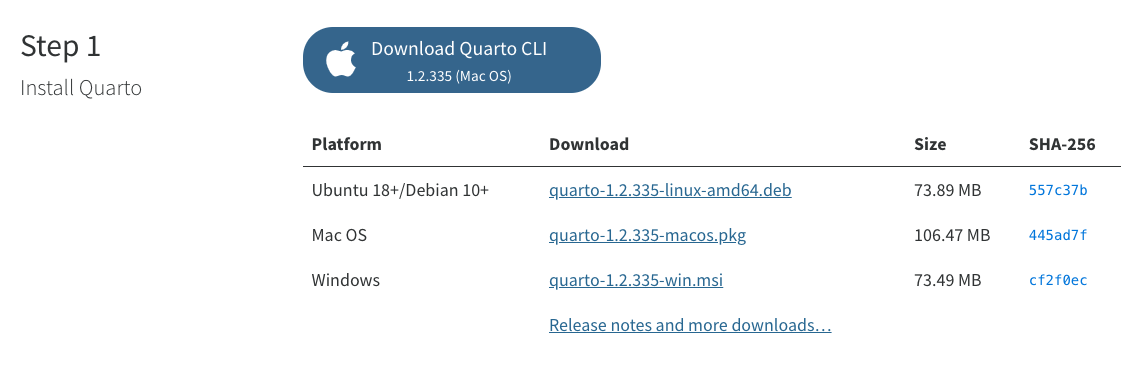
Installation is very easy. Instructions can be found here:
https://quarto.org/docs/get-started/
Examples
Please see the following link for examples of reports, articles, books, and presentations created with Quarto.
https://quarto.org/docs/gallery/
VS code integration
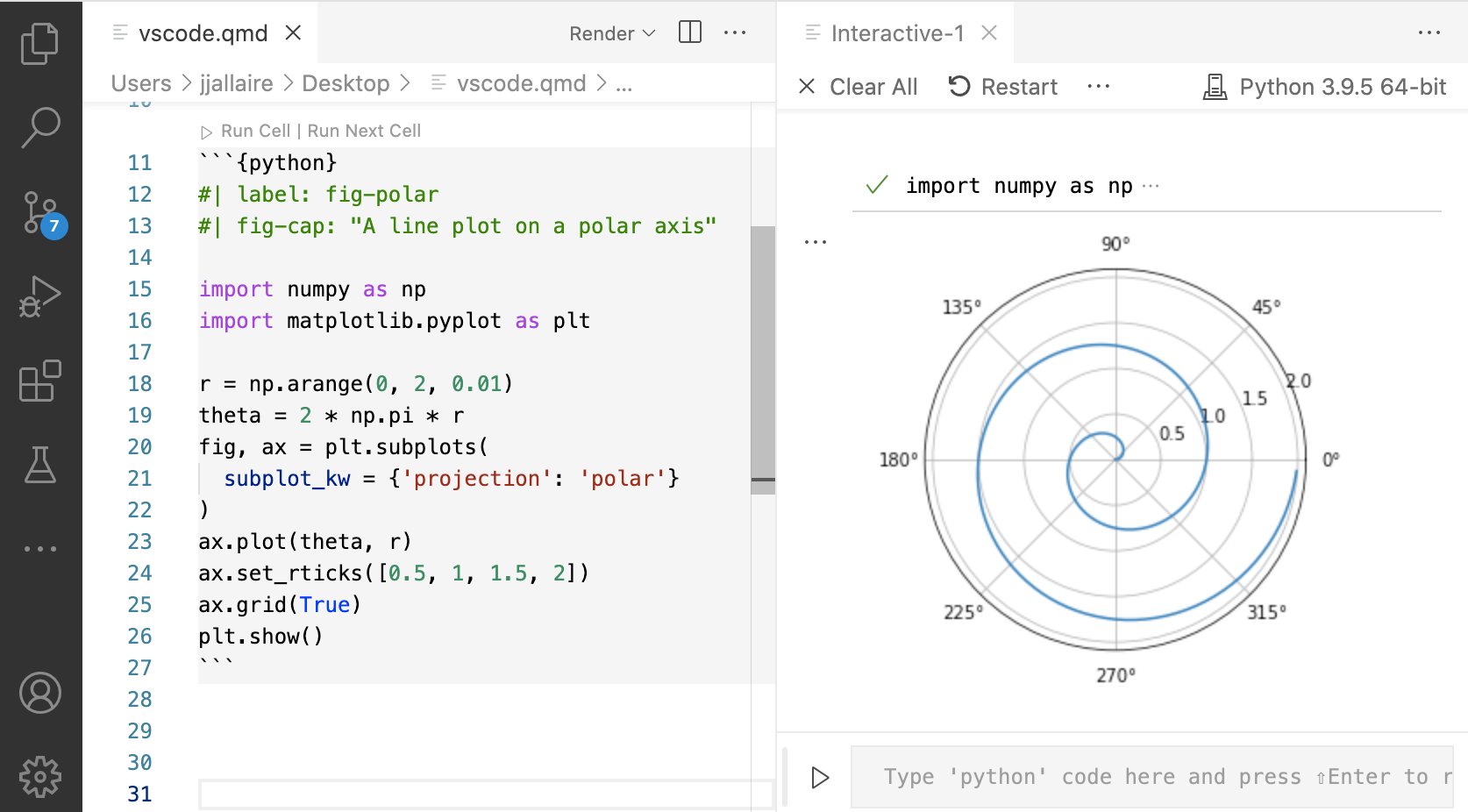
Once you install Quarto and the VS-code extension you can easily use it with .ipynb or .qmd inside of VSC.
In VS-code you can use the quarto renderer with .ipynb to make better looking .html outputs of Jupyter notebooks
Similarly, you can render a .qmd file to .html
Embedding resources
Embedded resources in Quarto allow you to include external assets like images, CSS, or JavaScript directly within your document. This ensures portability and self-containment, making sharing and archiving easier.
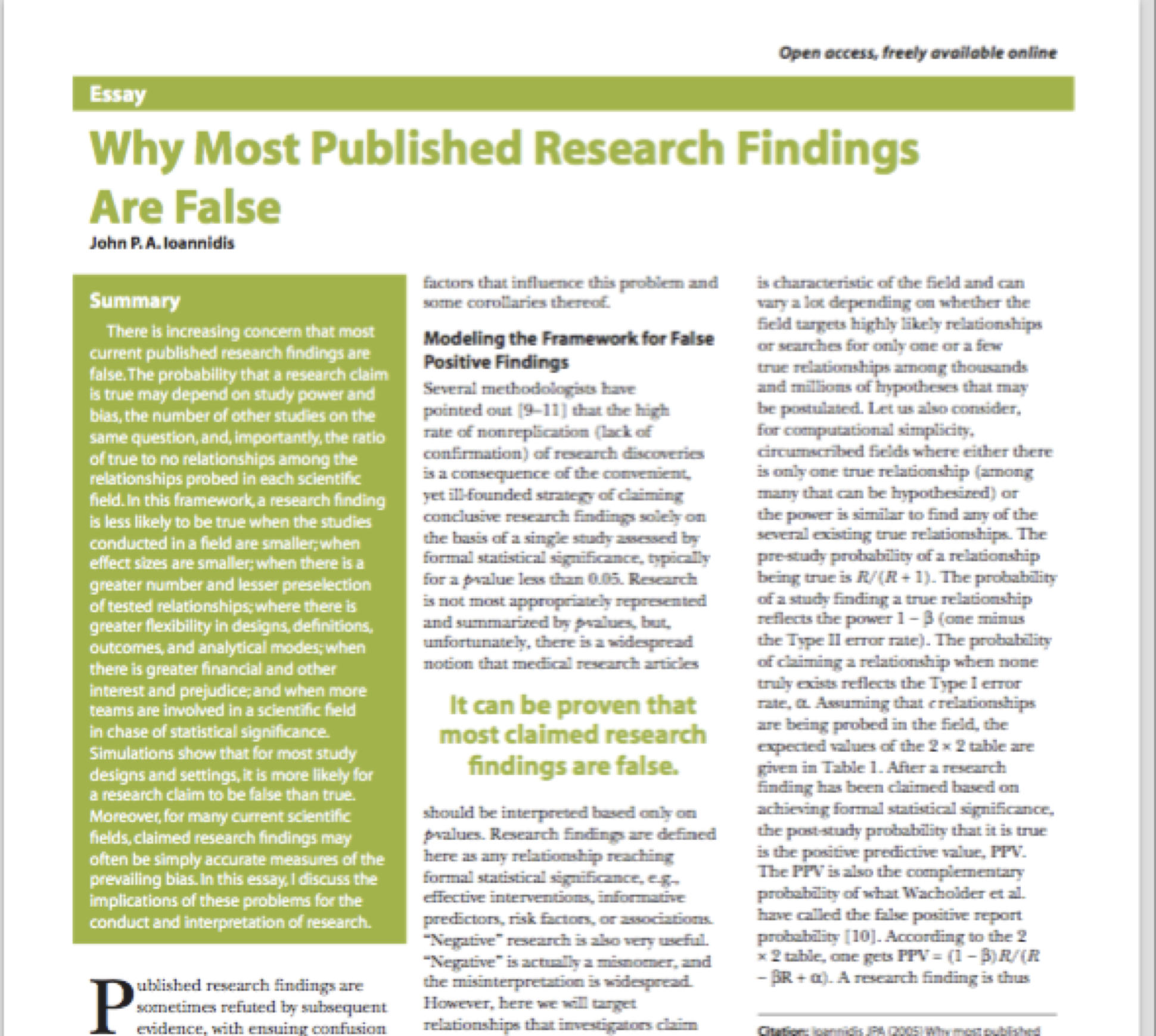
There is a clear sense of a reproducibility crisis in science123
A pharma industry report stated that 89% of research findings are not reproducible
This has huge implications for downstream development.
This is not just an issue for science and R&D
We need to trust our reports and findings, in all industries
Being able to verifiably reproduce documents goes a long way towards this
There is a real crisis, where individual researchers are unable to reproduce others’ work (or even their own)
A large fraction of papers give results that aren’t reproducible.
This has huge implications for product development
Overview & definitions
A reproducible document is a file or set of files, typically in a scientific or data-driven context, that includes both the content (text, tables, figures) & the code or instructions required to generate and update that content.
Designed to ensure that others can reproduce the same document, including its data analysis, results, and visualizations, consistently & accurately.
Reproducible documents are essential for transparent & verifiable research, allowing others to verify and build upon the work.
Literate programming is a coding & documentation approach where code and explanations are combined in a single document.
Emphasizes clear and understandable code by interleaving human-readable text (explanations, comments, and documentation) with executable code.
Fosters better communication and understanding among programmers.
writing explanations in a natural language, interspersed with
snippets of code written in a programming language
Two operations on this file:
weaving: Creating a document incorporating the code and its results
tangling: Extract the code into a script file for running (see here)
In the R ecosystem, this was first implemented as Sweave
Use \(\LaTeX\) to provide the mathematical & textual bits (we’ll talk about \(\LaTeX\) soon)
The code bits are in R (inherited from S-Plus)
There was nothing native in Python like this until Jupyter.
Don Knuth introduced the concept of literate programming as a means to create self-documenting code. The primary purpose of this concept was to have immediate human-readable documentation by interspersing the code with natural language comments and text. The prime objective was to have code that is well documented and can be easily transformed into manuals and technical documentation
Reproducible documents
Adapting the literate programming method to creating documents
Put text and code in the same document, with access to the data from the code
Weave the document so that the results of your analysis are incorporated into the document
Given the same data and code, you’ll create the same document (reproducible)
You can look at the source file to see how the results presented are generated
Potentially you can use the same source to create many different kinds of outputs
The main purpose here is to create documents, slides, websites, blogs, books etc.
The code is a means to creating output for these products, rather than just documenting code
Tool-sets
Reproducible documents are a marriage of natural language text (usually q/ some markup) & a scripting language.
Optional lecture content: Either cover quickly or skip, students can review at home
Markdown overview
Markdown is a lightweight markup language used for formatting plain text, enabling easy conversion to HTML. Popular for web content & documentation due to simplicity.
Blockquotes: Quote text with ‘>’ (e.g., ‘> This is a quote’).
Inline-Code: Format inline code with backticks (e.g. `code`)
Code blocks: Multi-line code-blocks use triple backticks e.g. ```code```).
Horizontal Rule: Add a horizontal line with ‘—’ or ’___’.
Tables: Create tables using ‘|’ and ‘-’ (see Markdown table syntax).
Escape Characters: Use ‘\’ to escape special Markdown characters.
LaTex
LaTex Overview
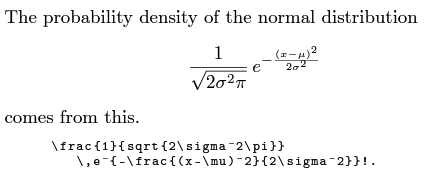
\(\LaTeX\) is a typesetting system commonly used for creating documents with complex formatting, such as research papers, theses, and academic articles.
Uses plain text w/ markup commands to define document structure & formatting.
Focuses on content & structure, allowing users to separate content from presentation.
Highly customizable, w/ packages & templates available for various document types.
LaTeX is particularly popular in academia & scientific publishing due to its support for mathematical equations and references.
Documents are compiled into PDF w/ LaTeX compilers like pdflatex or xelatex.
LaTeX is free and open-source, compatible with Windows, macOS, and Linux, and widely used in technical and scientific fields.
In DSAN, we often use Mark-Down for document generation rather than \(\LaTeX\). You DON'T have to be a LaTex expert, but, familiarity w/ writing math in LaTex is important
\(\LaTeX\) Motivation
It’s worth learning a little bit of \(\LaTeX\) both for its mathematical typesetting and for its strong formatting capabilities.
It is common for universities and journals and publishers to provide \(\LaTeX\) document classes for typesetting in their preferred manner.
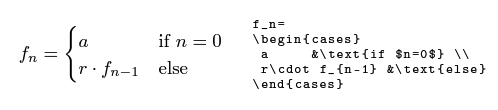
\left(...\right): Automatically size parentheses and brackets.
\alpha, \beta, etc.: Use Greek letters.
^ and _: Superscripts and subscripts, e.g., x^2\(\rightarrow x^2\) and a_{ij}\(\rightarrow a_{ij}\).
\(\LaTeX\) installation
Most reproducible document systems require an installation of \(\LaTeX\) on your computer or system. In particular, both RMarkdown and Quarto use it to generate PDF documents.
There are several distributions of \(\LaTeX\) available, including
However, there is a smaller, essential \(\LaTeX\) distribution available through the tinytex package, based on the TeX Live distribution
quarto install tinytex
This installation remains local to Quarto, i.e., it doesn’t affect other apps on your computer that use TeX. To make this your default TeX installation on your computer, use
quarto install tinytex --update-path
See the Quarto documentation on PDF Engines, and here for other Quarto tools.
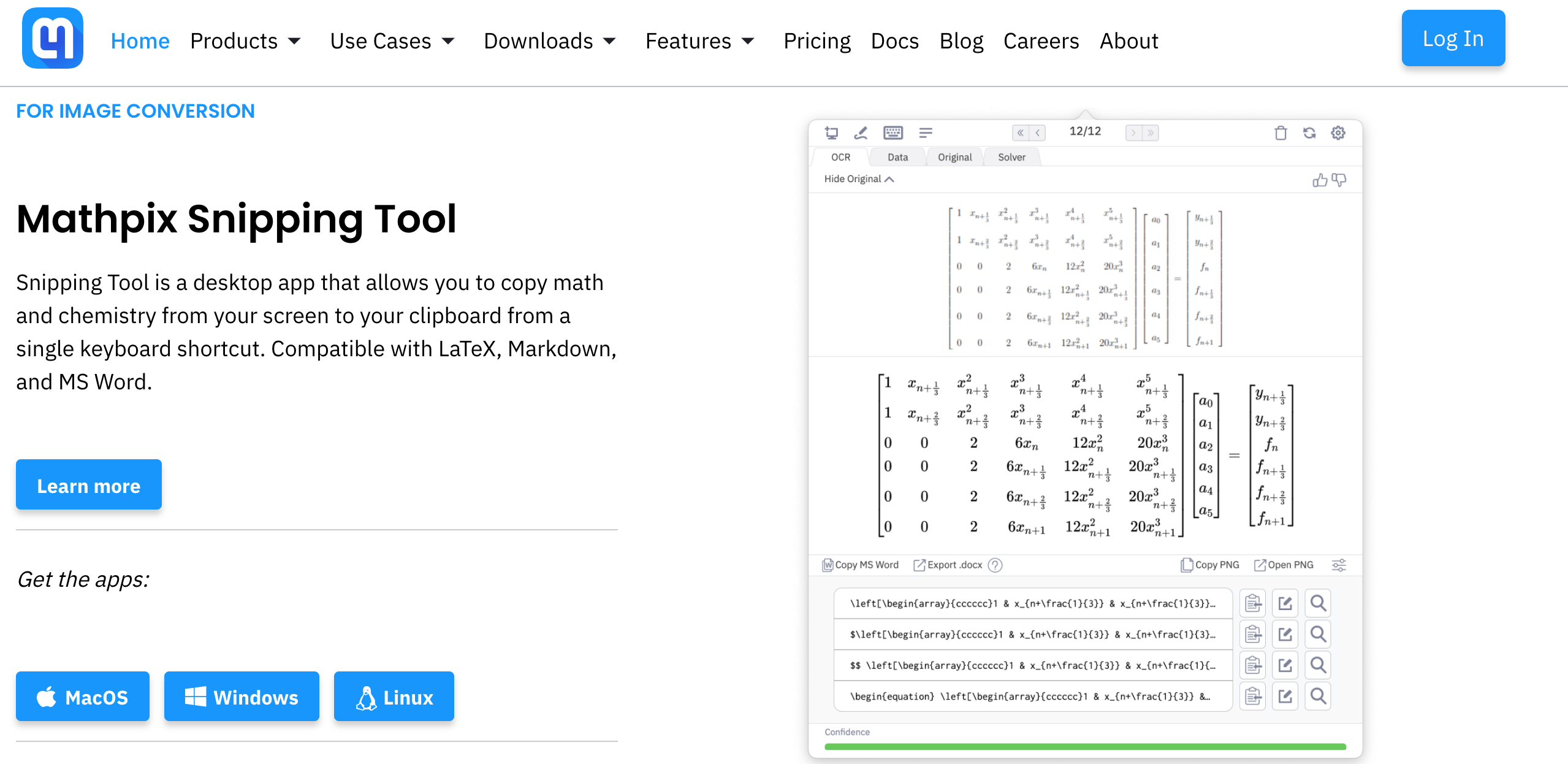
Mathpix is a tool that uses optical character recognition to convert images of handwritten or printed math equations into digital formats, aiding quick integration of math content into documents and applications.
R-Markdown
Optional lecture content: Either cover quickly or skip, students can review at home
RMarkdown
Markdown is a text-to-HTML conversion tool meant for web writers to write HTML pages without having to deal with all the syntax
It allows the use of \(\LaTeX\) for math typesetting :wink: :wink:
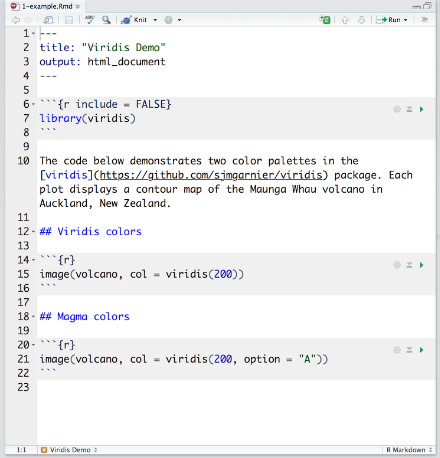
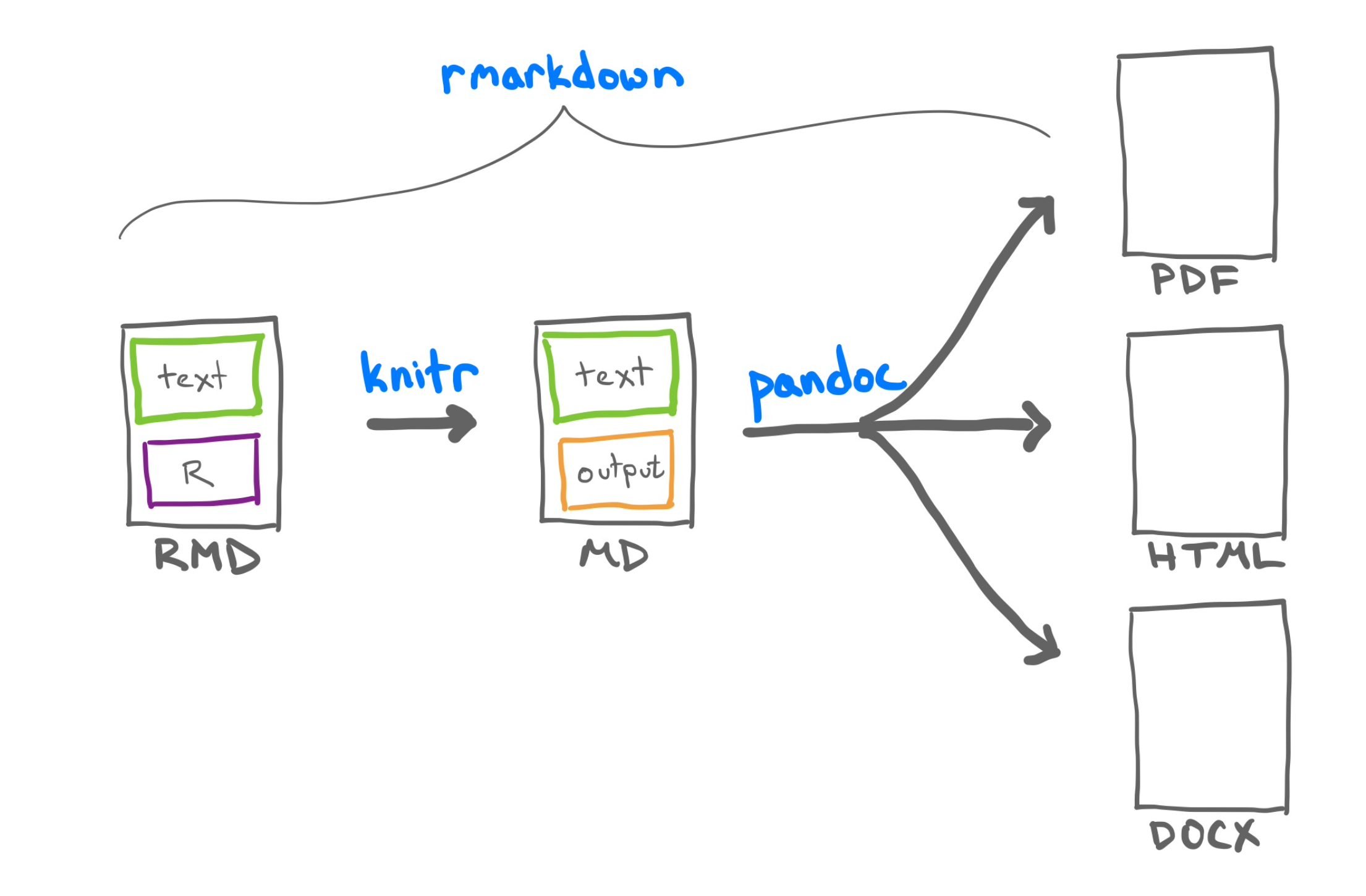
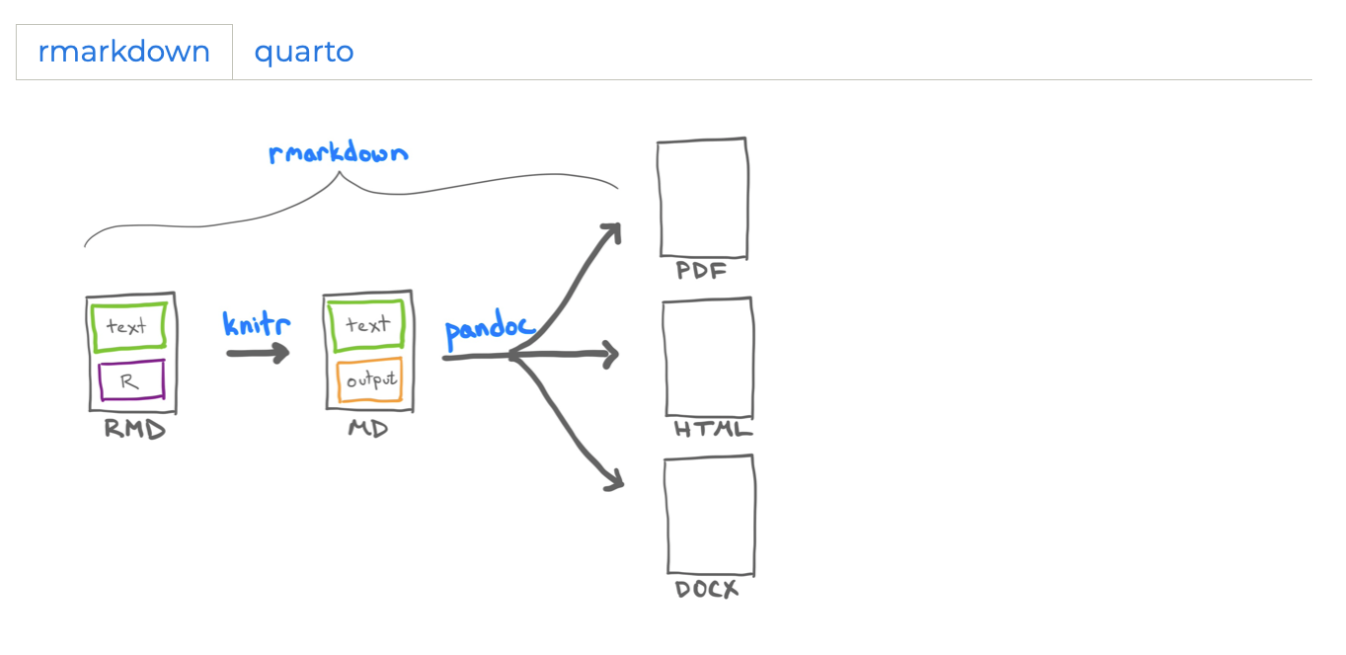
RMarkdown creates a noweb-like system for creating Markdown documents using R
This is still inspired by Sweave
Text is written in Markdown markup
Code chunks are delimited by ```{r} in line with Markdown syntax
A richer set of options for chunks
RMarkdown was preceded by Yihui Xie’s knitr package, & still has most of its capabilities
Pandoc
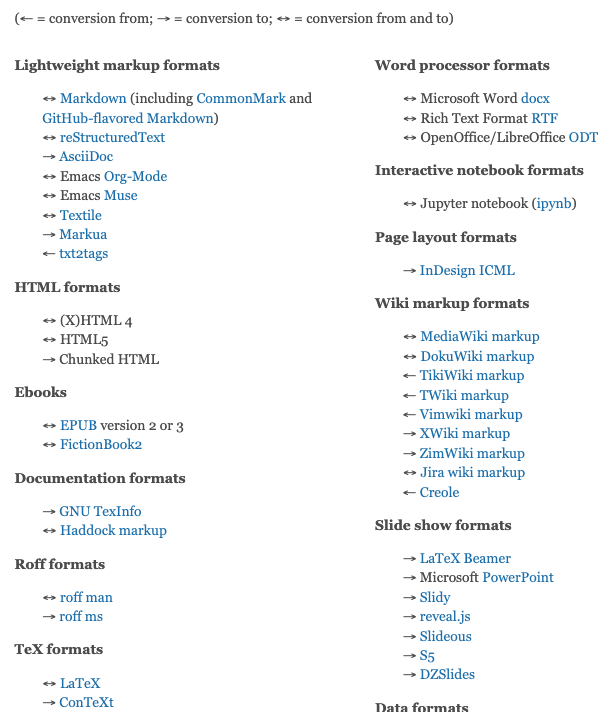
Pandoc is a “universal document converter” that has taken Markdown-based pipelines to a next level by allowing different kinds of outputs
Note the breadth of available formats for conversion (click to see full list)
For us, the most useful are
HTML
Word/Powerpoint
PDF via \(\LaTeX\) (documents and Beamer slides)
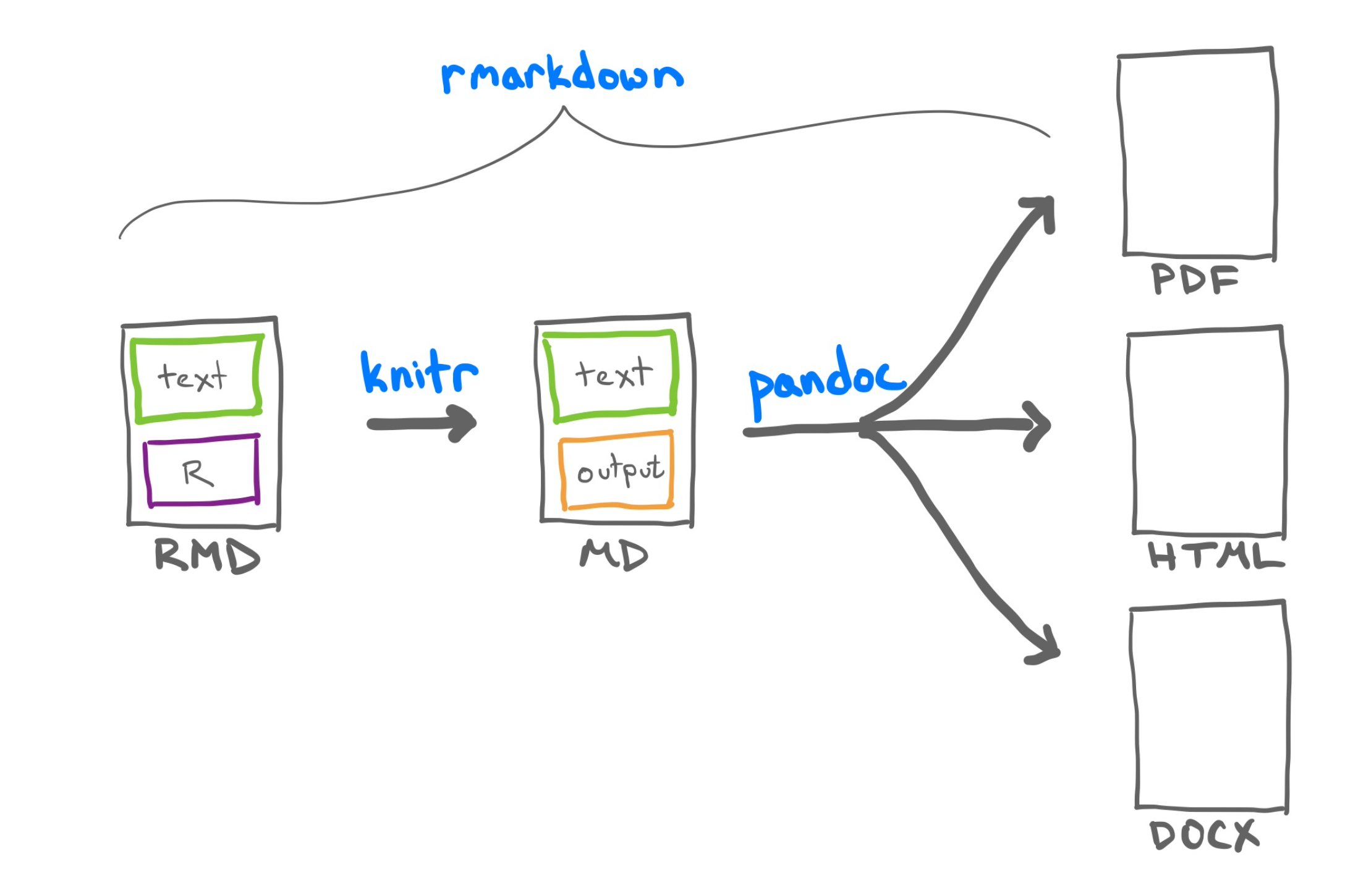
RMarkdown document creation
Andrew Bray, rstudio::conf(2022)
RMarkdown
RMarkdown has a strong ecosystem around it due to its extensibility.
Documents
Interactive documents (including dashboards and Shiny apps)
Presentations
Books (see bookdown.org for many great R books freely available)
Common in Kaggle competitions & common analyses interface w/ literate programming
Inbuilt into many cloud platforms (Google Colab, DataBricks, AWS Sagemaker)
Can be read, edited and run directly in VS Code or nteract without starting a web service
... But (some contrarian views)
But some would call this a red herring, since you can always to “Run all cells” in a notebook to do things in the right order
Quarto Overview
Quarto is the next generation of RMarkdown developed by Posit
Quarto overview
Quarto is a modern publishing system designed for data science and technical communication, focusing on reproducibility, interactivity, and flexibility:
Allows more complex HTML structures like div blocks, tabsets, callouts, etc.
RMarkdown documents based on pandoc will render in quarto
xaringan, a popular presentation package based on RMarkdown, renders directly to remark.js and so is not compatible with Quarto
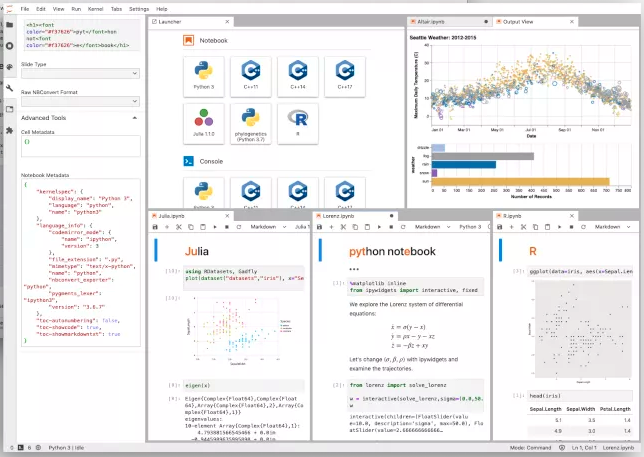
We can now use Jupyter notebooks as a source for Quarto, allowing the production of Python-based documents with the same fidelity as R users experience.
In fact, you can use any available Jupyter kernel for the source Jupyter notebook, not just Python
We can create content (text, code, results, graphics) within a source document, and then use different weaving engines to create different document types
Documents
Web pages (HTML)
Word documents
PDF files
Presentations
HTML
PowerPoint
Websites/blogs
Books
Dashboards
Interactive documents
Formatted journal articles
Most RMarkdown documents readily render in Quarto
Installation
Quarto is a standalone app on your computer, not a R or Python package
Keeping RMarkdown for lots of things, since it still works
Ability to create Python-based documents (great for ML projects)
Love some new things for presentations
The main story is that there is nothing wrong with either RMarkdown or Jupyter per se, but Quarto enhances the feature set and gives Python a proper reproducible document tool. RMarkdown is still richer.
The major enhancement over both is in creating presentations, and the ease of constructing particular layouts
Aside: Project website and presentation
It is HIGHLY RECOMMENDED, but not required, that you do your website and presentation with Quarto
It is also highly recommended that use .ipynb files and NOT .qmd files
Functionally the two formats are basically identical, i.e. they’re just Markdown + Code
However there is ONE MAJOR DIFFERENCE, i.e. .ipynb stores the code outputs in the meta-data of the file
This means you ONLY HAVE TO RUN THE CODE ONCE with .ipynb
.qmd will run the code every time you build the report, which can be very slow
There are caching options for .qmd to avoid this, however, they are “messier” that just using .ipynb
Note: If .qmd has no code, then it is basically just a Markdown file .md
Using Quarto
Tour through various important quarto constructs
LaTex in quarto
If you understand Markdown, then coding in Quarto should be pretty intuitive
Quarto syntax
* This is an example of a bulleted list with math
* Here is an in-line math equation $f(x)=\frac{e^{x^2}}{2}$

$$g(x)=x^n \rightarrow \frac{\partial g}{\partial x}=n x^{n-1}$$
Result:
This is an example of a bulleted list with math
Here is an in-line math equation \(f(x)=\frac{e^{x^2}}{2}\)
You can control basic layout options with ::: {layout-ncol=2}
Quarto syntax
::: {layout-ncol=2}
### List One

- Item A
- Item B
- Item C

### List Two

- Item X
- Item Y
- Item Z
:::
Result
List One
Item A
Item B
Item C
List Two
Item X
Item Y
Item Z
Columns
Quarto syntax
:::: {.columns}
::: {.column width="50%"}
### Documents

You can write HTML, Word and PDF documents
:::

::: {.column width="50%"}
### Presentations

You can write PowerPoint, Beamer and revealjs presentations

:::
::::
Result
Documents
You can write HTML, Word and PDF documents
Presentations
You can write PowerPoint, Beamer and revealjs presentations
Note: The ::: define div blocks, which are a HTML construct
Knowing HTML/CSS makes writing Quarto much more fun, since you can directly use div and span and CSS classes quite easily. See Divs and Spans
Quarto has native support for embedding two popular diagram-generating tools, Mermaid (.mmd) and Graphviz (.dot)
```{mermaid}%%| fig-cap: "A Mermaid diagram"%%| code-fold: falseflowchart LR A[Hard edge] --> B(Round edge) B --> C{Decision} C --> D[Result one] C --> E[Result two]```
flowchart LR
  A[Hard edge] --> B(Round edge)
  B --> C{Decision}
  C --> D[Result one]
  C --> E[Result two]
A Mermaid diagram
You can preview Mermaid (.mmd) and Graphviz (.dot) files both in RStudio (using the DiagrammeR package) and in VS Code (using the Quarto extension)
For PDF and Word outputs, the diagrams are converted to PNG images using a native Chrome installation or the [Chromium] tool.
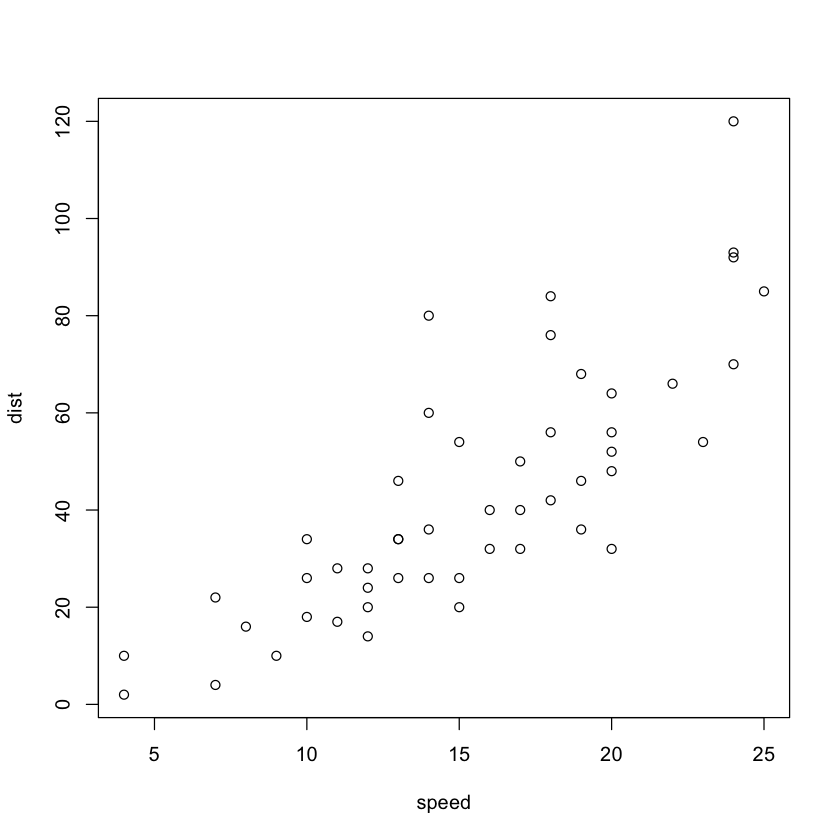
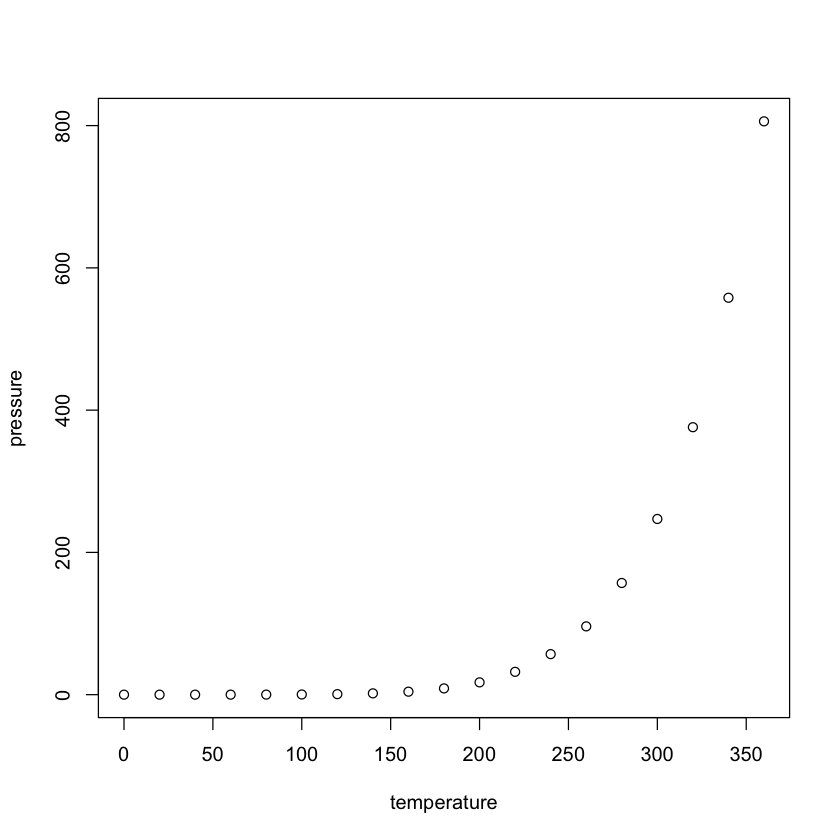
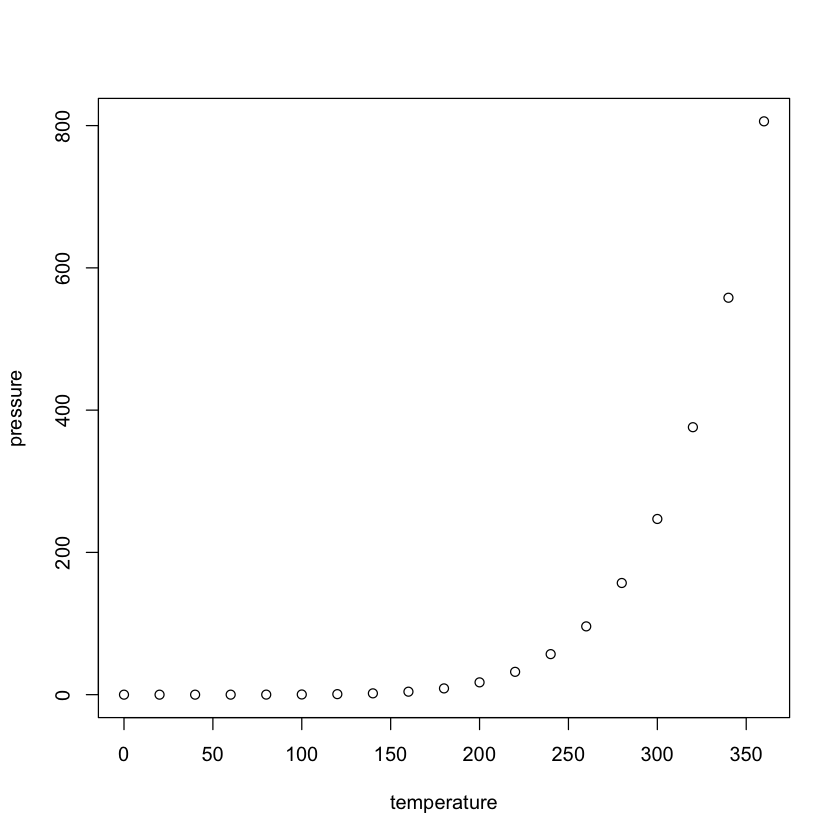
```{r}#| layout-ncol: 2#| fig-cap: #| - "Speed and Stopping Distances of Cars"#| - "Vapor Pressure of Mercury as a Function of Temperature"#| code-fold: falseplot(cars)plot(pressure)```
Speed and Stopping Distances of Cars
Vapor Pressure of Mercury as a Function of Temperature
Code highlighting
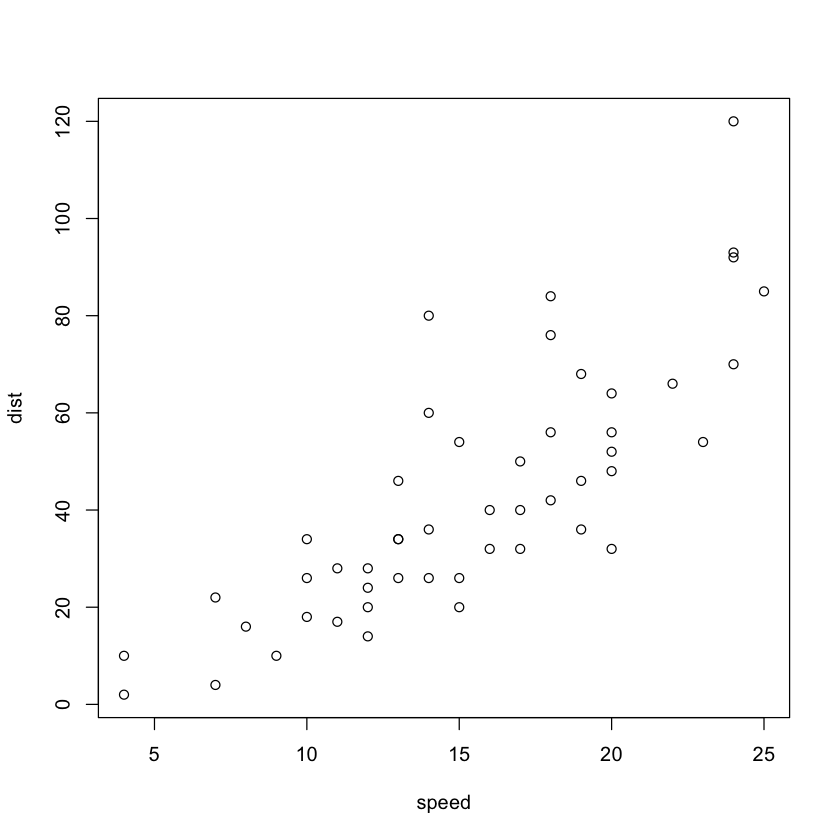
```{r}#| layout-ncol: 2#| label: fig-charts#| fig-cap: Charts#| fig-subcap: #| - "Speed and Stopping Distances of Cars"#| - "Vapor Pressure of Mercury as a Function of Temperature"#| code-fold: false#| code-line-numbers: "|3|4-7"plot(cars)plot(pressure)```
(a) Speed and Stopping Distances of Cars
(b) Vapor Pressure of Mercury as a Function of Temperature
Figure 1: Charts
Converting file types
You can switch between .qmd and .ipynb with quarto
quarto convert clustering.qmd this will output a .ipynb version called clustering.ipynb
quarto convert eda.ipynb this will output a .qmd version called eda.qmd
Examples:
quarto convert filename.ipynb
quarto convert filename.qmd
quarto convert filename.rmd
quarto preview filename.qmd
quarto preview filename.ipynb
quarto render filename.qmd
quarto render filename.ipynb
Embedding video
{{< video https://youtu.be/Z8t4k0Q8e8Y width="800" height="500" >}}
YAML (YAML Ain’t Markup Language): A human-readable data serialization format.
Indentation: Uses whitespace indentation (spaces or tabs) for structure, without relying on explicit delimiters like braces or brackets.
Key-Value Pairs: Represents data as key-value pairs, e.g., key: value.
Lists: Represents lists using hyphens, e.g., - item1, - item2.
Nested Structures: Supports nested data structures using indentation.
Comments: Allows comments with #.
Scalars: Represents simple data types like strings, numbers, and booleans.
Data Types: Supports various data types including strings, numbers, booleans, null, and dates.
Inclusion: Permits the use of anchors and aliases for reusing data.
Readability: Prioritizes human readability and is often used in configuration files and data exchange between languages.
No Code Execution: YAML is not intended for executing code, making it safer than some other formats for data exchange.
Aside: Tip for Mac users
command+control+shift+4 is very useful on a mac.
It takes a screenshot and saves it to the clip-board
Windows has a similar shortcut but you will have to google it
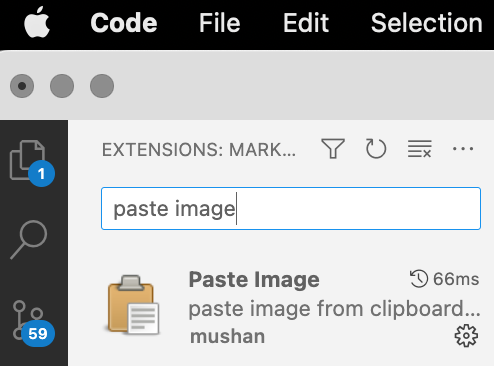
The following VSC extension allows you to paste images from the clip-board with alt+command+v.
tab is your best friend when using the command line, since it does auto-completion
open ./path_to_file will open any file or directory from the command line –>
Citations and Bibliographies
Citations
When creating documents, it is imperative that we properly cite and attribute sources we use in our document
This is part of the Honor Code for academic integrity
This is about being honest with intellectual property & giving credit where credit is due.
Keeping track of sources and citations often ends up being a big deal
Reference management
There are several established reference managers available, both commercial and open-source.
Many of these can search online resources to add references and PDF
Many have cloud storage allowing you to access your references from anywhere
They can insert citations and create bibliographies in documents
BibTeX is a tool and file format that is used to describe and process lists of references. It was developed alongside \(\LaTeX\).
BibTeX works especially well with the Markdown/Pandoc workflow of Quarto
It also works with Word using the BibTeX4Word plugin
A typical BibTeX entry looks like this:
@article{article_key,
  author  = {Peter Adams},
  title   = {The title of the work},
  journal = {The name of the journal},
  year    = 1993,
  number  = 2,
  pages   = {201-213},
  month   = 7,
  note    = {An optional note},
  volume  = 4
}
The crucial piece in this entry is the article_key by which you will refer to the citation in your document
There are 14 key BibTeX types, but the most common are @article, @book and @unpublished
However, you don’t need to write out these entries by hand
Reference managers
Several reference manages are available that provide citations in BibTeX format, among other formats
To see some comparisons between these and a popular commercial reference manager (EndNote), see here
Citations in Quarto
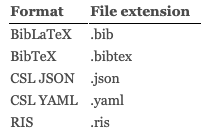
There are a few citation formats that can be used with Quarto, through pandoc.
Note
The RIS format is available from many reference managers, including Endnote
The CSL JSON format is also an available format from many reference managers
Pandoc has the ability to automatically generate citations and a bibliography from BibTeX files and embedded references (much like we replace R/Python code with their output)
Citations in Quarto
Point to .bib files in the YAML header, replacing the name w/ the file-name you’re using
You would need to download the .csl file from the repository and keep it in the same folder as your document.
Citations in Quarto
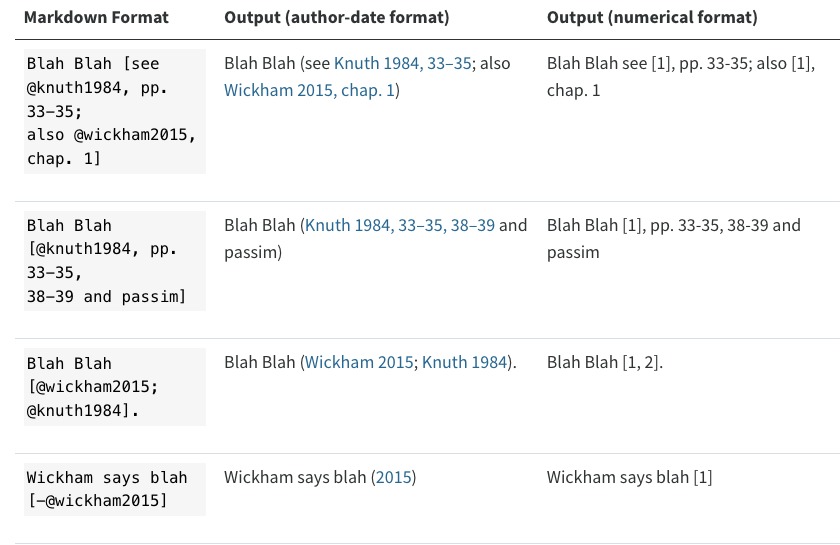
You make a citation using the standard Pandoc/BibTeX syntax ([@citation]), where these are the citation-keys we saw before in the BibTeX entries.
You can use multiple citations at a time, separated by semi-colons
Citations in Quarto
Pandoc will generate a bibliography and place it in the document. It will be placed in a div with the id refs if one exists, otherwise it will be place in the end of the document
### References

::: {#refs}
:::
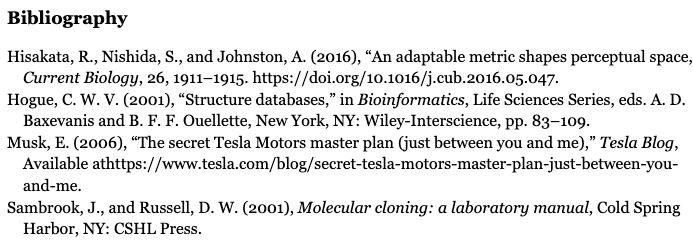
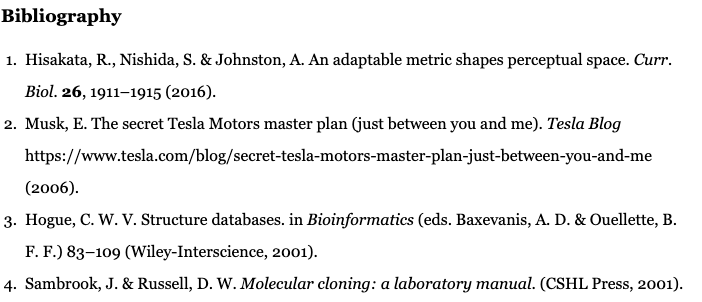
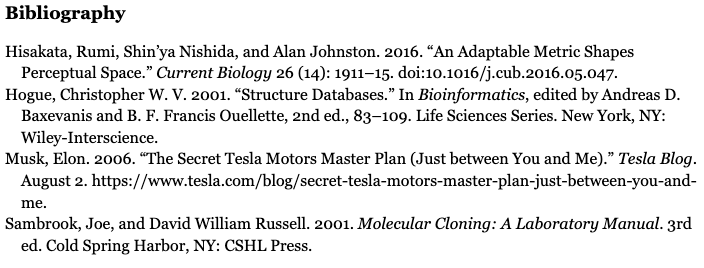
Depending on the CSL format, the bibliography will conform to the ordering and format of that CSL specification.
Citation styles
American Statistical Association
Nature
Chicago
Supplementary material
Optional lecture content: Either cover quickly or skip, students can review at home
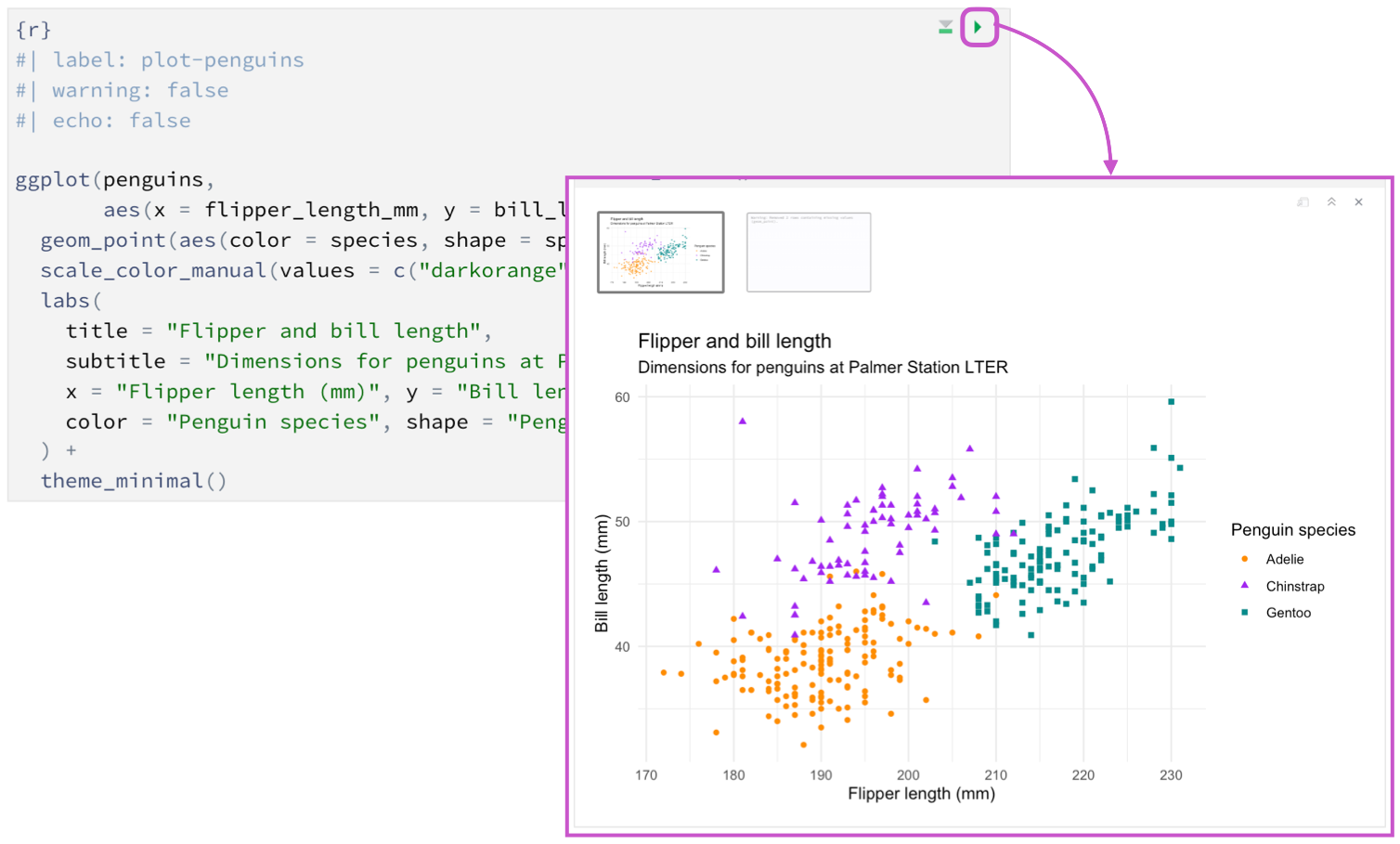
Using Quarto in RStudio
Given that Quarto is developed by Posit, the company behind RStudio, Quarto works quite seamlessly in RStudio
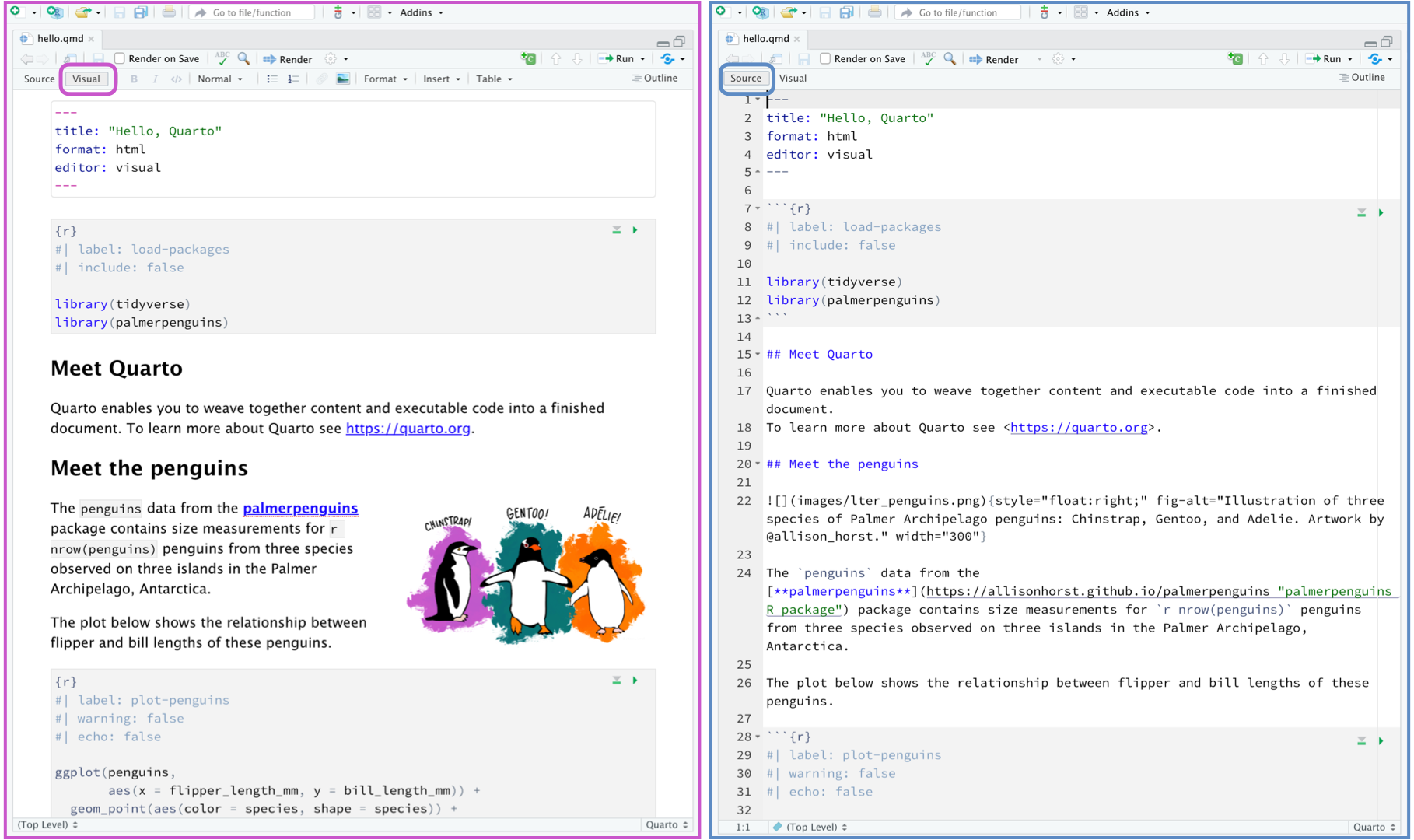
RStudio provides both a source editor and a visual editor experience for editing Quarto files
The visual editor in RStudio does not work really well with more complex constructs like columns, callouts and tabsets. It tends to change the source code leading to problems
Using Quarto in RStudio
At the top of the file, we put an (optional) YAML header to provide information about document output, general formatting rules and the like.
You can also specify the computational engine you want to use for the Quarto document in the YAML header (only if you’re using a non-R engine via Jupyter)
You specify the Jupyter kernel you want to use as well
Important
Note that YAML is a hierarchical specification with hierarchy denoted by indentation. This is important to maintain, so your specification is clear. Note, for example, that the jupyter option is a top-level option, while the html and pdf specifications are within the format specification
You can also add code within the markdown sections, but only if you’re using R
There are `r nrow(ggplot2::mpg)` observations in our data
results in
There are r nrow(ggplot2::mpg) observations in our data
#| label: load-packages-py
#| echo: fenced
#| code-fold: false
#| eval: false

import numpy as np
import pandas as pd
import matplotlib.pyplot as plt
import seaborn as sns
To create “inline” code in Python (only from a Jupyter notebook), you have to create a chunk
#| echo: fenced
#| eval: false
#| code-fold: false
radius = 10
from IPython.display import display, Markdown
display(Markdown("""
The radius of the circle is {radius}.
""".format(radius=radius)))
Using Quarto in RStudio
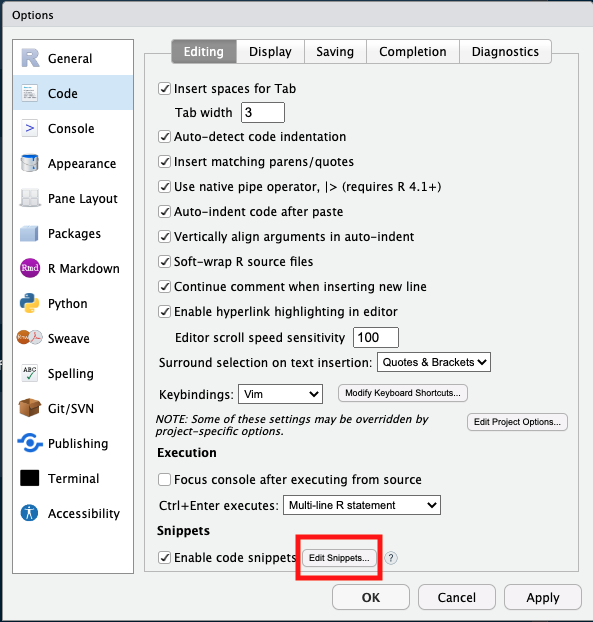
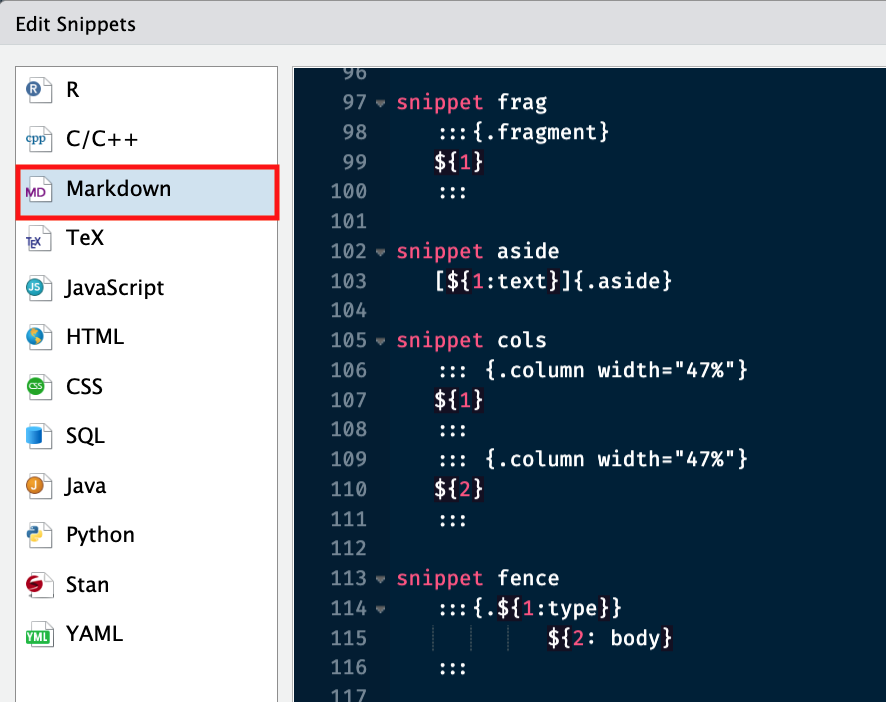
You can add snippets to the RStudio configuration. Thomas Mock provides several useful Quarto snippets