Image data basics
Motivation
- Why should you care about how computers store images and graphics?
- Images are data!! Understanding image data is the first step in understanding computer vision and other advanced applications
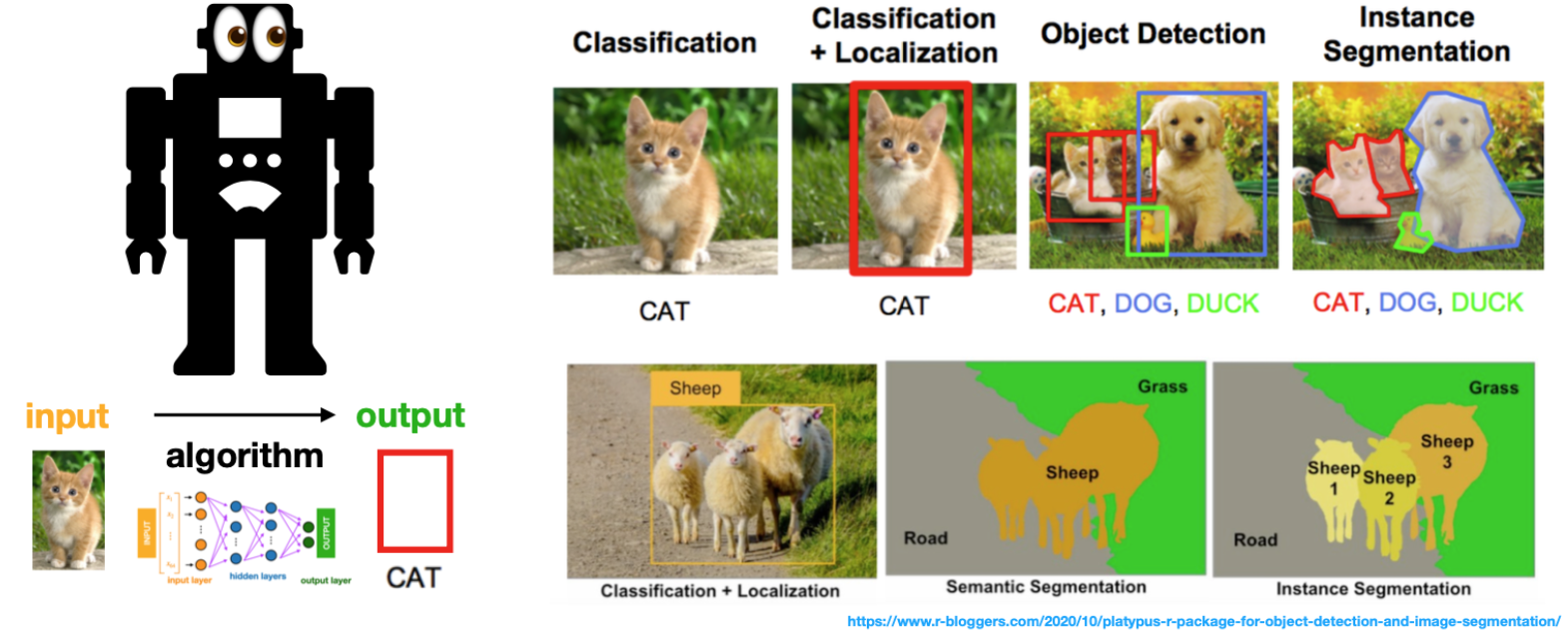
- This becomes very important with respect to
Convolutional Neural networks
Computer vision applications
These cutting-edge applications showcase the transformative impact of computer vision on various industries, improving efficiency, accuracy, & user experiences.
Autonomous Vehicles: Enabling real-time object detection, tracking, & scene underst&ing for self-driving cars & drones.
Medical Imaging: Assisting in disease diagnosis, tumor detection, & medical image analysis, enhancing patient care.
Augmented Reality (AR): Overlaying digital information onto the real world, enhancing user experiences in gaming, navigation, & training.
Facial Recognition: Identifying individuals for security, access control, & user authentication purposes.
Emotion Detection: Analyzing facial expressions to recognize emotions, aiding in user interaction & sentiment analysis.
Object Segmentation: Accurately separating objects from backgrounds, crucial in image editing & computer-generated imagery.
Industrial Automation: Optimizing manufacturing processes, inspecting products, & ensuring quality control using visual analysis.
Agriculture & Farming: Monitoring crop health, yield prediction, & precision farming using aerial imagery.
Art Restoration: Restoring & preserving artworks through image analysis & digital techniques.
Retail Analytics: Analyzing customer behavior & optimizing store layouts for better shopping experiences.
Remote Sensing: Analyzing satellite & drone imagery for environmental monitoring, disaster assessment, & urban planning.
Gesture Recognition: Interpreting human gestures for intuitive human-computer interaction in gaming, smart homes, & virtual reality.
Document Analysis: Automating text extraction, recognition, & categorization for efficient data processing.
Security & Surveillance: Enhancing surveillance systems with real-time threat detection & tracking.
Biometrics: Identifying individuals based on unique physical attributes like iris patterns & palm prints.
Types of digital images
- Raster graphics: A raster graphic represents a two-dimensional picture as a matrix of pixels (bitmap)
- this matrix can be rendered via a computer display. 1
- In this context, the images are stored as matrices
- Examples: .PNG, .BMP, .TIF, .GIF, .JPG
- Vector graphics: Visual images are created directly from geometric shapes defined on a Cartesian plane, such as points, lines, curves and polygons. 2
- In this context, images are stored as a set of coded instructions, similar to HTML
- The images can be “re-constructed” and “rendered” using specialized software to parse these instructions into images
- Examples: .SVG, .EPS, .PDF, .AI, .DXF, .HTML
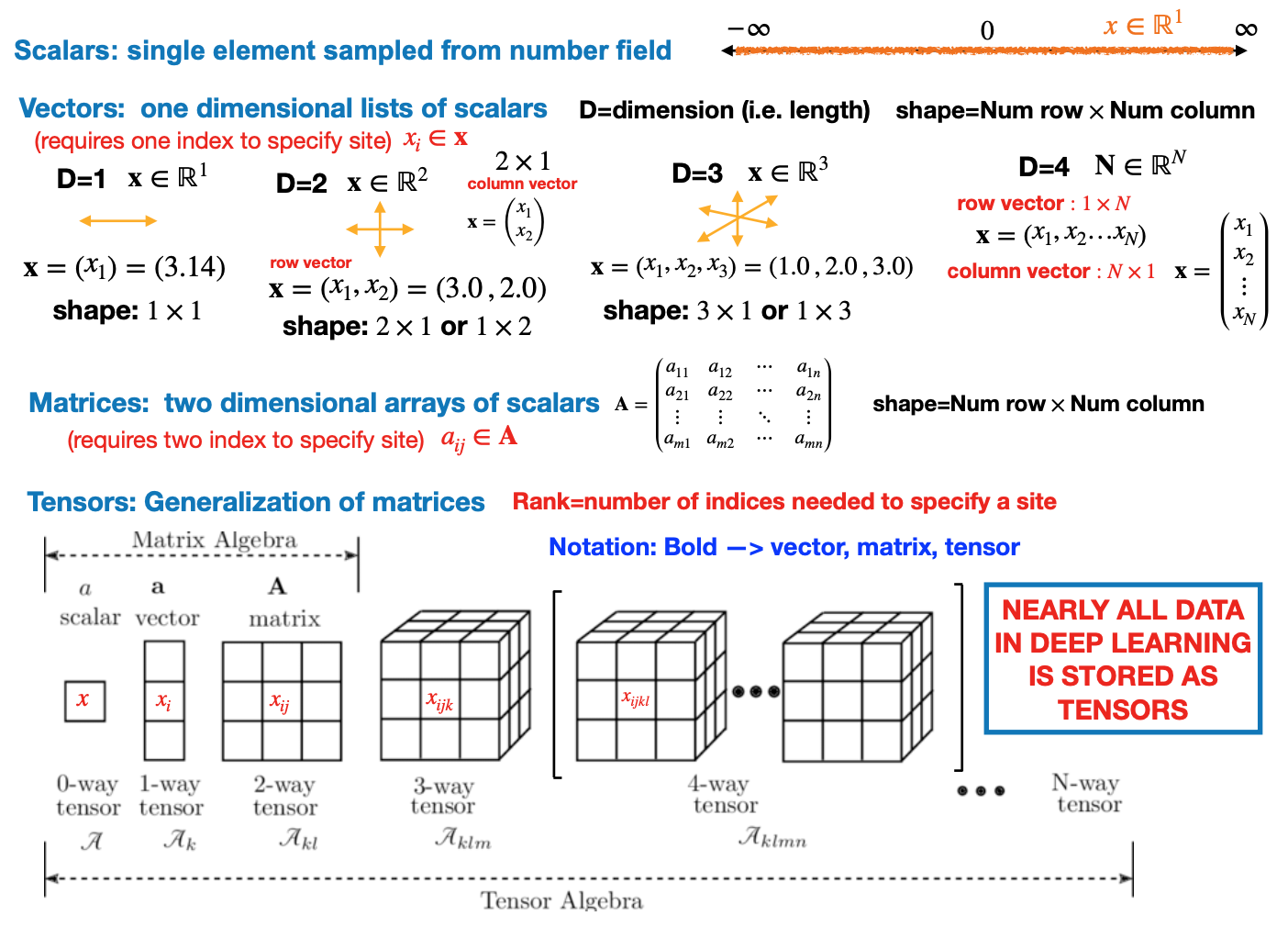
Tensors
- Everything in deep learning is represented as a tensor (either numpy or torch)
Gray-scale images
Black and white screens
- Some basic concepts about screens can be useful for understanding computer vision
- In a black and white screen, pixels are variable light bulbs outputting white (mixed) light
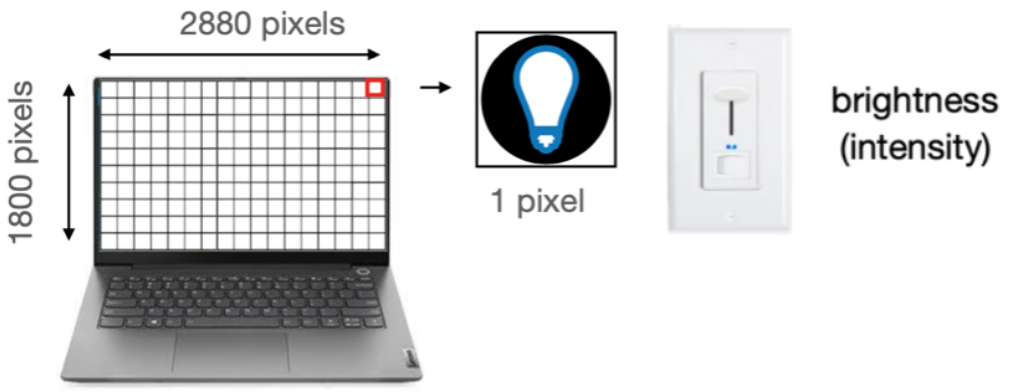
- The intensity of a pixel’s light is control by the gray-scale number.
- Numbers associated with colors are called
channels, gray-scale has one channel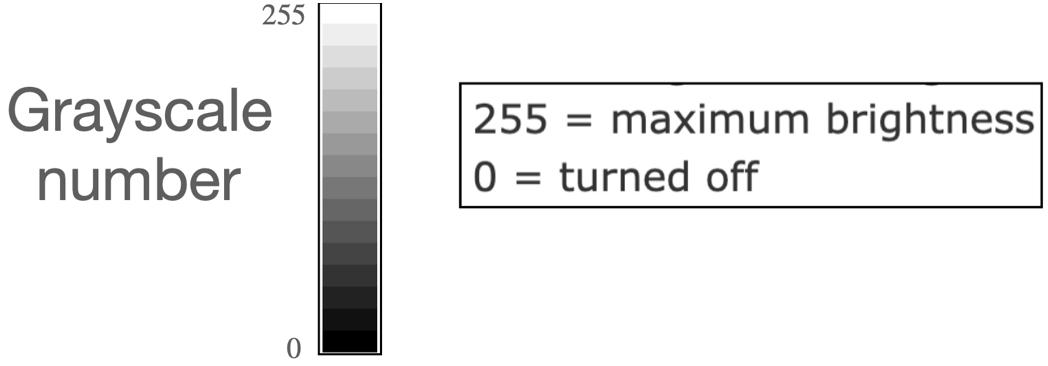
Grayscale images
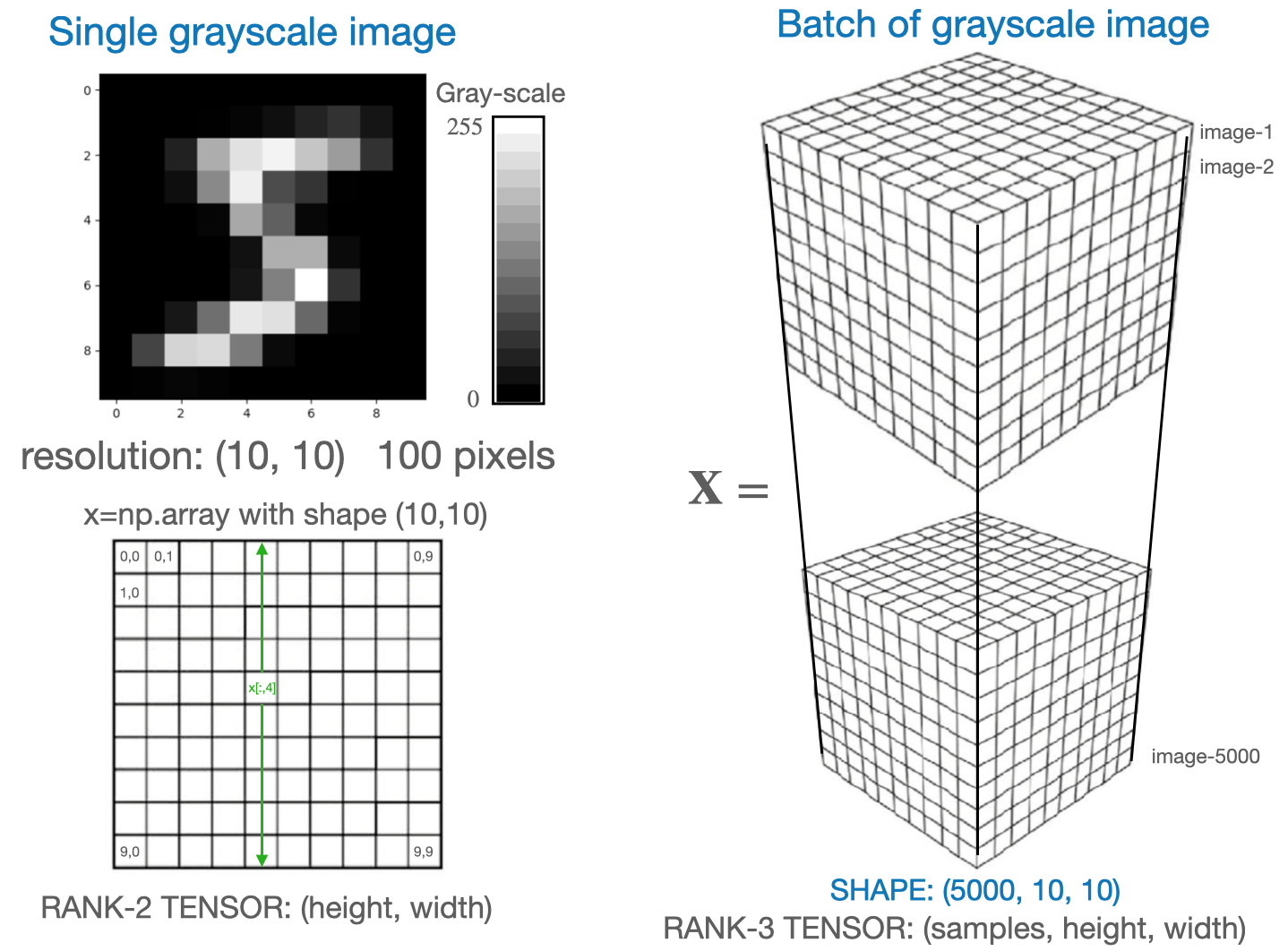
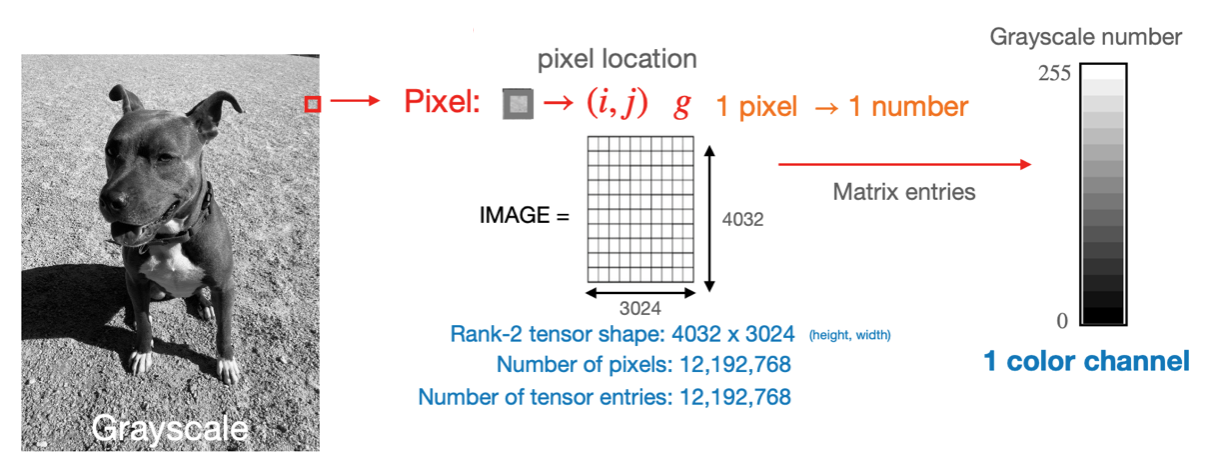
Black and white images are stored by specifying the gray-scale number for all the pixels
The pixel location is determined by its location in the matrix.
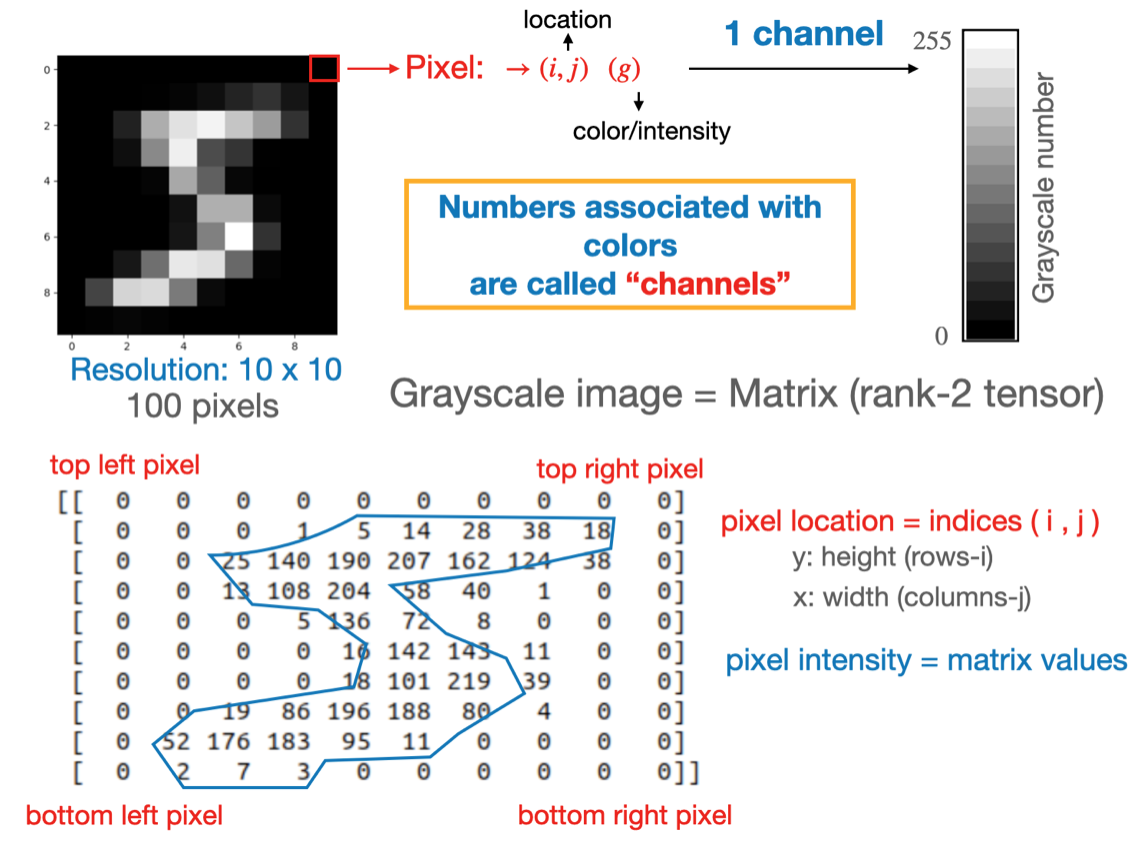
Note: The gray-scale image can also be expressed as a rank-3 tensor instead of a matrix[height, width]\(\rightarrow\)[height, width, channels], e.g.[10, 10]\(\rightarrow\)[10, 10, 1]
Image rendering
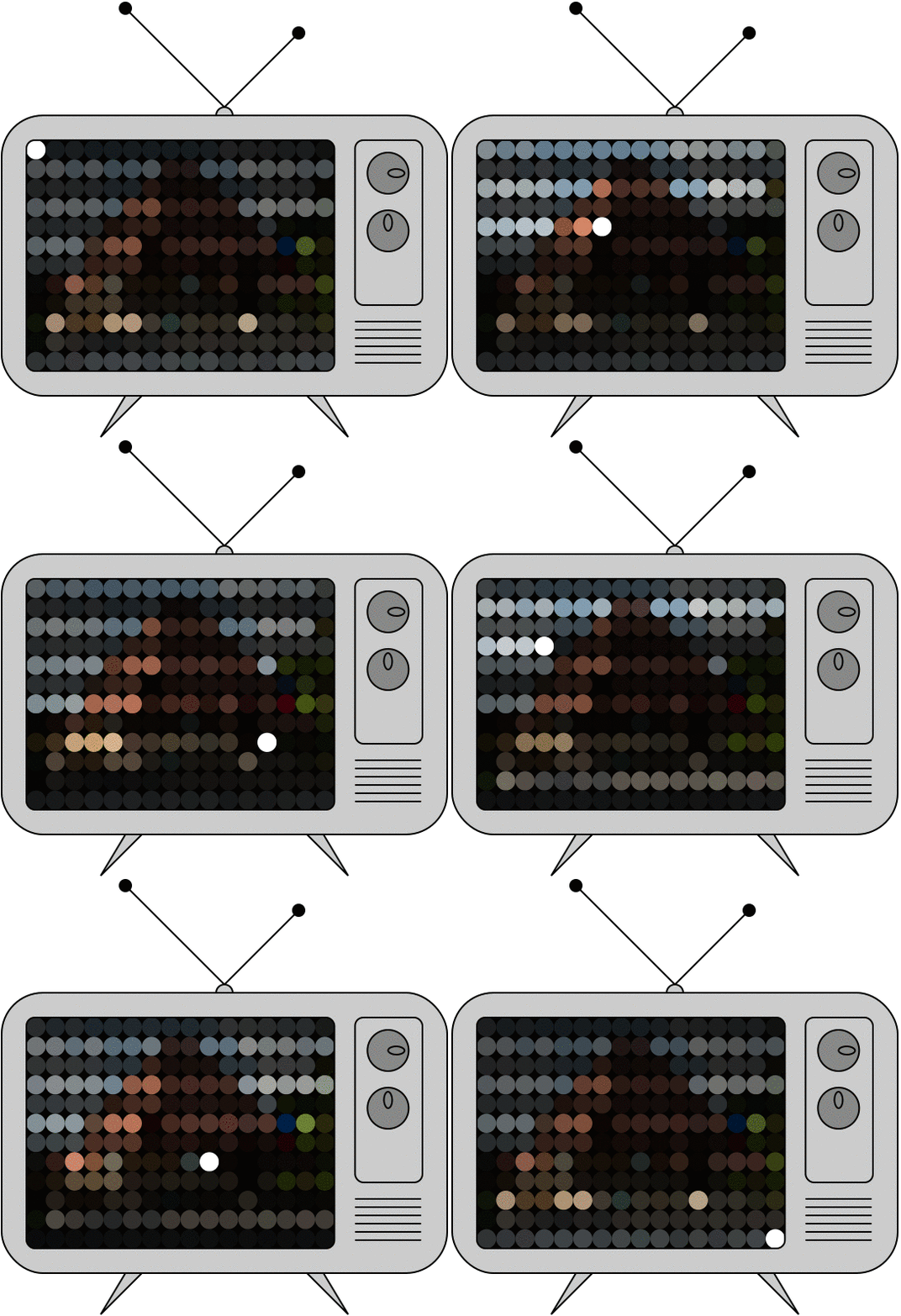
- Images show up on the screen by rastering accross the matrix and lighting up the relevant pixels one by one
Frame rate:The number of images (matrices), shown per second, in a videoRefresh rateIs the number of times per second the display draws a new image.- A refresh rate of 144Hz means the image refreshes 144 times per second.
- The human eye can see roughly 30 - 60 frames per second
- A refresh rate of 144Hz means the image refreshes 144 times per second.
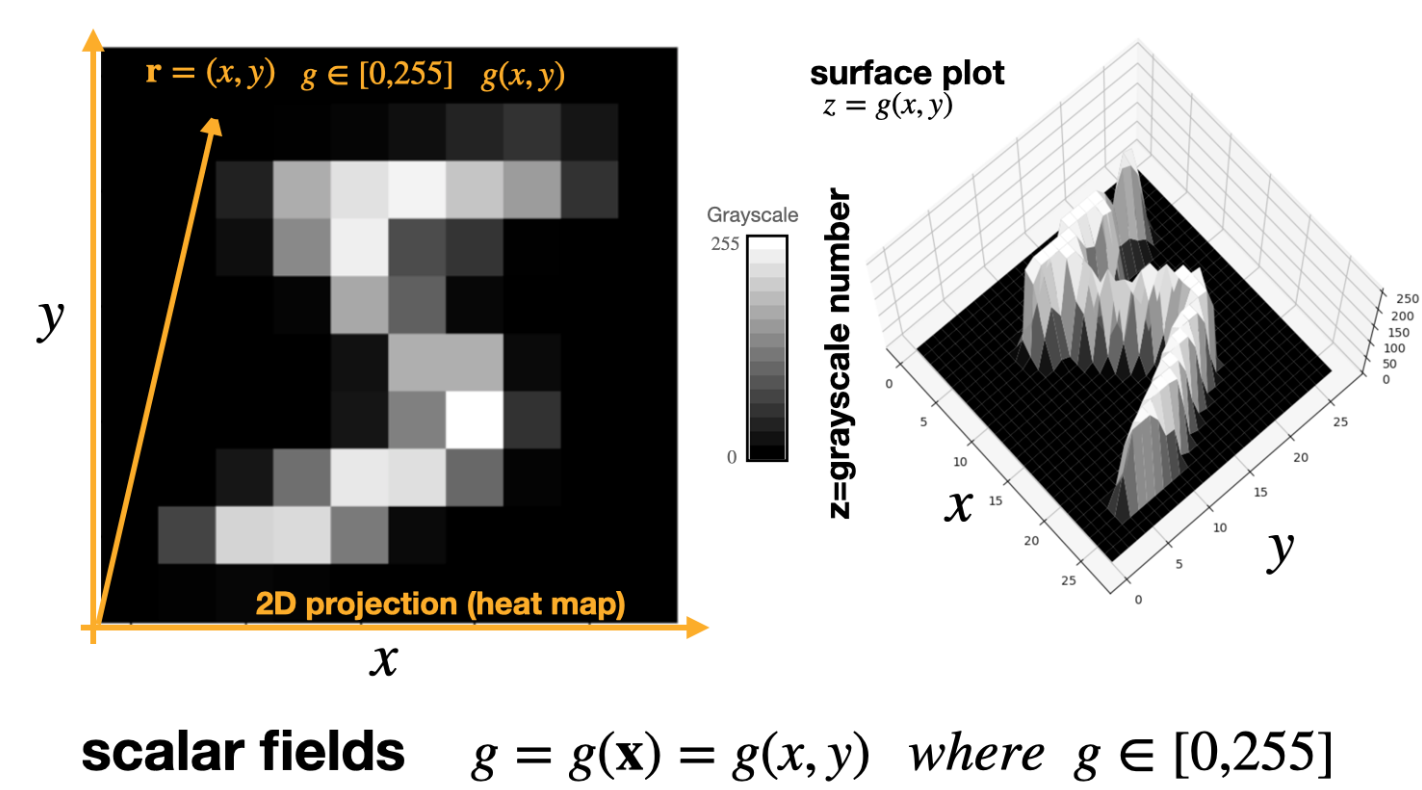
Aside: Images as 2D surface plots
- A gray-scale image can be thought of as a function g of two spacial variables x and y (i.e. pixel location)
- This forms a scalar field \(g(x,y)\), with a gradient \(\nabla g=\left( \frac{\partial g}{\partial x}, \frac{\partial g}{\partial y}\right)\)
- Regions of large gradient correspond to large changes in intensity (edges)
Images as surfaces
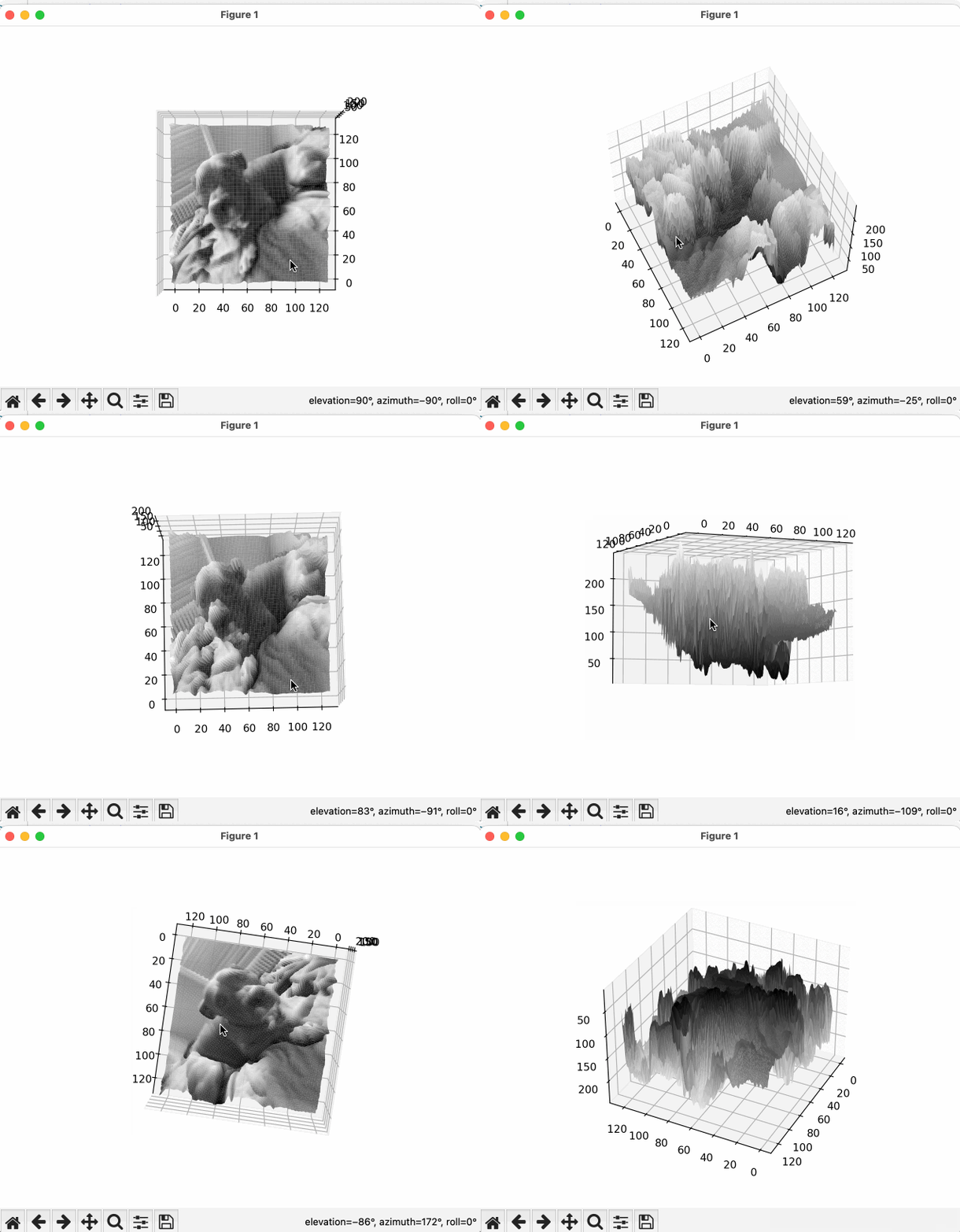
- Here is another gray-scale image visualized as a surface
- For the surface plots, we can generate the plots in interactive mode, as shown in this gif
- This drives home the point the the gray scale image is a scalar field (i.e. a surface g, of two independent variable x and y) g(x,y)=gray_scale_intensity_value
- This function has a gradient (dg/dx, dg/dy)
MNIST digits
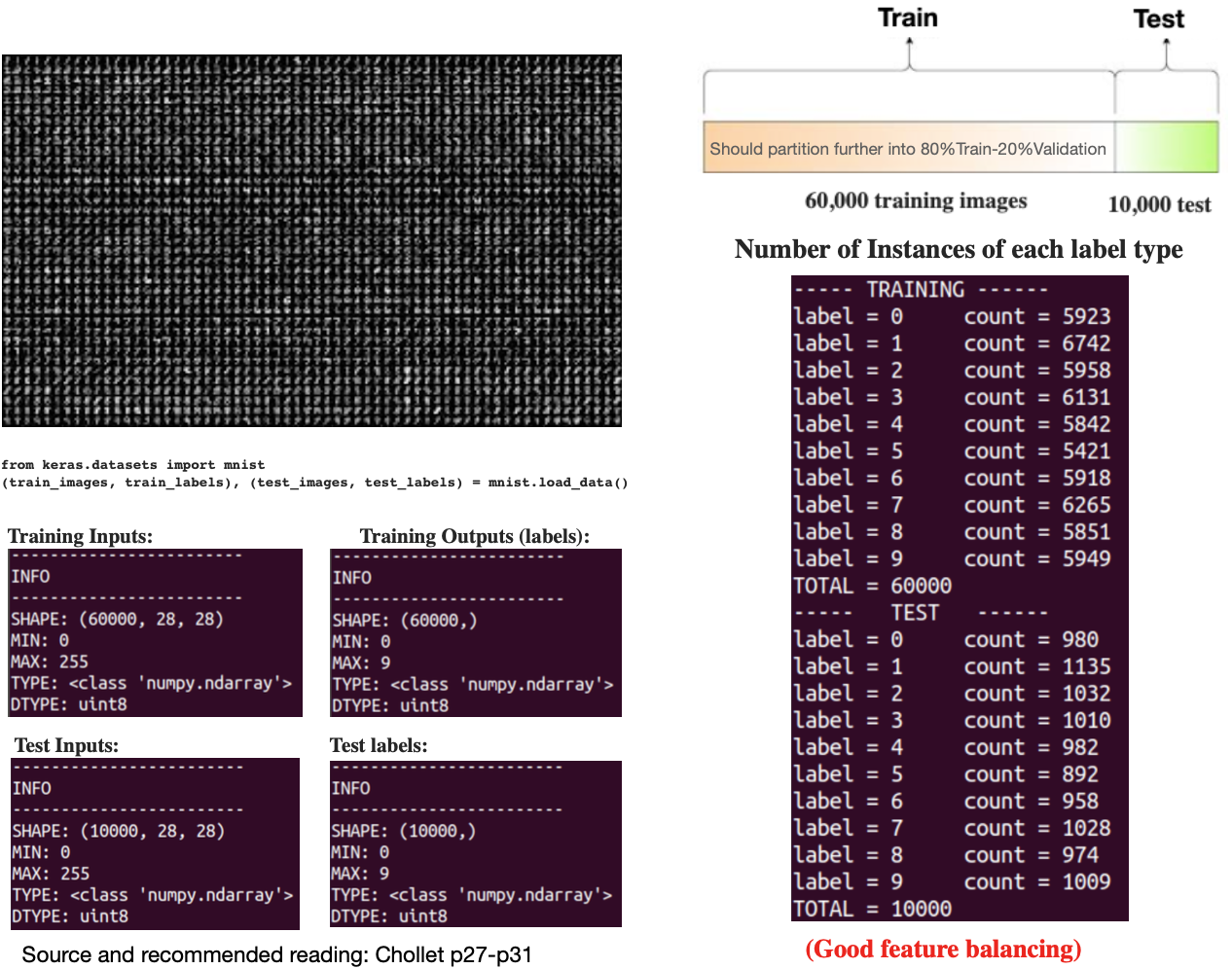
- “True” MNIST, each image is stored as an 28x28 numpy array of gray-scale numbers
- “Sklearn” MNIST has only 8x8 pixels
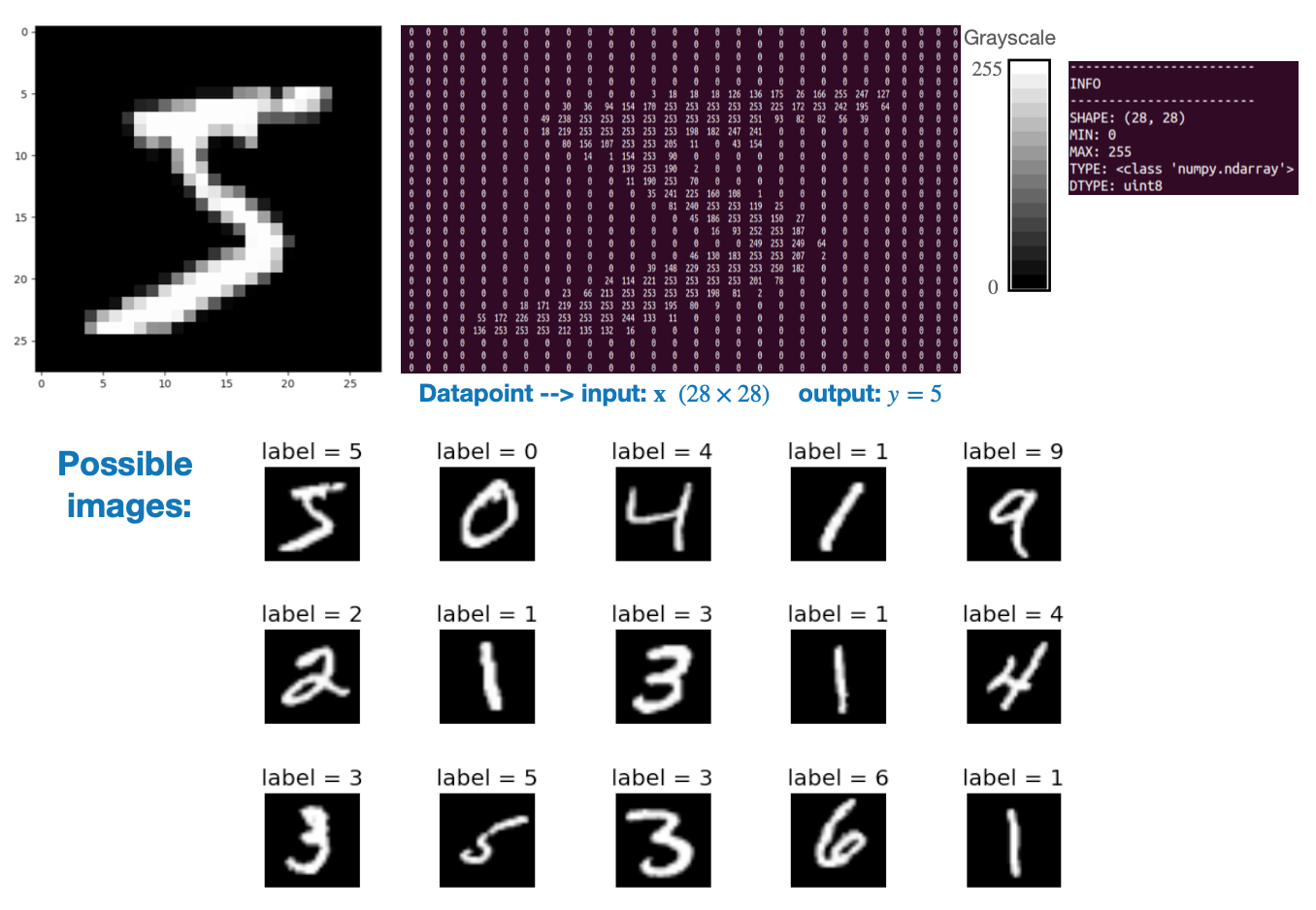
MNIST data-set
- The full MNIST data set has 60,000 images, well balanced across the classes
Batches of gray-scale images
- Data in deep-learning is
tensorizedby “stacking” samples in abatchdimension.- Similar to the “rows” dimension in a pandas data-frame
- The
batchdimension in deep learning represents the number of data samples processed together in one computational step.
Color images
Gray-scale images generalize naturally to color images.
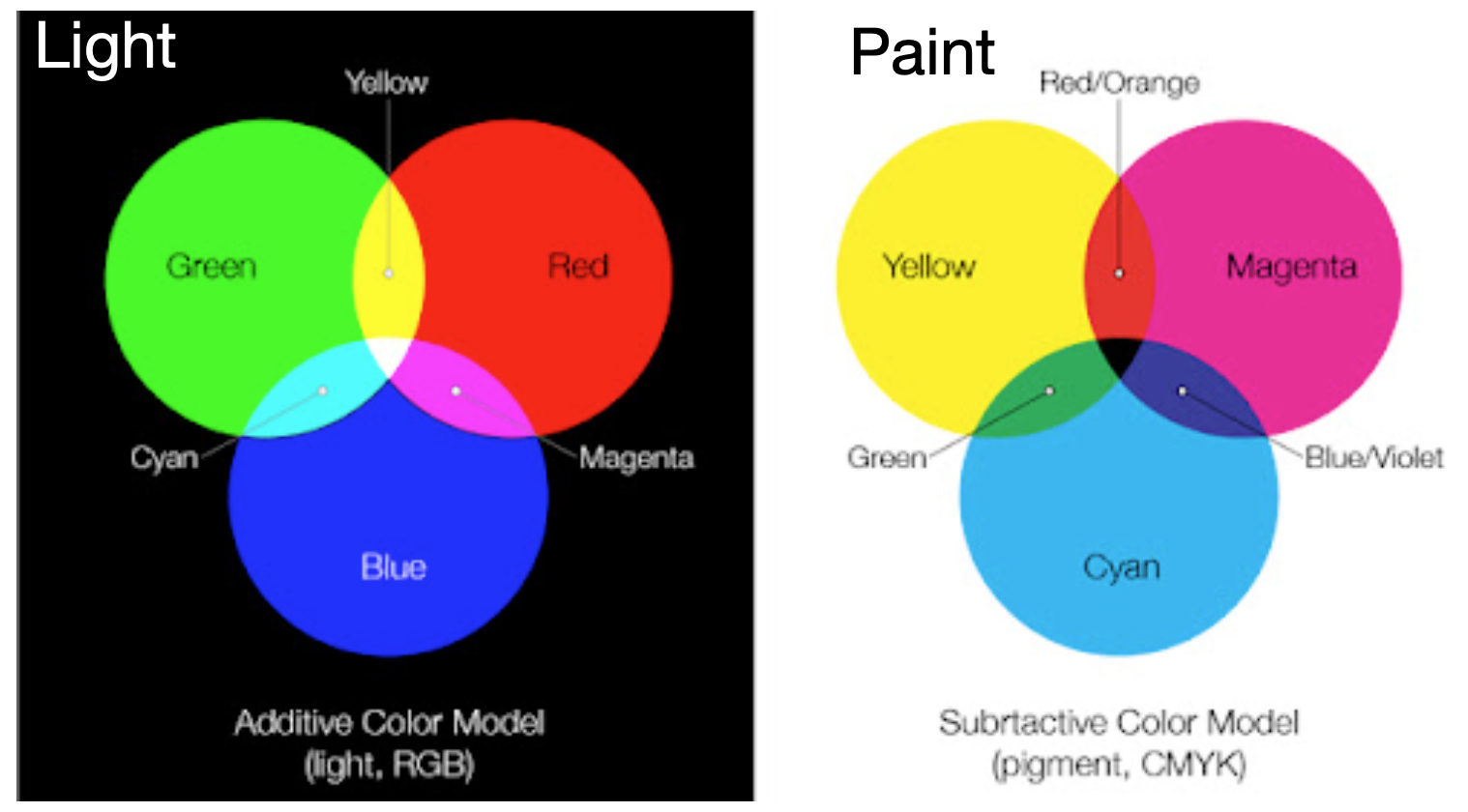
Color mixing
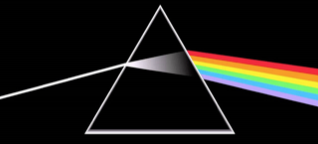
By mixing primary colors we can form all the colors of the rainbow
Color screens & pixels
- In a color screen the pixels are variable light bulbs outputting red, green, or blue light.
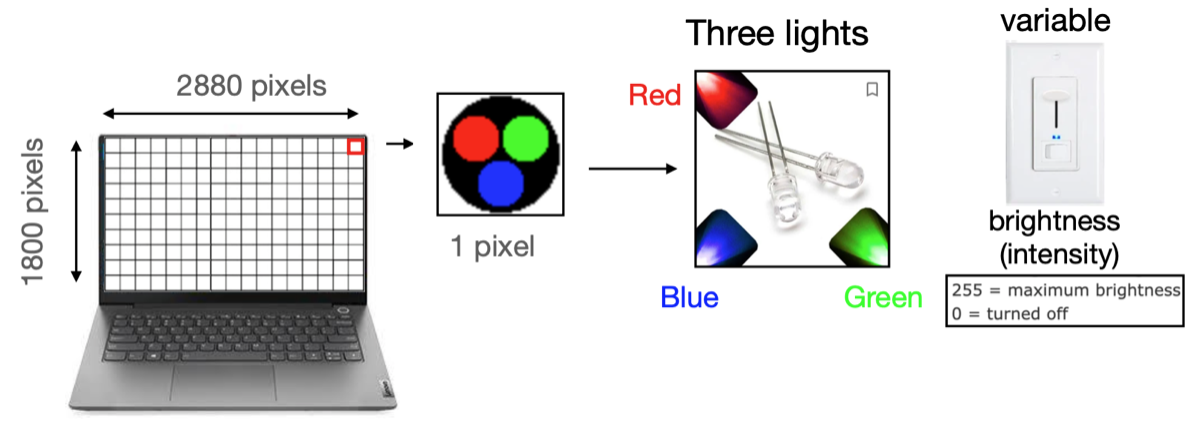
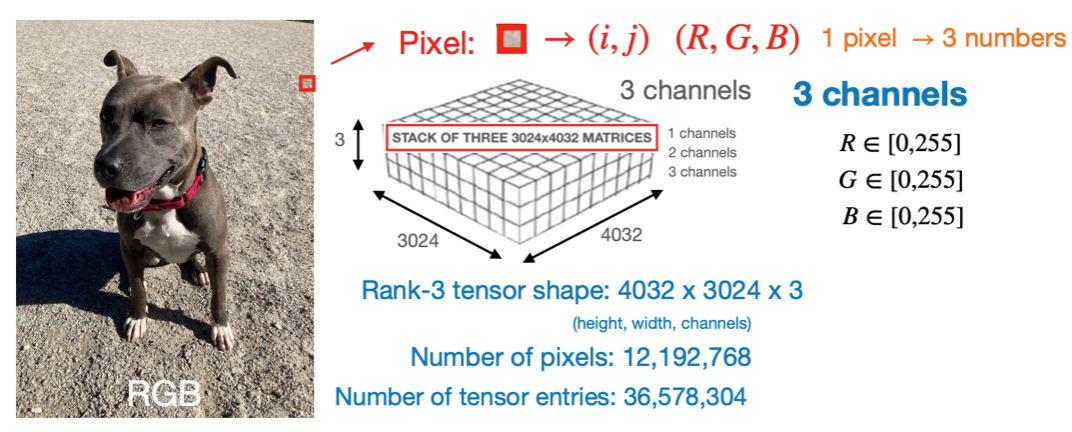
- We need three numbers (R,G,B) for each pixel to control the brightness of the 3 lights
- These three numbers allow us to form different colors through color-mixing
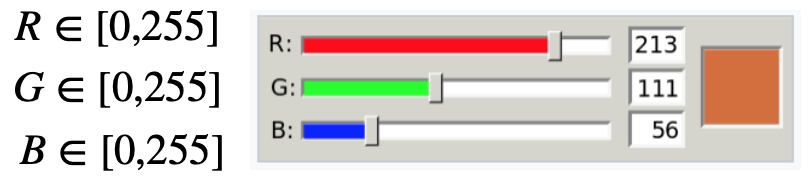
- There are \(255 \times 255 \times 255 = 16,581,375\) possible colors on the computer screen
Color examples-1
- Gray-scale is achieved by turning all three lights on at equal intensities \(R=G=B\)
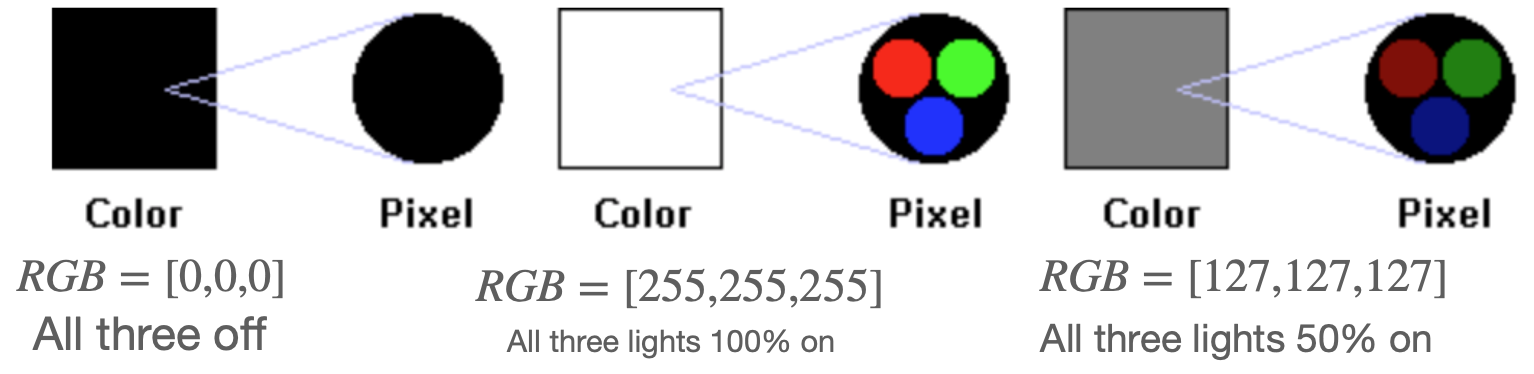
- Primary colors: One light on at a time
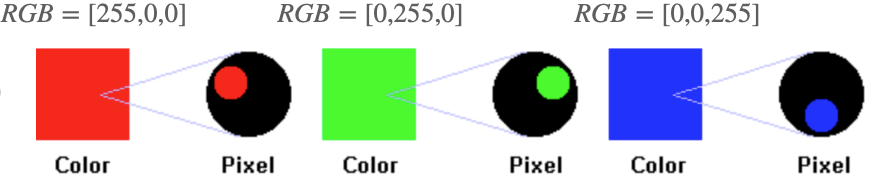
Image source: https://www.chem.purdue.edu/gchelp/cchem/RGBColors/body_rgbcolors.html
Color examples-2
- Secondary colors: Two lights on at a time with equal intensities

- General colors: Three lights on at a time with different intensities

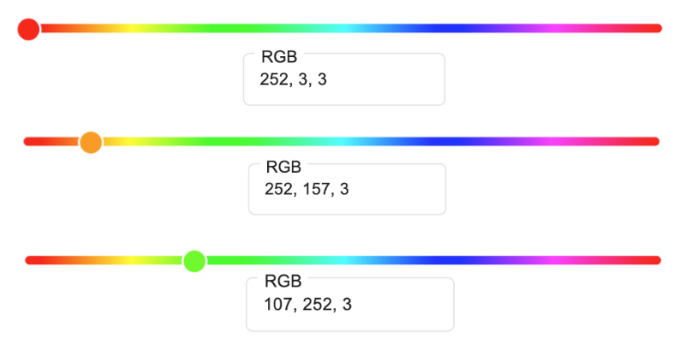
Image source: https://www.chem.purdue.edu/gchelp/cchem/RGBColors/body_rgbcolors.html
RGB Color cube
- Grayscale \(\rightarrow\) main diagonal (R=G=B)
- Secondary \(\rightarrow\) two lights on at full intensity (outer surface)
- mixed \(\rightarrow\) three lights w/ different intensity (cube interior).
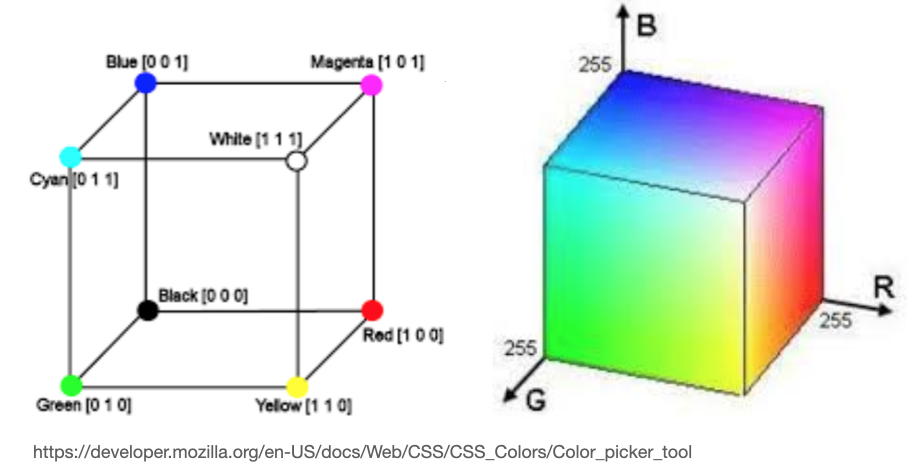
Alternate color representations
Sometimes you may encounter alternatives to the RGB color scheme, e.g. HSL and HSV
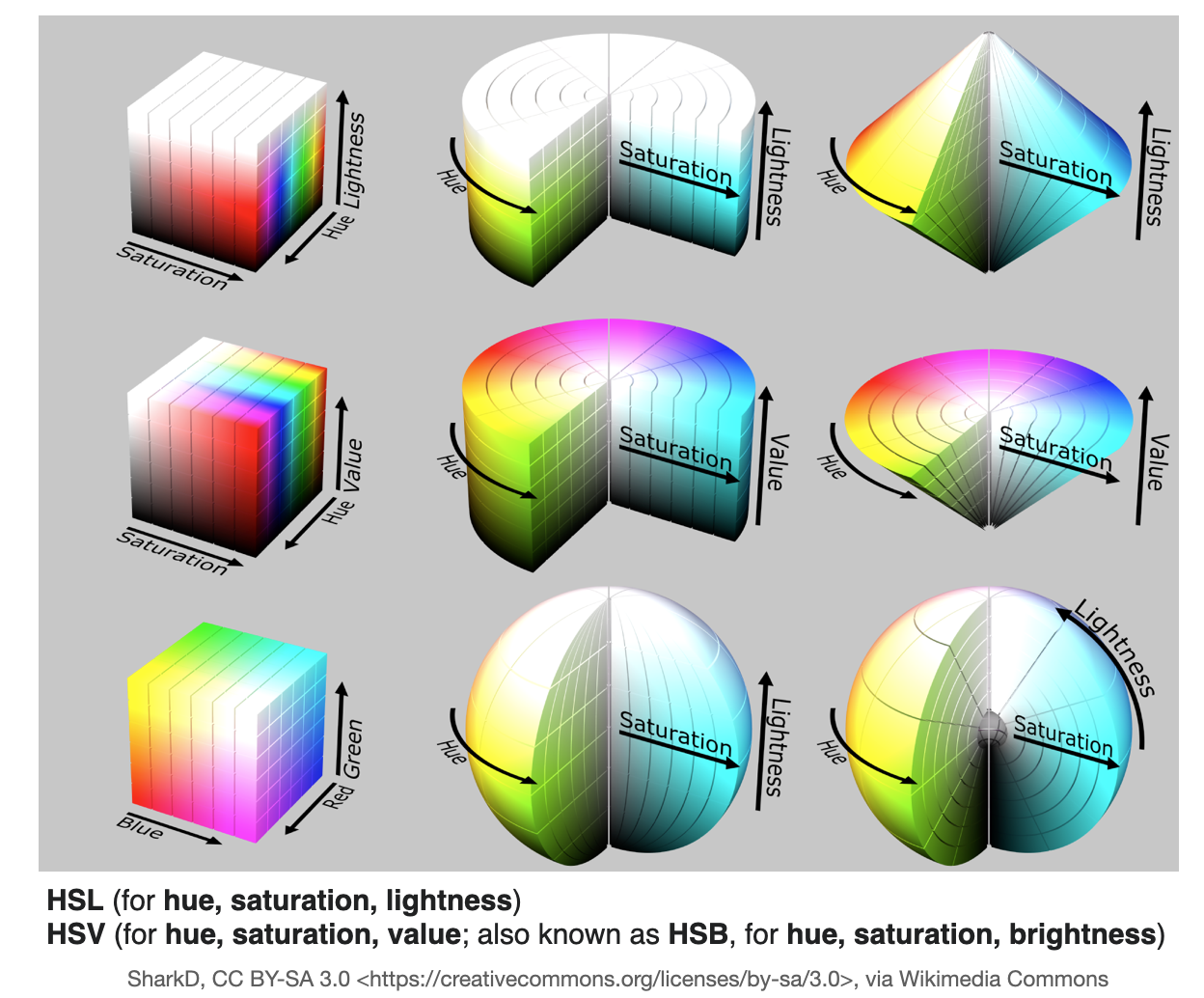
Example: Color image
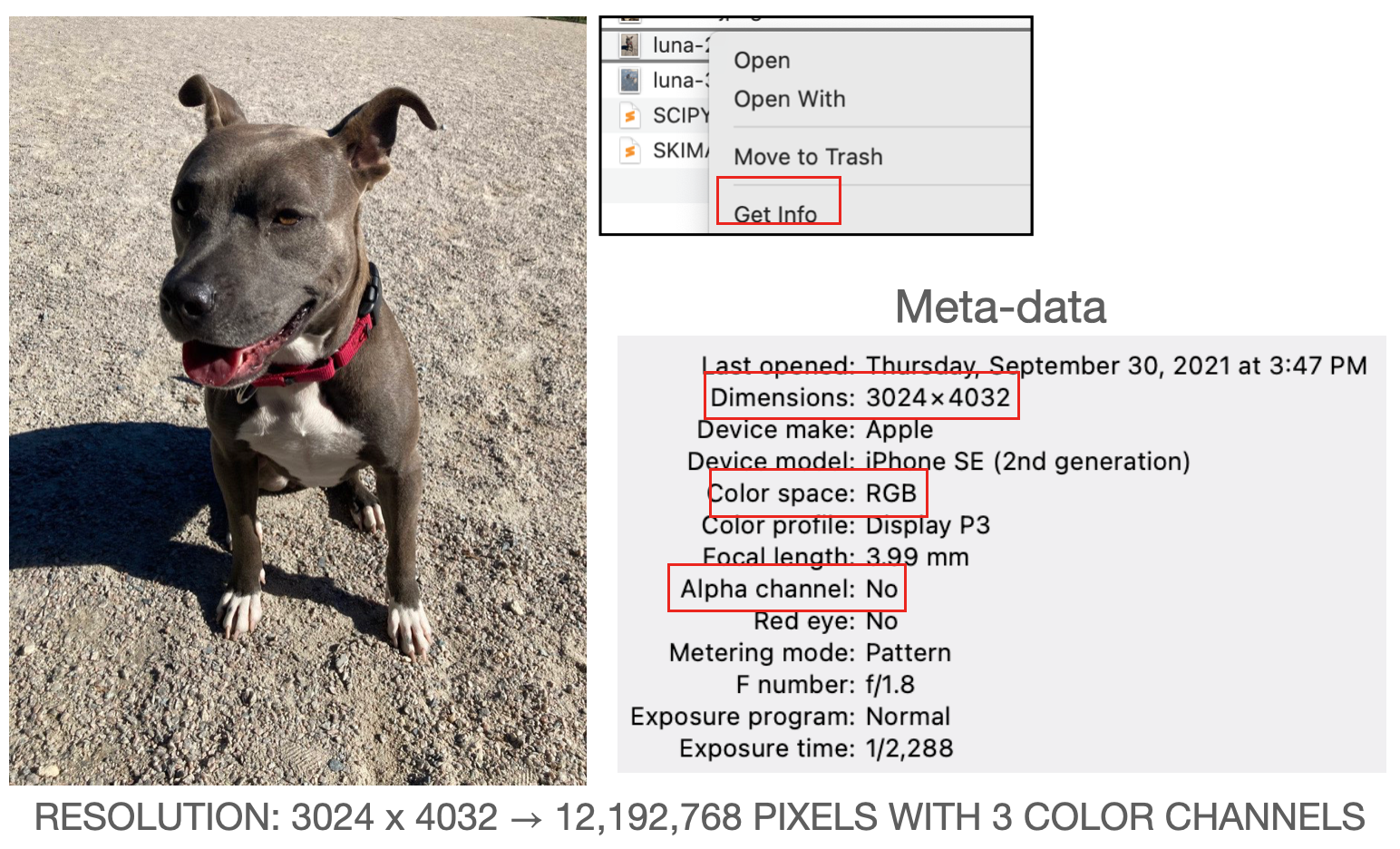
- Color image’s are vector fields: \(\mathbf{C}=(R, G, B)=\mathbf{C}(\mathbf{r})=\mathbf{C}(x, y)\)
Mathematical description
- Grayscale: matrices (e.g.
np.shape=(320,120) or np.shape=(320,120,1)).
- RGB: Rank-3 tensors (stack of matrices)(e.g.
np.shape=(320,120,3)).
Batch of color images
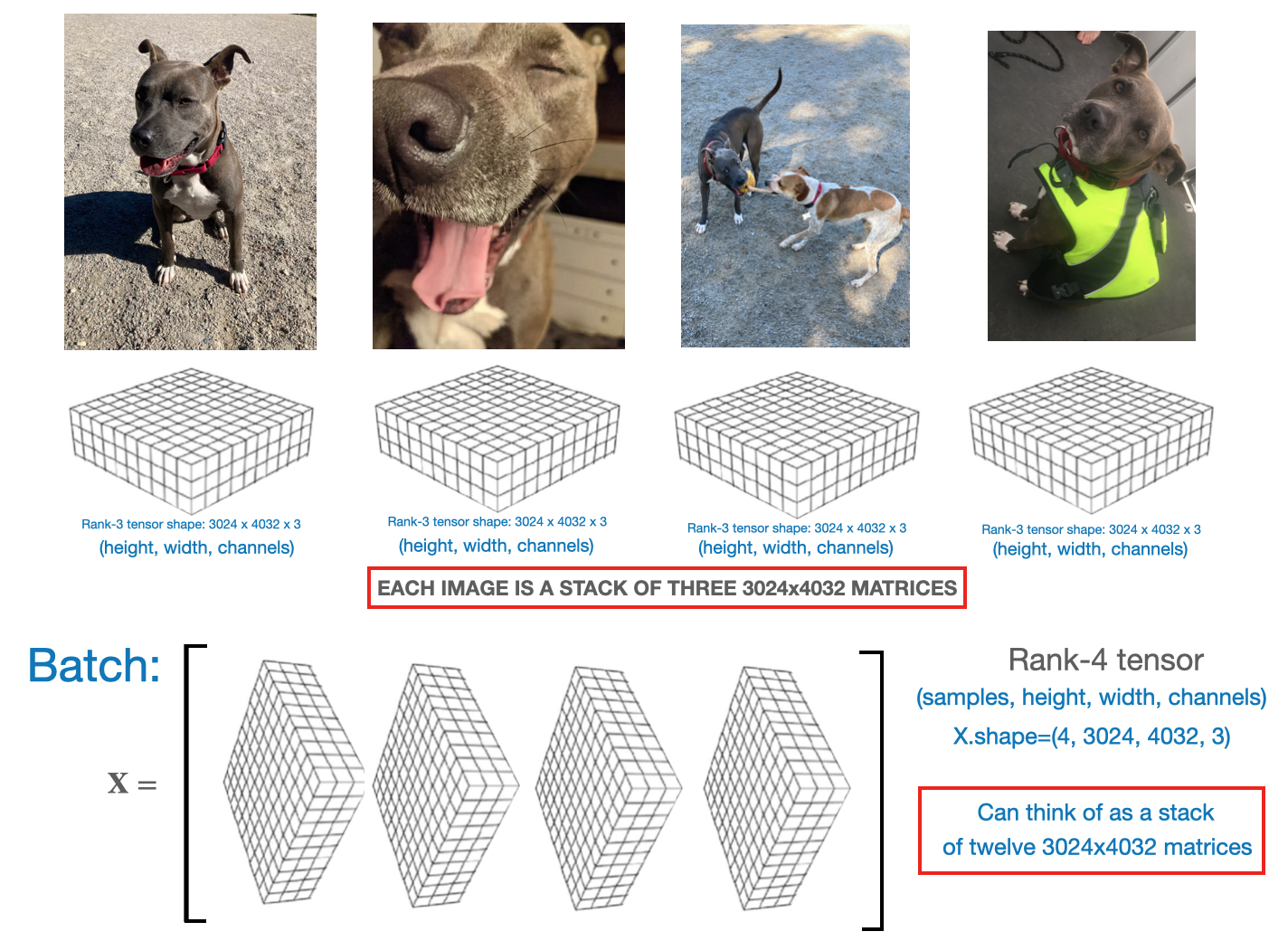
- Similar to gray-scale, we can “stack” the
rank-3tensors into abatch, to form arank-4tensor Note:Here we are showing the images using theKerasimage convention[samples, height, width, channels], in PyTorch it would bebatch_size, channels, height, width].
CIFAR-10
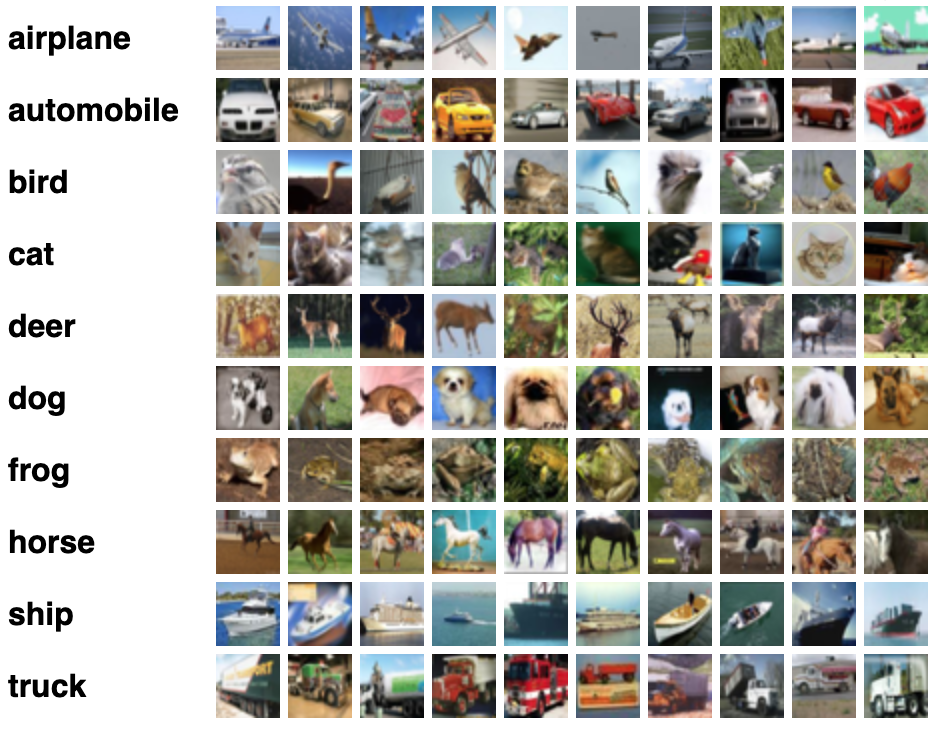
- This is a dataset of \(50,000 color images with 32 \times 32\) resolution and 10,000 test images, labeled over 10 categories.
- See the CIFAR homepage for more info click here
Python image software libraries
Seven common image processing libraries in
- Matplotlib.
- SimplelTK
- SciPy
- Scikit-image.
- OpenCV.
- Mahotas.
- Pillow.