NetworkX Introduction
 .
- NetworkX is a Python package for the creation, manipulation, and study of the structure, dynamics, and functions of complex networks.
- It is free software released under the BSD-new license.
- Developer: Los Alamos National Laboratory
Creating graphs in NetworkX
In the software, graphs are stored using NetworkX graph objects, commonly denoted as G
There are several ways to create these
- Load the graph from a file into the NetworkX graph object
- Use a graph generator
- Build the graph up from scratch
- Build the graph up from scratch
In the following examples we explore these different methods
NOTE: We intentionally repeat the import statements, so that the code chunk is fully “self-contained”.
- That way it could be copied into a regular Python file and recycled more easily
- That way it could be copied into a regular Python file and recycled more easily
NOTE: If the image doesn’t show up in VS code then do the following
- click the three dots on the left of the screen.
- Then click “change presentation” and then select the image format instead of “text”.
Building a graph from scratch: example-1
In the following example the names of the nudes are just their indices
The NetworkX “draw” command is built on top of MatPlotLib
- You can think of it as a new MPL command for the special case of Network objects
Code
import networkx as nx
import matplotlib.pyplot as plt

#------------------
# INITIALIZE GRAPH OBJECT
#------------------
G = nx.Graph()
print(type(G))

#------------------
#CREATE NODES
#------------------

# ADD ONE NODE
G.add_node(0)

# ADD SEVERAL NODES
G.add_nodes_from([1,2,3,4])

#------------------
#CREATE EDGES
#------------------

# ADD ONE EDGE
G.add_edge(0,1)

# ADD SEVERAL EDGES WITH LIST OF 2-TUPLES
G.add_edges_from([(0,2),(0,3),(0,4),(1,2)])

#------------------
# DRAW THE GRAPH
#------------------
nx.draw(G, with_labels=True)
plt.show()
<class 'networkx.classes.graph.Graph'>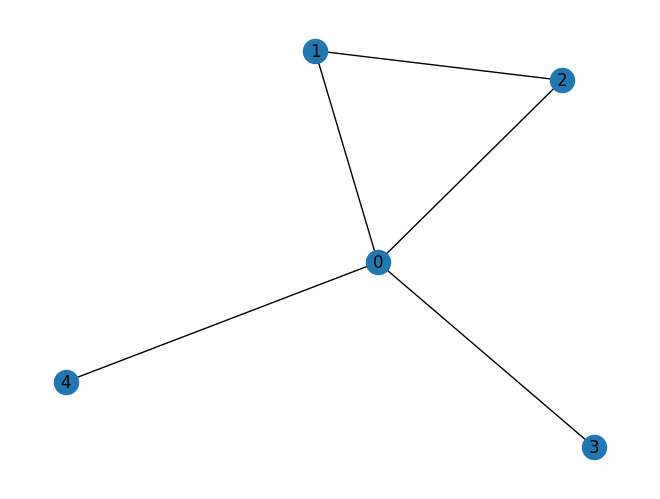
Building a graph from scratch: example-2
- This example is similar to the last one, except we assign names to the nodes, in the form of strings.
Code
import networkx as nx
import matplotlib.pyplot as plt

#------------------
# INITIALIZE THE GRAPH OBJECT
# A "PLAIN" GRAPH IS UNDIRECTED
#------------------
G = nx.Graph()
print(type(G))

#------------------
#CREATE NODES
#------------------
# GIVE EACH A NODE A 'NAME', WHICH IS A LETTER IN THIS CASE.
G.add_node('a')

# THE ADD_NODES_FROM METHOD ALLOWS ADDING NODES FROM A SEQUENCE, IN THIS CASE A LIST
nodes_to_add = ['b', 'c', 'd']
G.add_nodes_from(nodes_to_add)

#------------------
#CREATE EDGES
#------------------
# add edge from 'a' to 'b'
# SINCE THIS GRAPH IS UNDIRECTED, THE ORDER DOESN'T MATTER HERE
G.add_edge('a', 'b')

# JUST LIKE ADD_NODES_FROM, WE CAN ADD EDGES FROM A SEQUENCE
# EDGES SHOULD BE SPECIFIED AS 2-TUPLES
edges_to_add = [('a', 'c'), ('b', 'c'), ('c', 'd')]
G.add_edges_from(edges_to_add)

#------------------
# DRAW THE GRAPH
#------------------
nx.draw(G, with_labels=True)
plt.show()
<class 'networkx.classes.graph.Graph'>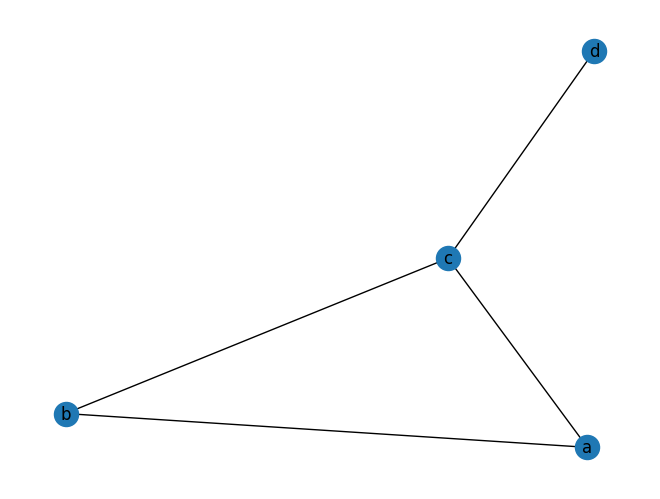
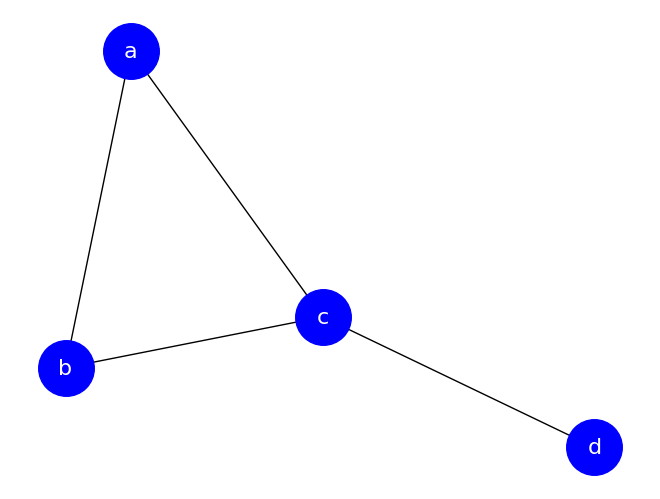
There are many optional arguments to the draw function to customize the appearance.
Code
Node names
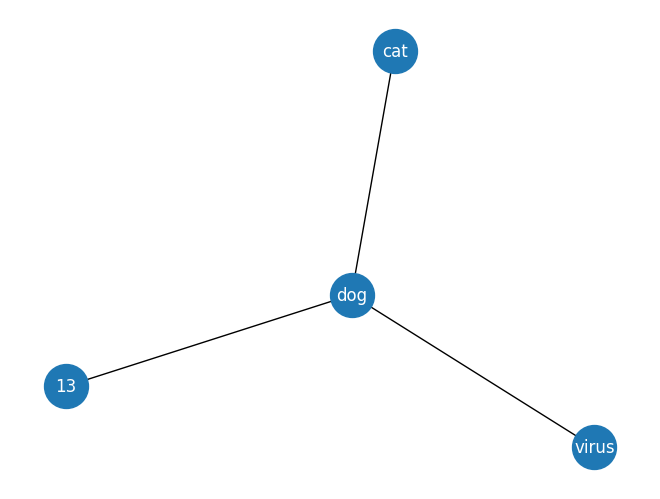
- The node names don’t have to be single characters or integers
- They can be strings or integers or any immutable object, and the types can be mixed.
- The example below uses strings and integers for names.
Code
Building a graph using a graph generator:
NetworkX many built in network generators
- for more see the following link https://networkx.org/documentation/stable/reference/generators.html
Code
import networkx as nx
import matplotlib.pyplot as plt

#FUNCTION FOR NETWORK PLOTTING
def draw_network(G):
    #CUSTOMIZE GRAPH A BIT
    nx.draw(G,
        with_labels=True,
        node_color='blue',
        node_size=1600,
        font_color='white',
        font_size=16,
        )
    plt.show()

#GENERATE SEVERAL NETWORKS AND PLOT
N=10

print("Complete graph: i.e. fully connected ")
G = nx.complete_graph(N)
draw_network(G)

print("Binomial tree network")
G = nx.binomial_tree(3)
draw_network(G)

print("Star graph")
G = nx.star_graph(N)
draw_network(G)

print("hexagonal_lattice_graph")
G = nx.hexagonal_lattice_graph(2,2)
draw_network(G)

print("karate_club_graph")
G = nx.karate_club_graph()
draw_network(G)
Complete graph: i.e. fully connected 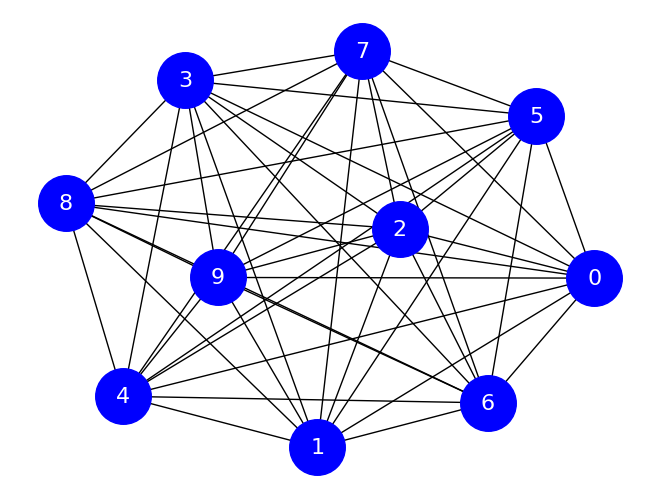
Binomial tree network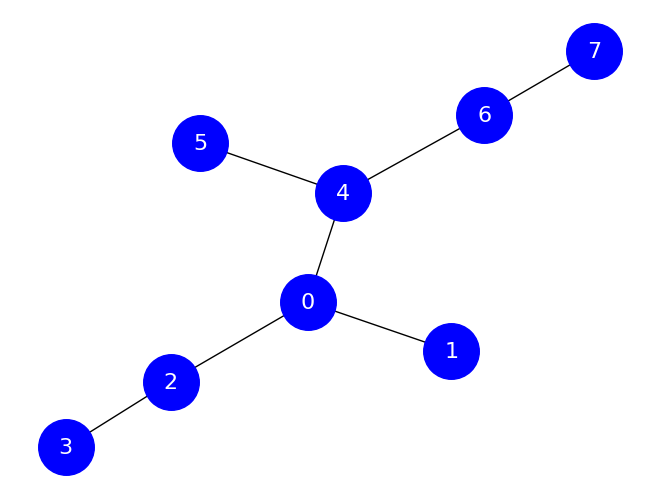
Star graph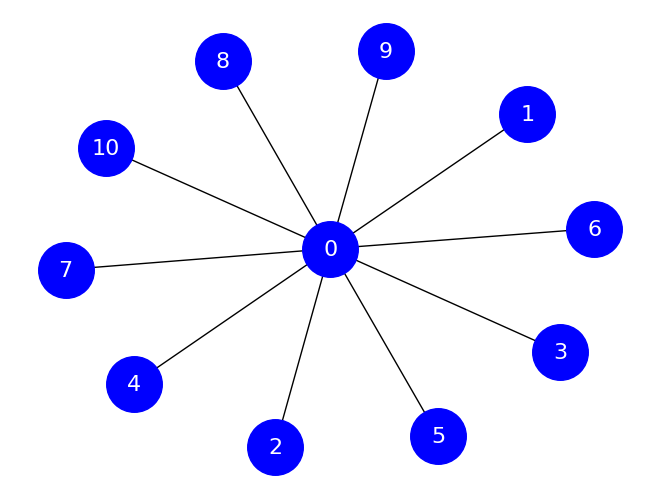
hexagonal_lattice_graph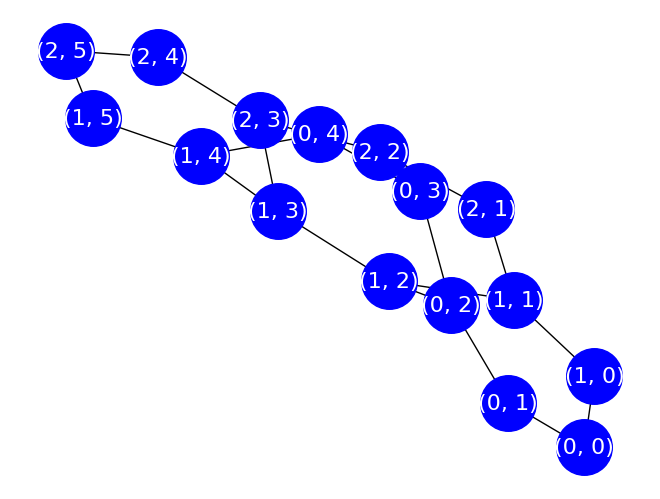
karate_club_graph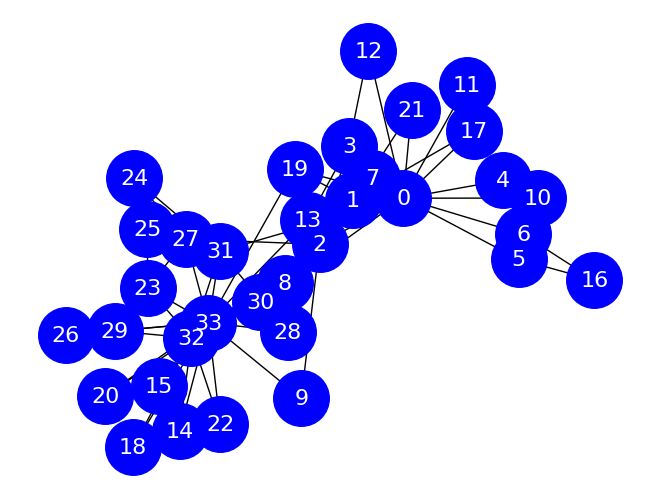
Adjacency lists
One compact way to represent a graph is an adjacency list. This is most useful for unweighted graphs, directed or undirected. In an adjacency list, each line contains some number of node names. The first node name is the “source” and each other node name on the line is a “target”. For instance, given the following adjacency list:
a d e
b c
c
d
e
the edges are as follows:
(a, d)
(a, e)
(b, c)
The nodes on their own line exist so that we are sure to include any singleton nodes. Note that if our graph is undirected, we only need to specify one direction for each edge. Importantly, whether the graph is directed or undirected is often not contained in the file itself – you have to infer it. This is one limitation of the format.
In the datasets directory, there is a file called friends.adjlist. It’s a plain text file, so you can open it on your computer or in GitHub, but here are its contents:
George Frank Dennis
Dennis Claire Esther
Claire Frank Alice Esther
Bob Alice
Frank Alice
Alice
Esther
Shelly
NetworkX provides a way to read a graph from an adjacency list: nx.read_adjlist(). We will name this graph SG, for social graph.
We know how to draw this graph:
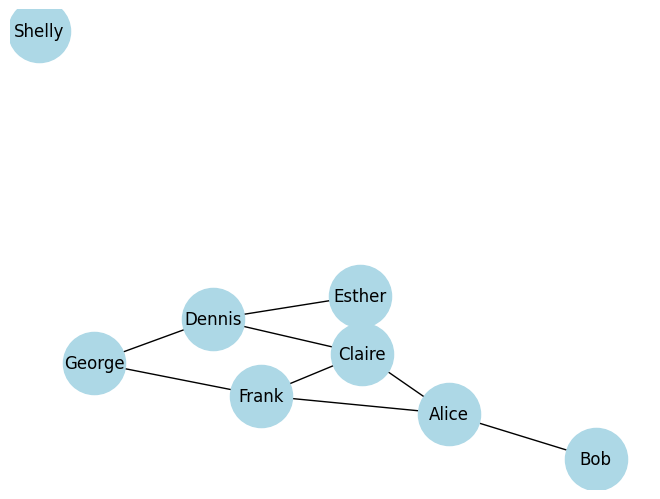
And we know how to get information such as the number of friends linked from a node:
Methods of the NetworkX graph object class
The graph object has some properties and methods giving data about the whole graph.
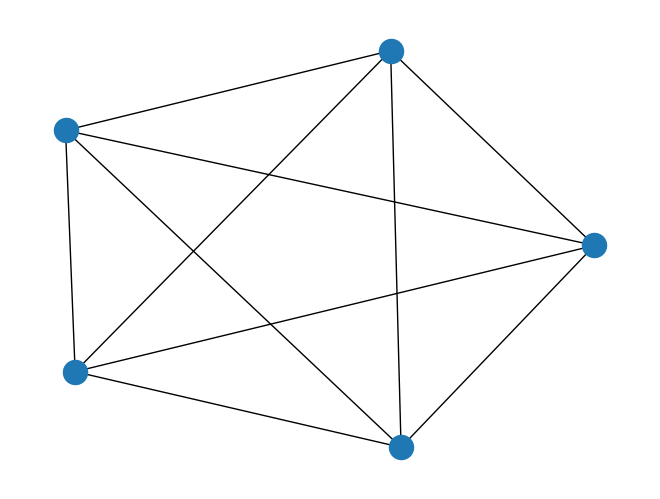
[(0, 1), (0, 2), (0, 3), (0, 4), (1, 2), (1, 3), (1, 4), (2, 3), (2, 4), (3, 4)]NodeView and EdgeView objects have iterators, so we can use them in for loops:
(0, 1)
(0, 2)
(0, 3)
(0, 4)
(1, 2)
(1, 3)
(1, 4)
(2, 3)
(2, 4)
(3, 4)
Note that the edges are given as 2-tuples, the same way we entered them.
We can get the number of nodes and edges in a graph using the number_of_ methods.
Some graph methods take an edge or node as argument. These provide the graph properties of the given edge or node. For example, the .neighbors() method gives the nodes linked to the given node:
For performance reasons, many graph methods return iterators instead of lists. They are convenient to loop over:
and you can always use the list constructor to make a list from an iterator:
Directed graphs
Unless otherwise specified, we assume graph edges are undirected – they are symmetric and go both ways. But some relationships, e.g. predator-prey relationships, are asymmetric and best represented as directed graphs. NetworkX provides the DiGraph class for directed graphs.
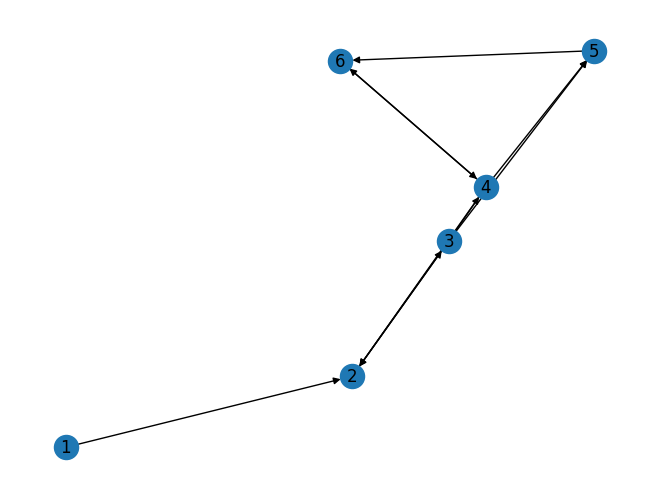
Note the asymmetry in graph methods dealing with edges such as has_edge():
Instead of the symmetric relationship “neighbors”, nodes in directed graphs have predecessors (“in-neighbors”) and successors (“out-neighbors”):
Code
Successors of 2: [3]
Predecessors of 2: [1, 3, 4]
Directed graphs have in-degree and out-degree, giving the number of edges pointing to and from the given node, respectively:
Caveat
Since NetworkX 2, the .degree() method on a directed graph gives the total degree: in-degree plus out-degree. However, in a bit of confusing nomenclature, the neighbors method is a synonym for successors, giving only the edges originating from the given node. This makes sense if you consider neighbors to be all the nodes reachable from the given node by following links, but it’s easy to make the mistake of writing .neighbors() in your code when you really want both predecessors and successors.