Computer fundamentals
A little basic computer science is very useful for all STEM fields!
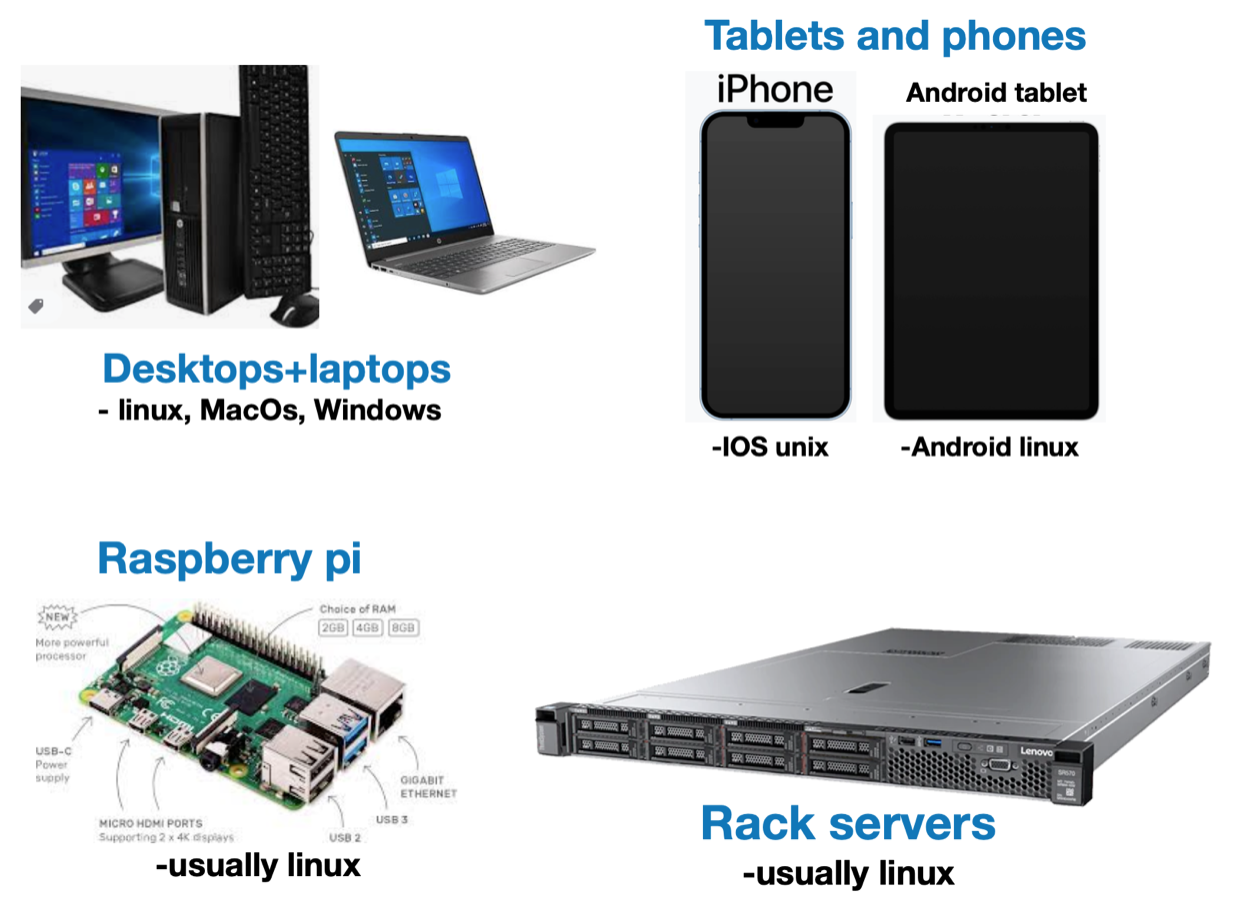
Computer form factors
Computers come in many shapes & sizes, however, they’re all basically the same inside
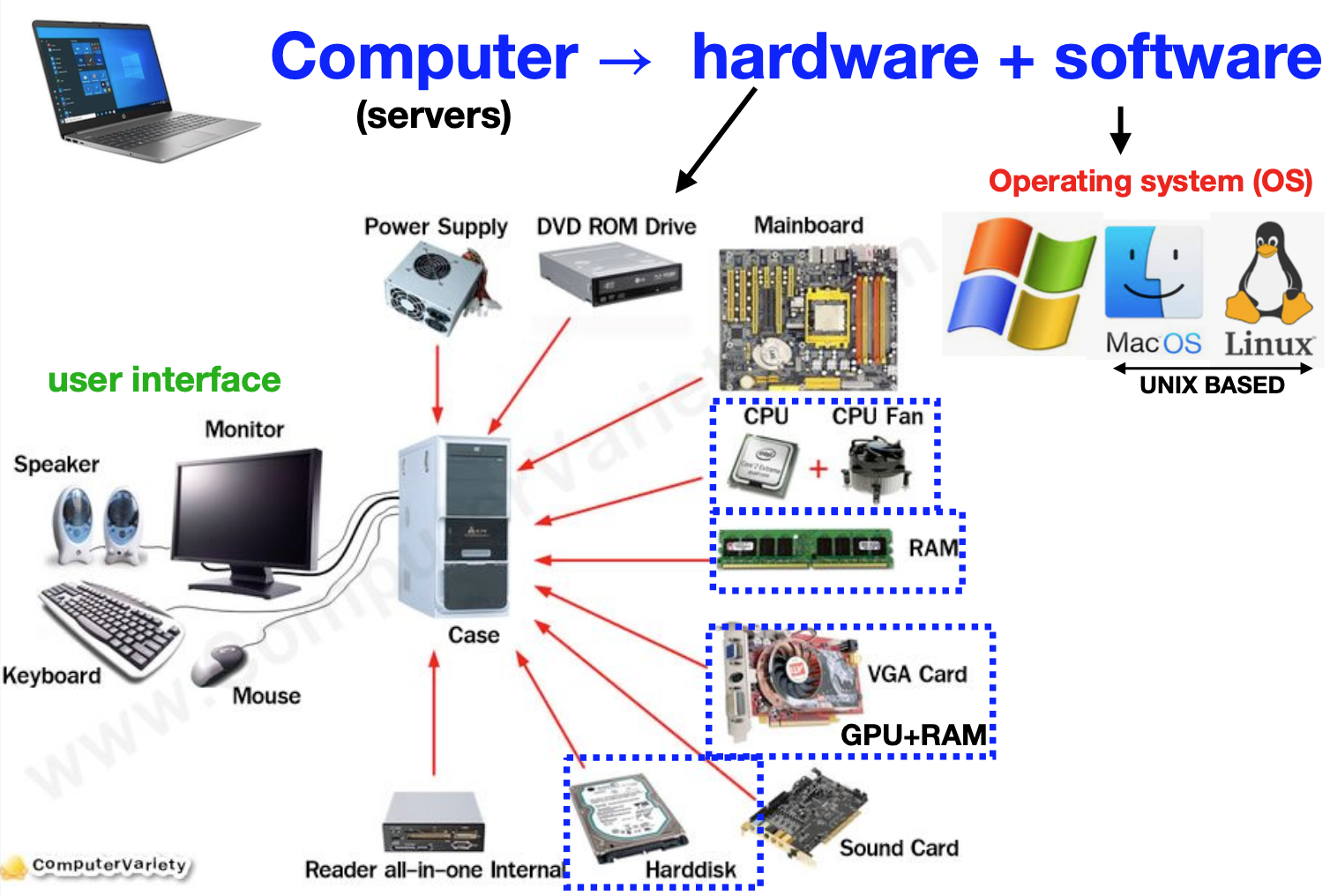
Hardware components
- Broadly speaking, the following are the fundamental components of all computers:
![]()
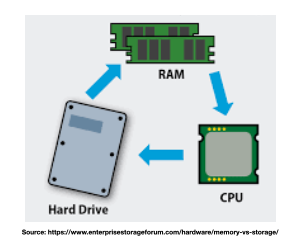
Storage vs memory
- Memory (RAM)
- Short term data storage
- FAST communication with CPU
- Data vanishes when the computer is shut-off (short term memory)
- Storage (hard-disk)
- Long term data storage
- SLOWER communication with CPU
- Data exists even when the computer is shut-off (permanent storage)
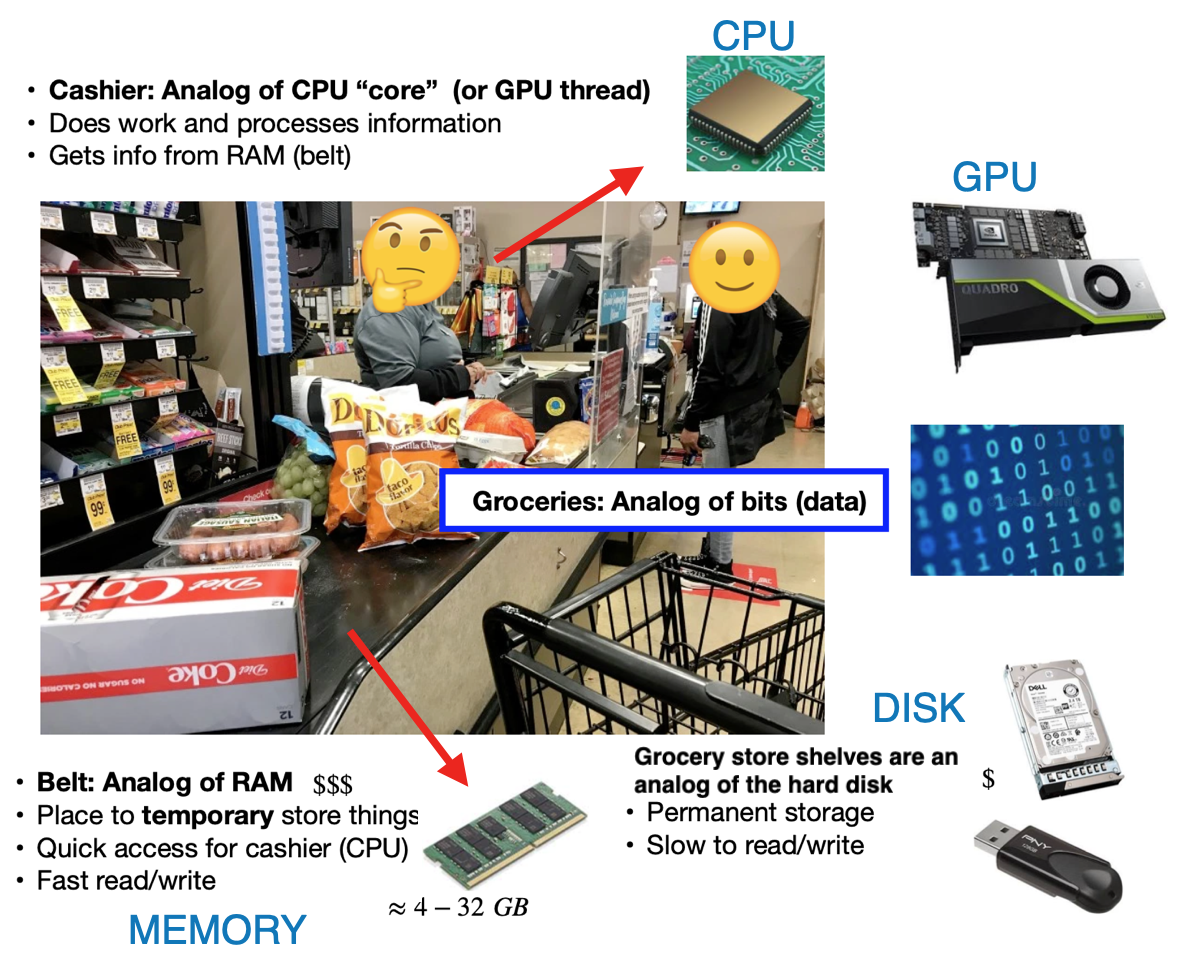
Basic computing analogy
- Computers are all about
data processing, a grocery store is a useful analogy
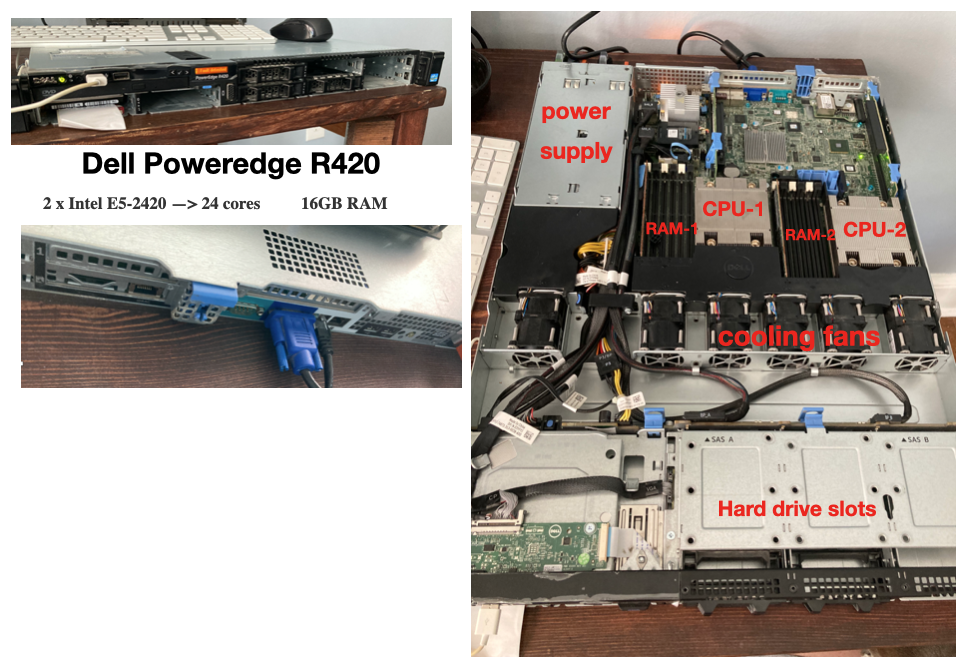
Rack server example
- The Dell PowerEdge series is a class of server for high performance computing (HPC)
- Have been a common
work horsein the HPC field for decades
- Have been a common
- If we open the server up, we can see the various components discussed above.
![]()
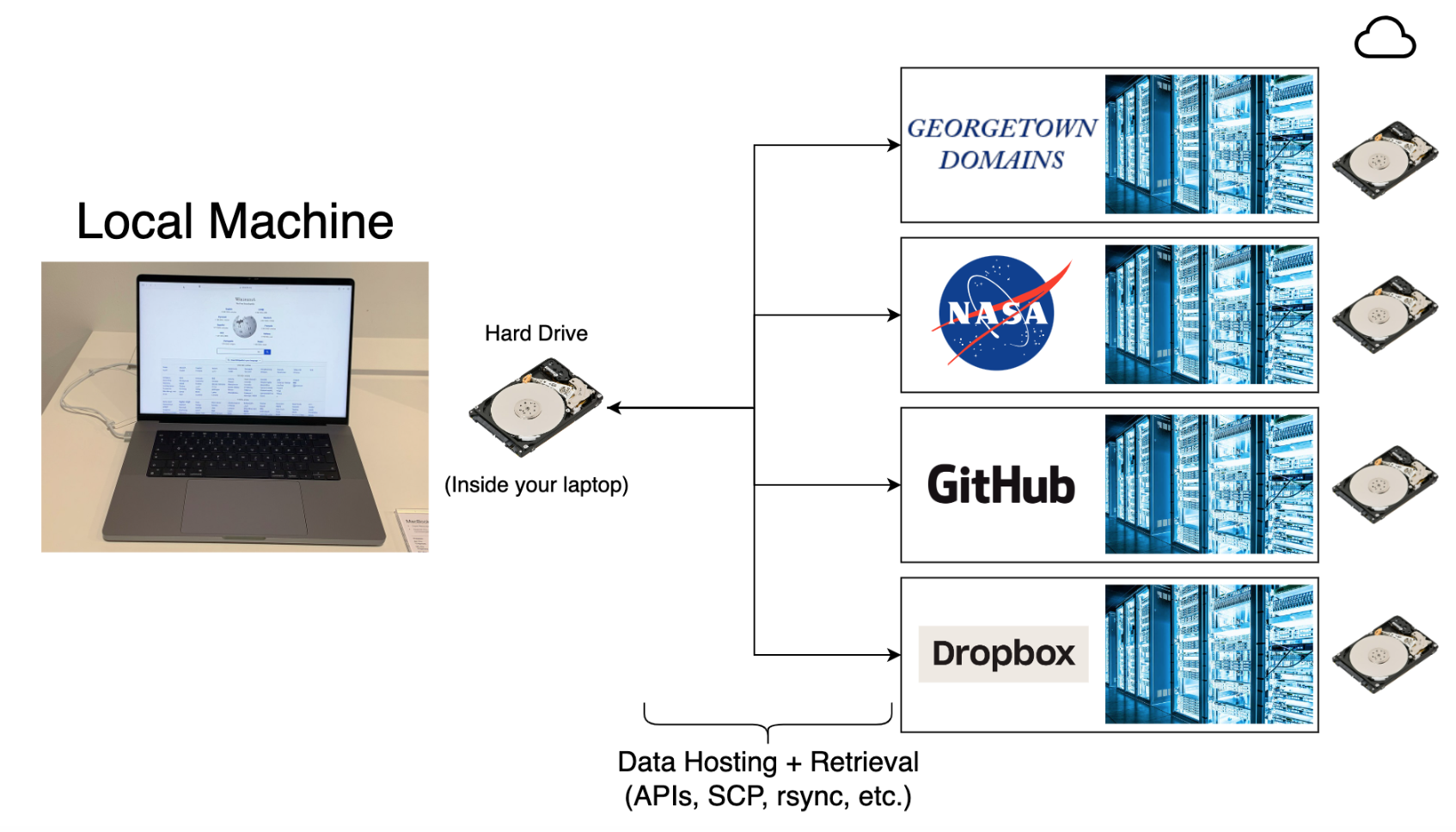
Where does data live?
- All data lives in a
file-systemon ahard-disksomewhere, you CAN’T do data science without understanding file-systems! - A computer file system is a structured method for storing, organizing, & managing files.
![]()
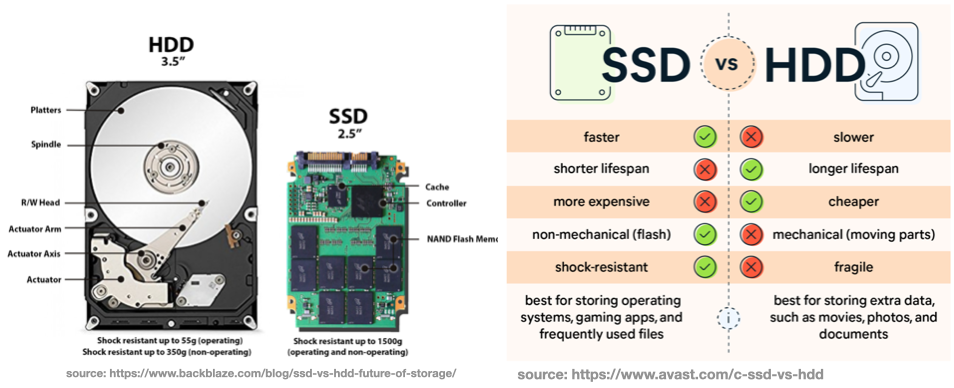
Storage types (optional)
- HDD (older) and SSD (newer) are the current options for computer hard-disks.
![]()
Aside: Modern buried treasure
- In 2012, James Howells threw away a hard drive during an office clear out
- BitCoin was less valuable in 2012, and he forgot there were Bitcoins stored on the disk.
- In 2022, the Bitcoin on the disk was worth an estimated 184 million dollars.
- Howells plans to spend millions digging up a Newport landfill to find the lost hard drive.
![]()

Overview
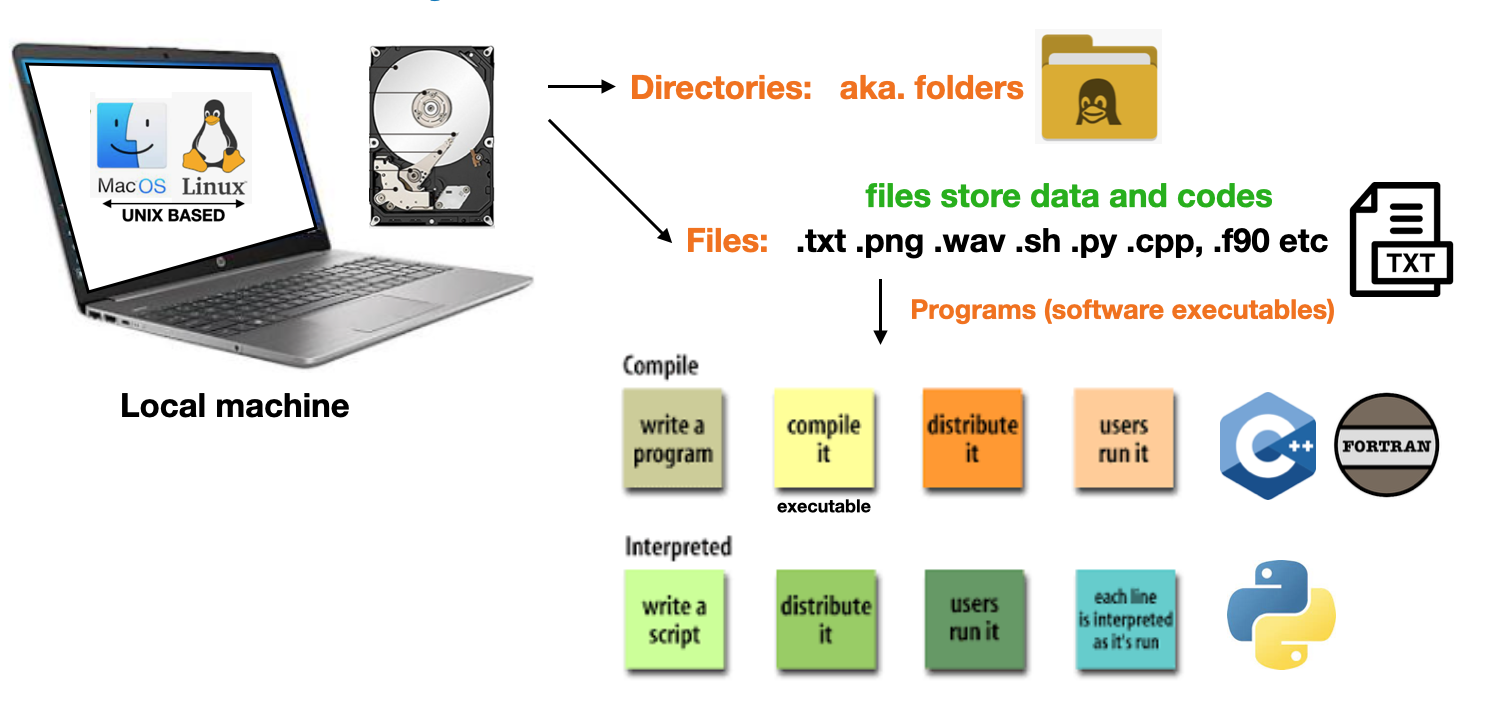
- Paths & file-system familiarity is essential for accessing & moving data from servers
- The file system is composed of
directories(folders),programs, andfiles- The
filescontain data OR instructions forprogramcreation - Files, programs, & folders have associated
permissionsto control user access![]()
- The
Directory tree
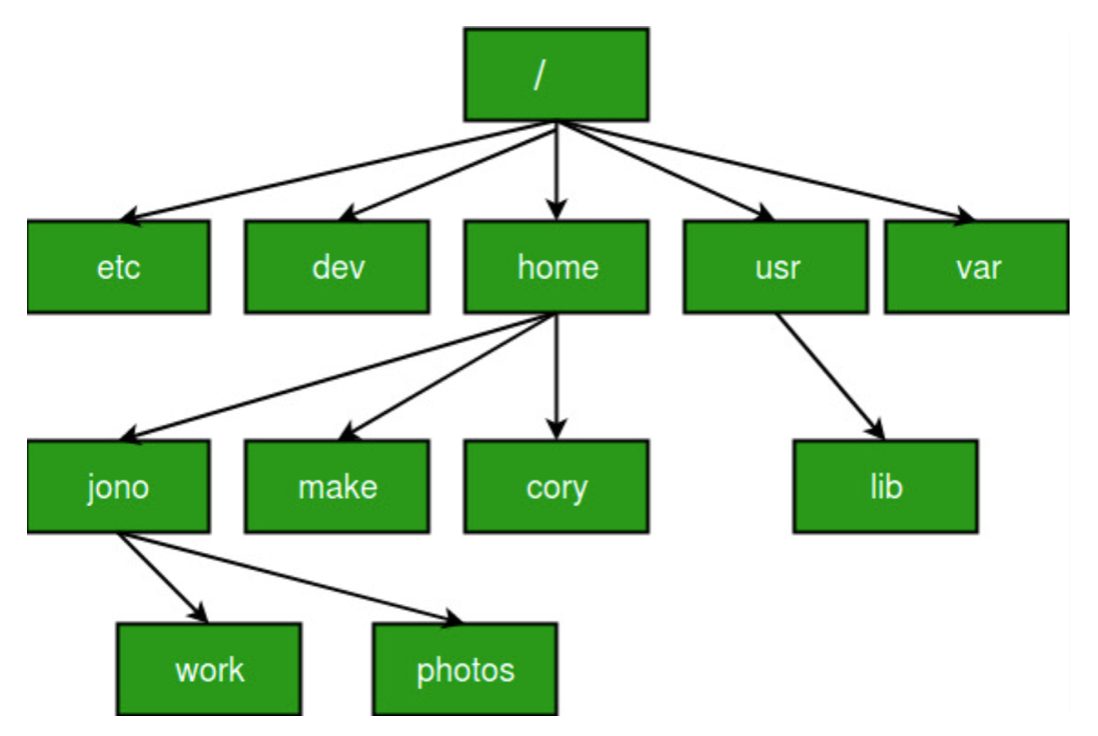
- The Files, folders, & executables are organized in a hierarchical
directory tree - The
baseof the tree is called theroot directory - The root folder is denoted by
/on Unix machines and\on Windows machines![]()
Linux directory tree
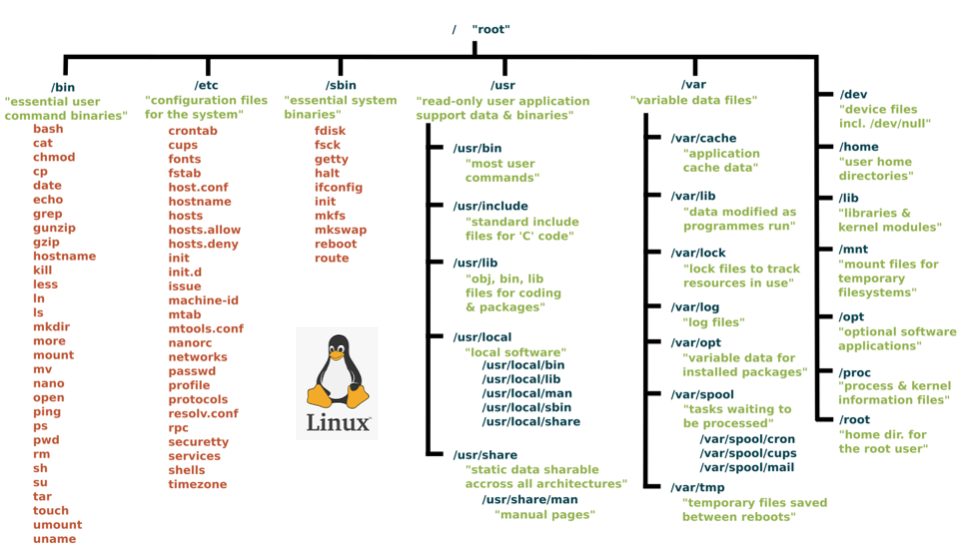
- The following diagram shows the directory tree of a Linux computer
![]()
Paths
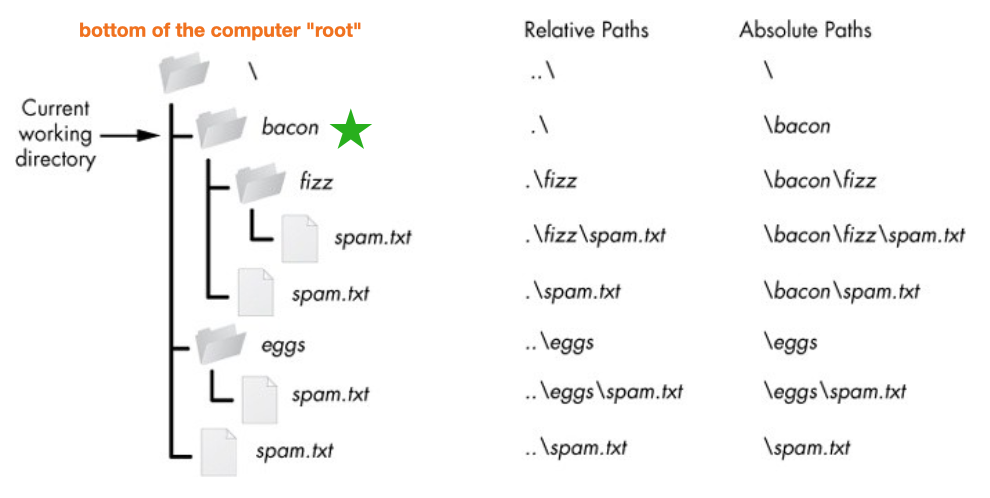
Pathsare “addresses”, they let users navigate the file-system to locate files & folders- Paths can be either
relative, i.e. a location relative to the currentfolder, ORabsolutelocation relative to therootdirectory - The
current working directory(CWD) is where you currently “are” in the tree. - On Unix, the CWD is denoted
./& one leveldownis denoted../(closer to the root) - The slashes are reversed on windows
\, but otherwise the concept is the same![]()
File permissions
System administratorscontrol how muchaccessdifferentusershave with-in the file-structure.- Access is based on file permissions associated with a user’s Login ID
- Computers keep a database of which user owns each files, & which users have permission to view, edit, & execute EACH file, folder, or program.
- Understanding basic data security is a fundamental skill in most modern careers … you don’t want to be the careless person that leaves a software vulnerability and gets your company hacked

Unix file permissions
- Unix file permission codes are numeric representations (octal) for read, write, execute permissions, assigned to owners, groups, and others, regulating file access and security.
![]()
- If a user has authority, they can change file permissions with the
chmodcommand
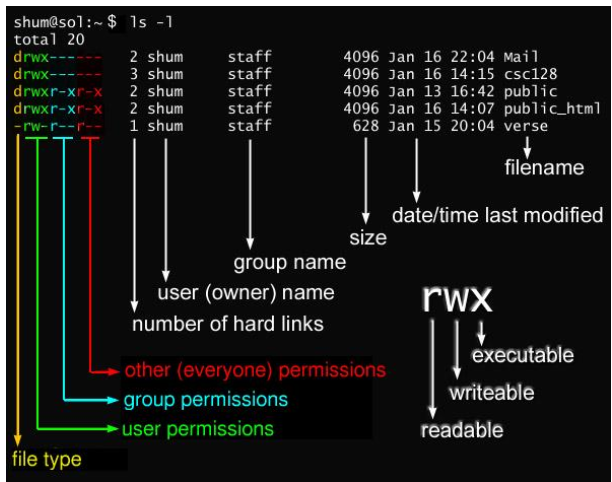
Common file permissions codes
- The following are common permission options.
![]()
NOTE:For websites: files are ususually644and folders755- This could be set with
chmod 644 my_file.html - You can set all website files permssiosn with the following linux commands
for i in $(find _site -type f); do chmod 644 $i; donefor i in $(find _site -type d); do chmod 755 $i; done`
- This could be set with
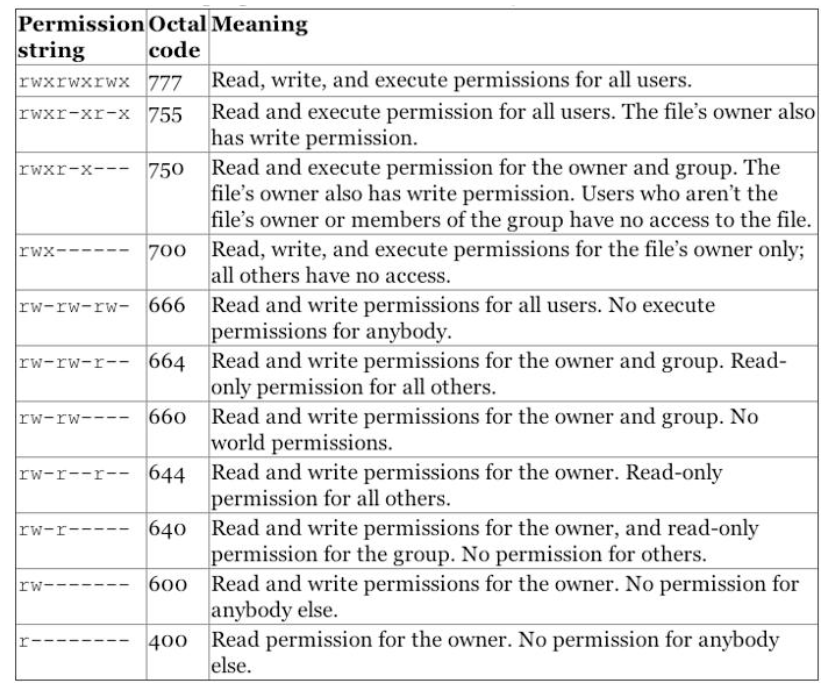
Super-users
- Super-users have total control over the file-system, can view, edit, or execute anything.
- A SuperUser is synonymous with
root-user, means there is no restrictions on your power over the computer
- A SuperUser is synonymous with
- Usually you are NOT a super-user and you need to coordinate with
system administrators, who have super-user status, to set up and control access

“With great power comes great responsibility”
- The Spider-Man’s Uncle
Linux command line
A brief introduction.

What is Linux?
- Linux describes a family of operating systems (OS), similar to
WindowsorMacOS - The key difference is that
Linuxis aFREEandopen-sourceoperating system.![]()
- It has a
Unix-likeOS kernel originally created byLinus Torvaldsin1991. - It forms the core of various Linux-based operating systems (distributions) such as Ubuntu, CentOS, RedHat, Fedora, and more.
- Linux is known for its stability, security, and flexibility.
- Almost all of the worlds super-computers are Linux machines
- Web-servers & AWS virtual machines are also often Linux (e.g.
GU domains)
Why learn the Linux command line?
Useful line on your resume- Intuitive framework and tool-set for computational sciences
- Better understanding of system and network administration
- Almost all of the worlds super-computers are Linux machines
- Web-servers and AWS virtual machines are often Linux
- More intuitive interfacing with hardware and software
- Smoothly interact with GitHub without using a web browser or GUI
- Smoothly switch between environments with Conda
- Can “get inside” other computers via the
ssh command
Example: Can “get inside” other computers via the ssh command
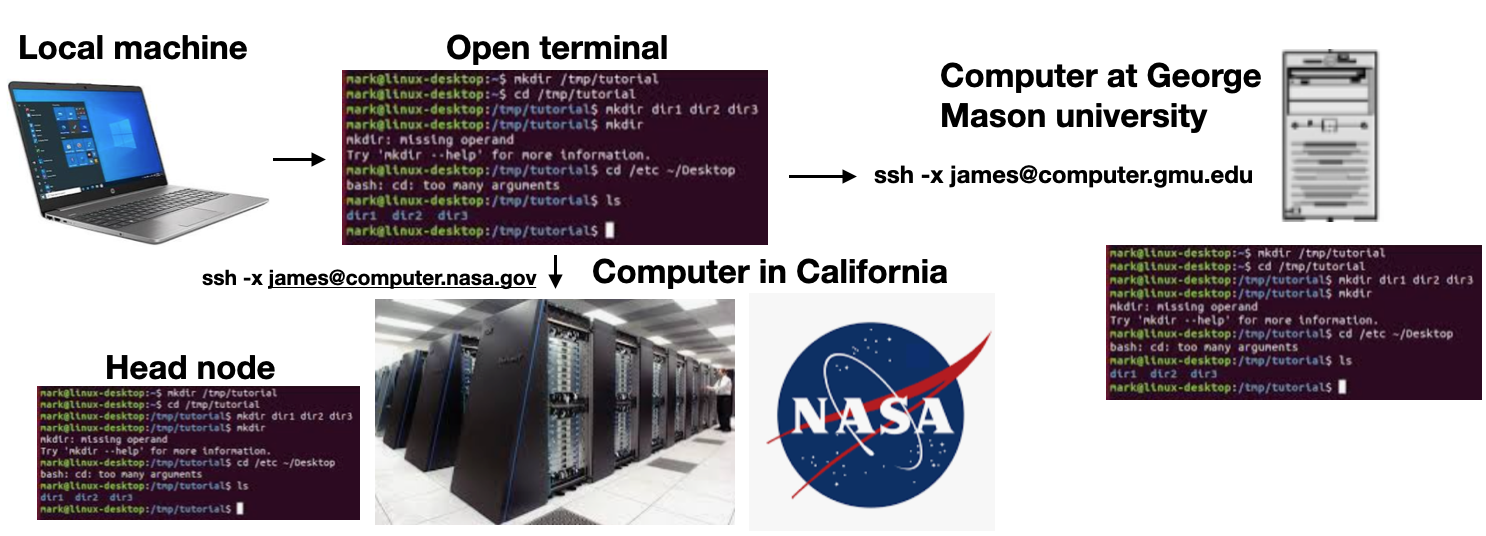
Interacting with the file-system
Option-1:Interact with the file system via a GUI (graphical user interface)![]()
Option-2:Interact via a command line interface(CLI)![]()
-
IMPORTANT:The Unix command line is actually more like a computer scripting language (e.g. python), known asshell scriptingorbash. It has all of the familiar coding constructs (for-loops, while loops, if/then statements, … etc) -
Hidden files: Files & folders that start with.are hidden from the GUI interface (e.g.~.bash_profile)


Command line access options
Mac & Linux:MacOS is very similar to Linux, both have a built-inUnixCLI.
![]()
Windowsterminal options:- Command prompt: A text-based interface to execute commands and perform tasks
- NOT a Unix CLI, closer to
MS-DOS, completely different command structure
- NOT a Unix CLI, closer to
- Windows powershell: Windows PowerShell is an advanced command-line shell and scripting language for automation and system management.
- NOT a Unix command line, but more “Unix-like” than command prompt
- Anaconda powershell: Quasi Unix command structure but still quite different
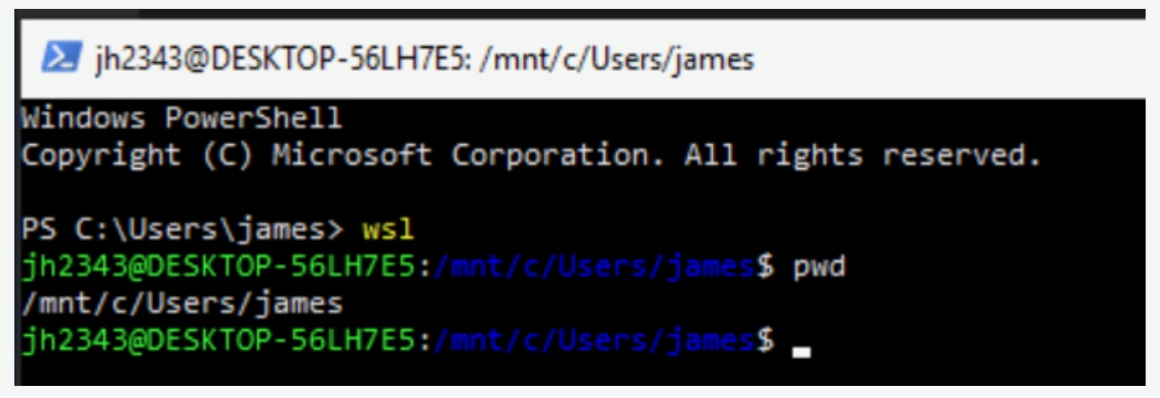
- Windows subsystem for Linux (WSL): (
highly recommended)- True Linux experience from within Windows,
more on this later
- True Linux experience from within Windows,
- Command prompt: A text-based interface to execute commands and perform tasks
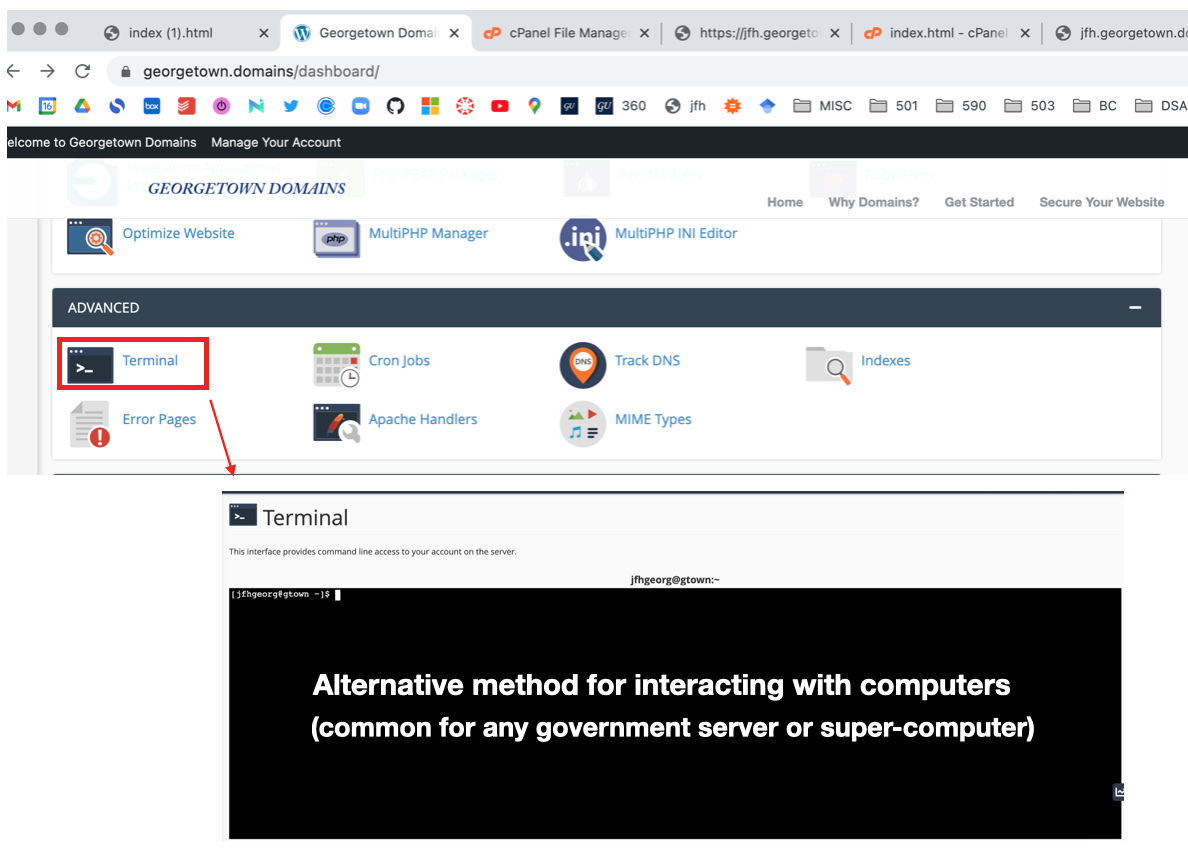
GU domains: Command line access
- The
GU domainsweb-servers are Linux, you can “get inside” the servers via a browser- You can also
sshinside from your laptop (more on this next week)![]()
- You can also
- Note: that you are NOT inside your laptop here!! But rather the GU-domains server, which is just a REMOTE computer located somewhere else in the world (e.g. California or China).
Shell (bash) scripts
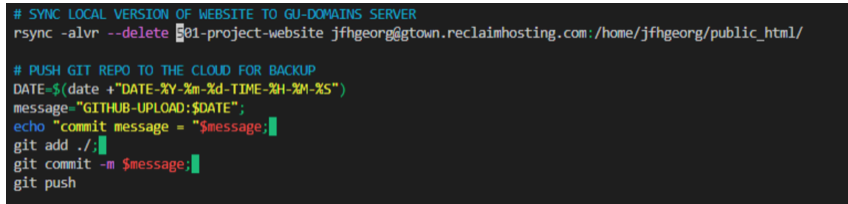
- The command line is a scripted language, similar to Python!!!
- In a
shell script, you can place multiple Linux commands into a file to run sequentially- These are called
shell(.sh) orbashscripts - Similar to python (.py), but with Linux commands, instead of python commands
- You need to change the permissions to make the script executable
chmod a+x my_script.sh - To run the script you use
./my_script.shfrom within the relevant folder
- These are called
Example:Simple example of a shell script![]()
Be careful: This is advanced content, you should only create very simple scripts, unless you know what you are doing.- In particular, we highly recommend NOT USING the
rmcommand in a shell script
- In particular, we highly recommend NOT USING the
Aside: Command line editors (optional)
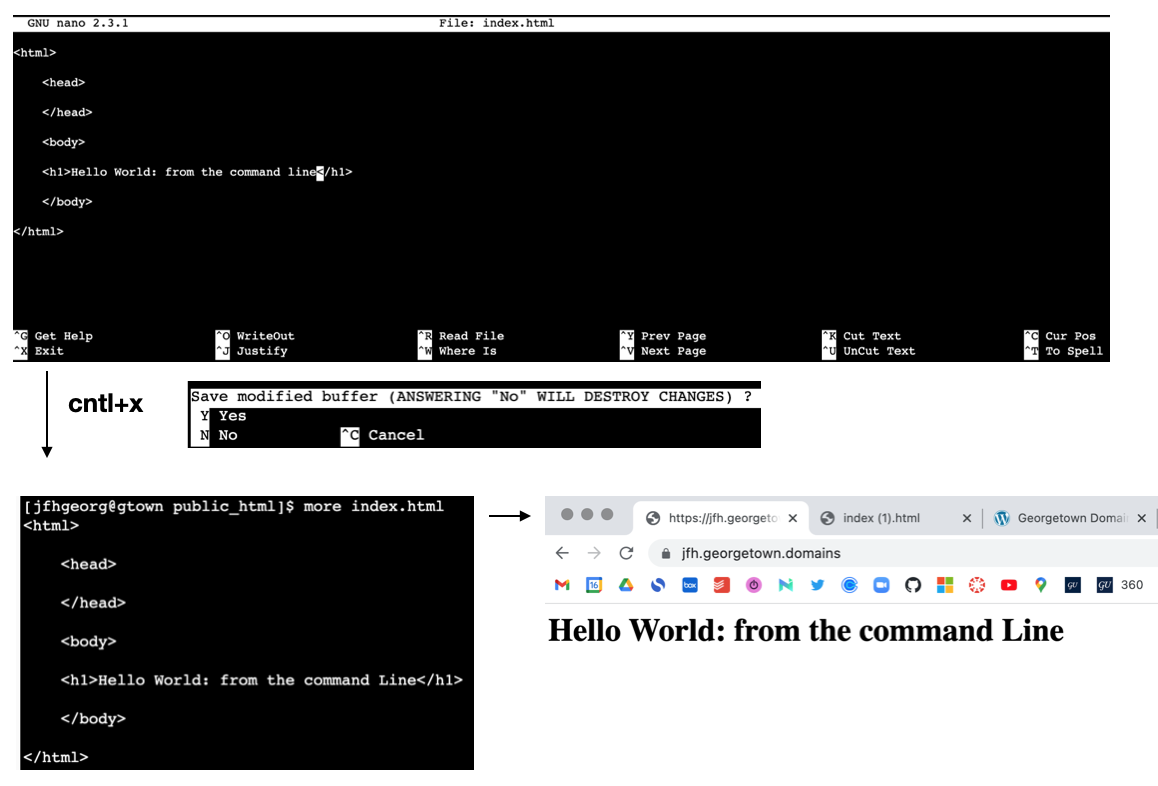
- You may find yourself inside a server without GUI access \(\rightarrow\) use a command line editor
Nanois a popular command line editor for coding from the command line- e.g.
nano index.html
![]()
- e.g.
- Other popular options include
emacsandvim(not recommended)
Additional reading (optional)
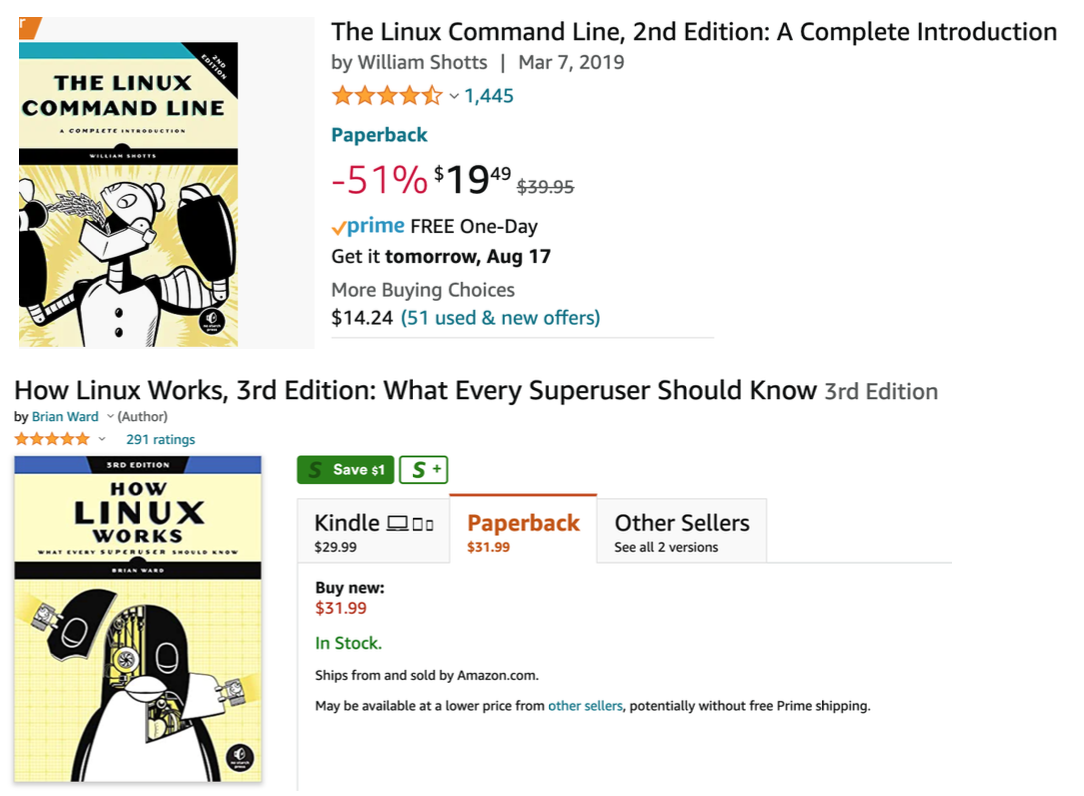
- If you want to learn more, the following are popular books on the topic
![]()
WSL
Optional extra content for Windows users.

Installation (Windows only)
- You can now install everything you need to run Windows Subsystem for Linux (WSL) by entering this command in an administrator PowerShell or Windows Command Prompt and then restarting your machine:
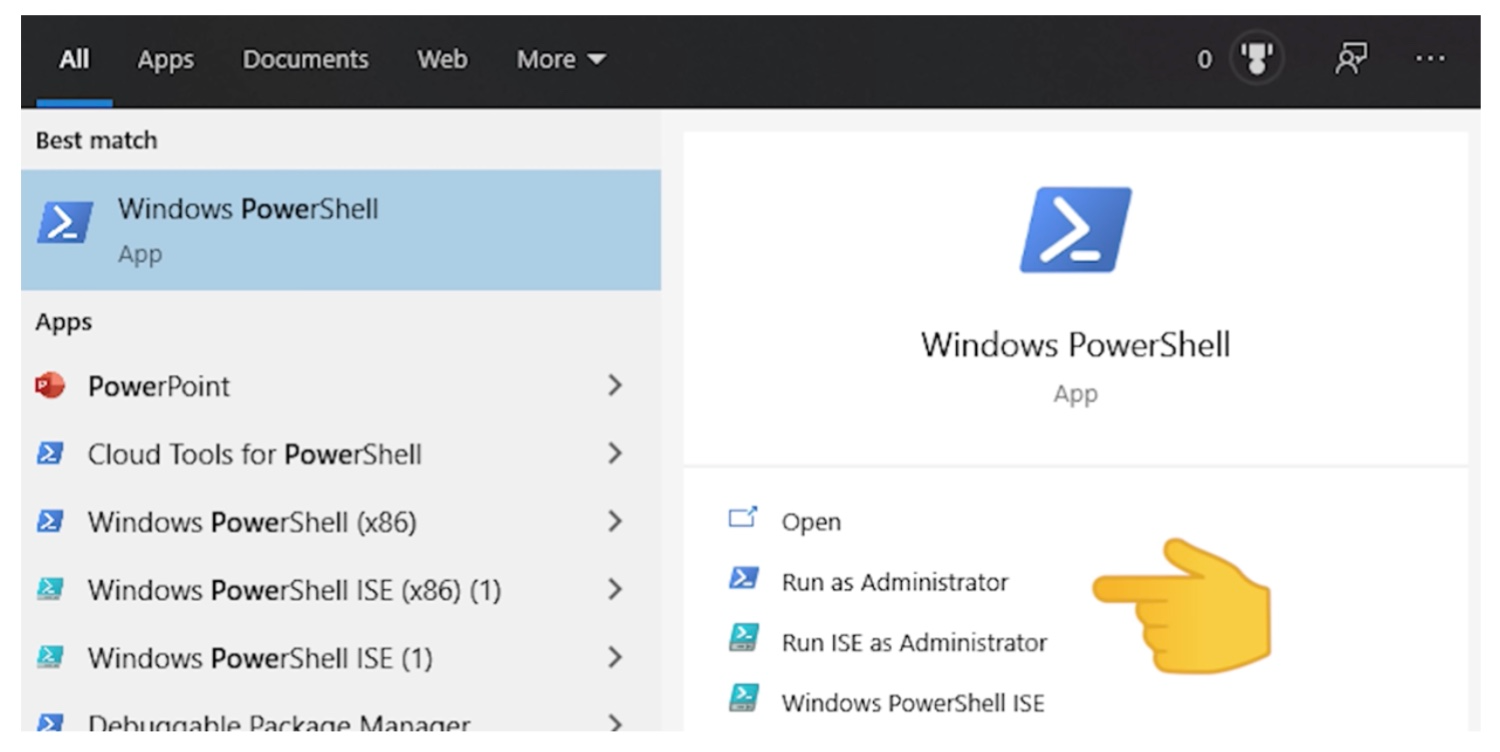
- This command will enable the features necessary to run WSL and install the Ubuntu distribution of Linux. (This default distribution can be changed).
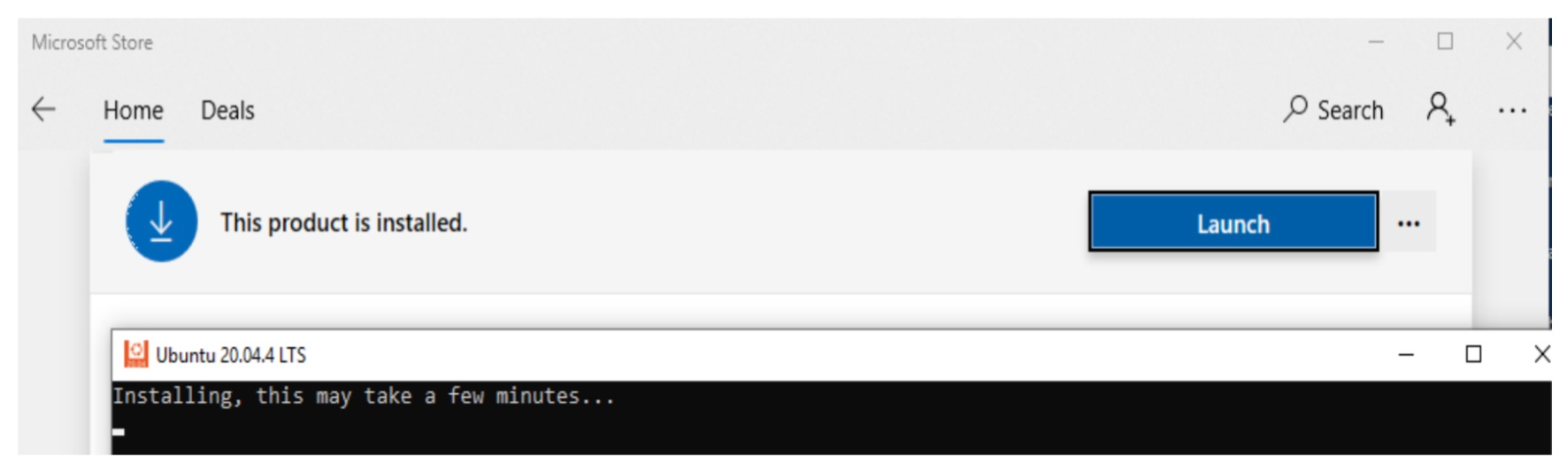
- The first time you launch a newly installed Linux distribution, a console window will open and you’ll be asked to wait for files to de-compress and be stored on your machine. (All future launches should take less than a second.)
Alternative Method
- (If “Easy way” doesn’t work)
- Step 1: Install WSL using this alternative PowerShell command (run as administrator):
wsl_alternative.ps1
- Step 2: Open Windows Store and install Ubuntu:
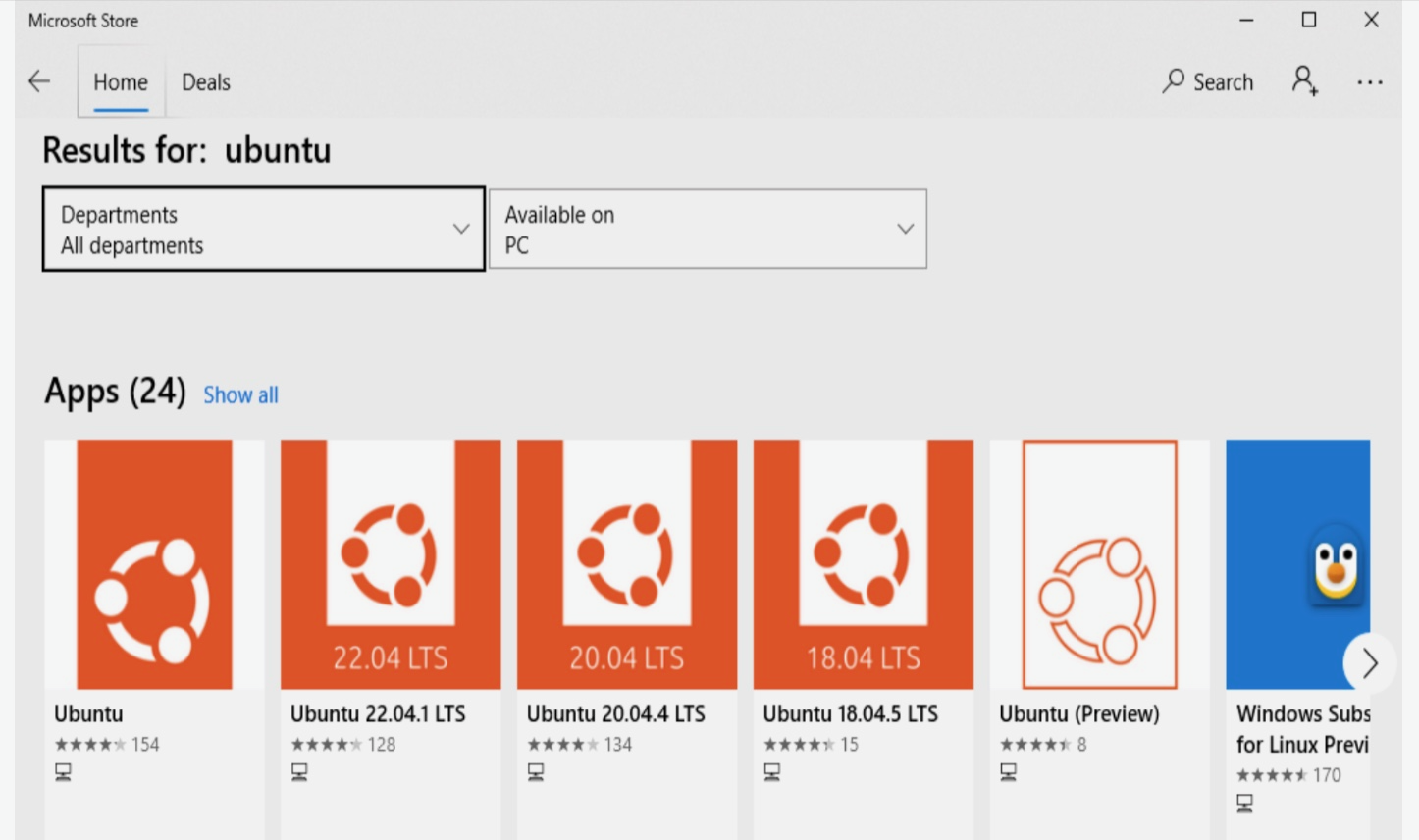
(Any of the options will work, but try to choose the latest version available!)
Installing from Windows Store
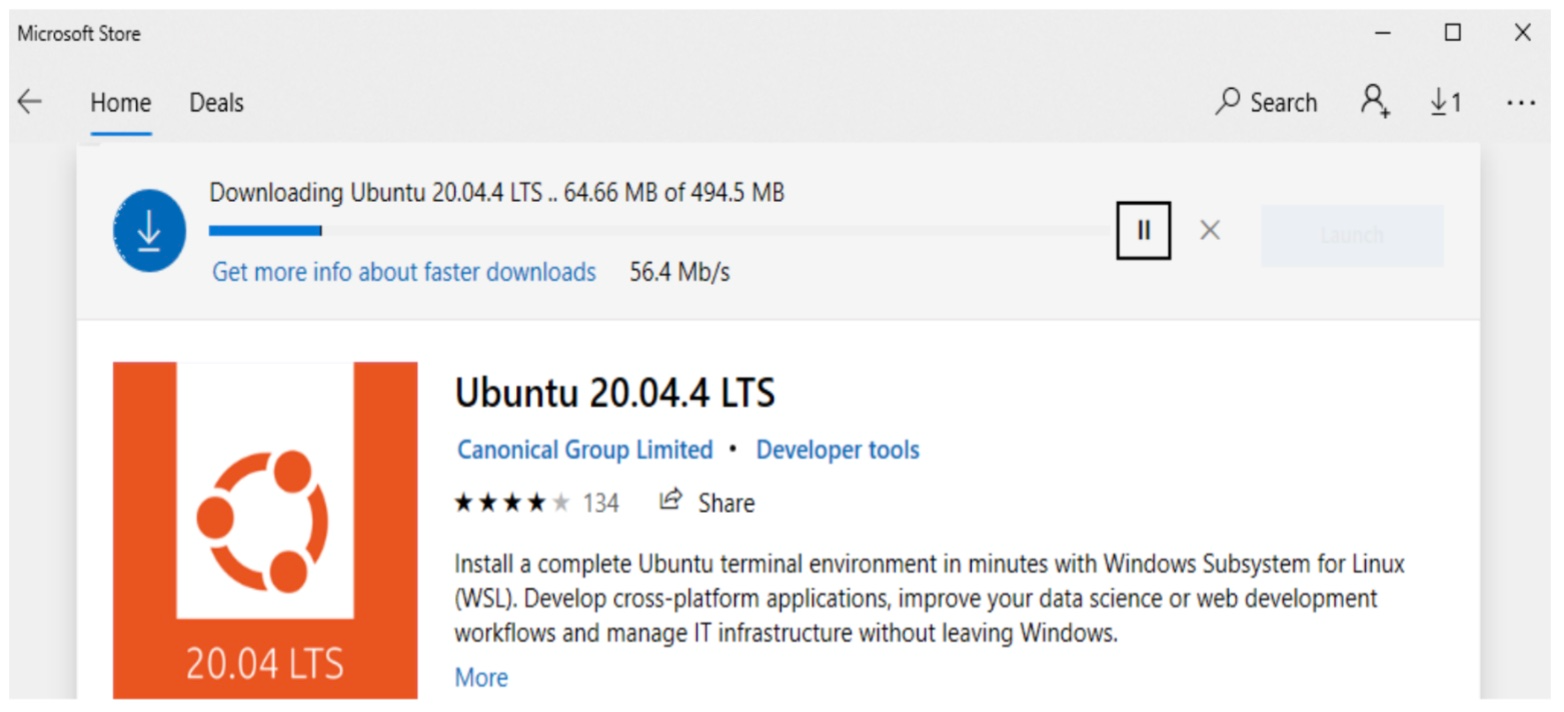
Installing from Windows Store
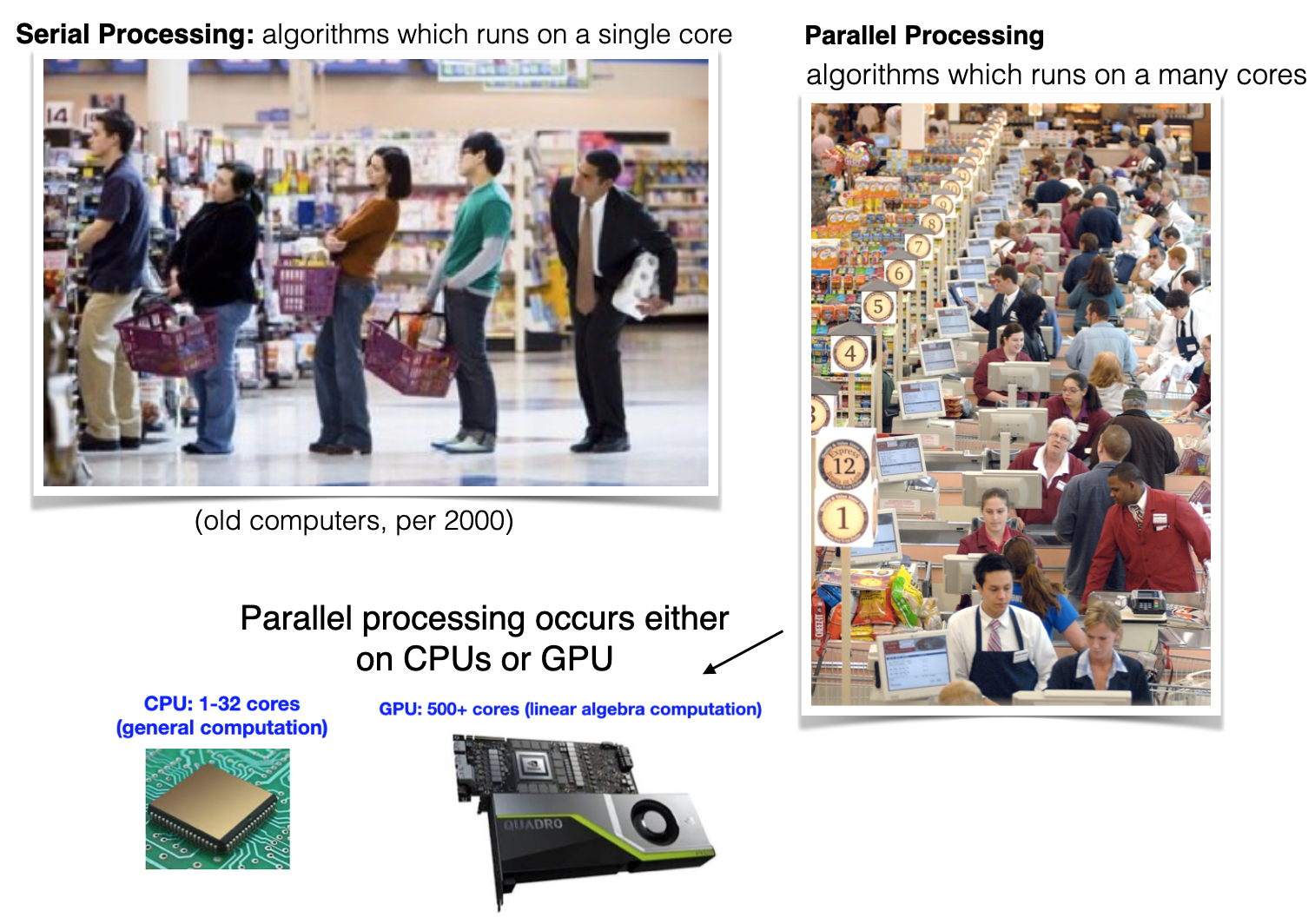
Recall: Serial computing analogy
- This is an analog of
serial computing(only asingleprocessing core)
- Computers have generally been
multi-coresince the early 2000’s
Parallel computing analogy
- Parallel processing uses many processing cores and is essential to HPC
![]()
- Two major classes of parallel processing are shared memory & distributed memory
Shared memory parallel processing
- Class of HPC algorithms that utilize a common memory space (
shared RAM), enabling multiplethreadsto efficiently access and manipulate data concurrently. - The CPU (or GPU) cores need to be physically close to each other, meaning that this occurs on the level of one computer
Hyper-threadingleverages CPU (or GPU) resources to execute multiple threads simultaneously, enhancing multitasking and improving overall processor efficiency.- Breaks the computations up on the level of loops, or vectors
- Hyper-threading on CPU is typically done with the
openMPsoftware library - Hyper-threading on GPU is typically done with the
CUDAorOpenCLsoftware
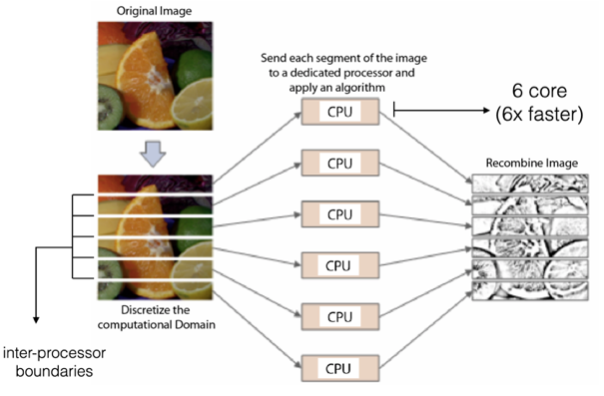
Vectorized computingprocesses data in parallel using vectors, optimizing performance by performing operations on multiple elements simultaneously for efficiency (e.g.numpy)
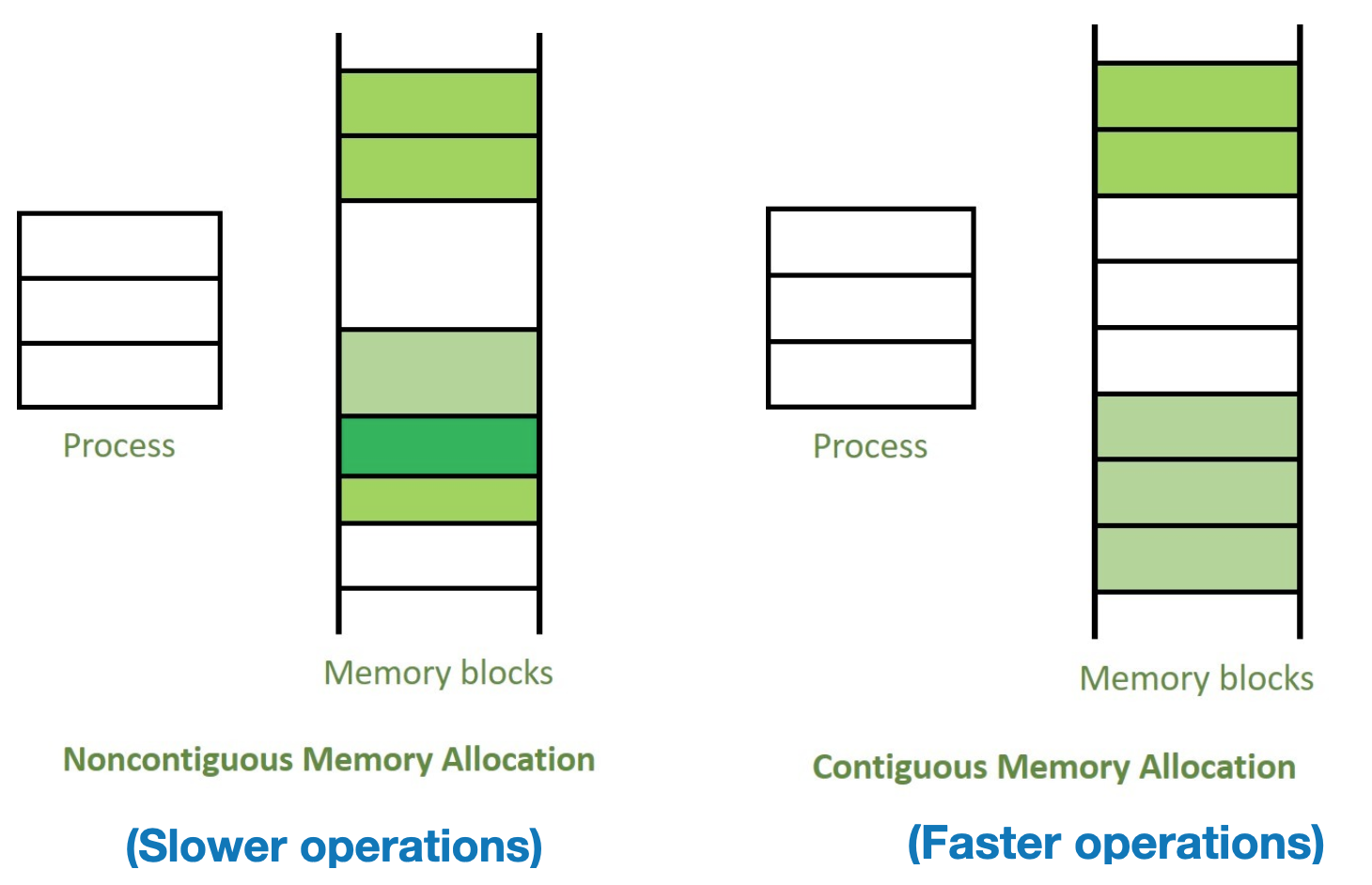
Contiguous memory allocation
- Contiguous memory allocation allocates adjacent blocks of memory for efficient data access, reducing fragmentation and enhancing system performance.
- Important for optimized linear algebra operations in deep learning (e.g. CUDA, OpenMP)
![]()
Distributed memory parallelization
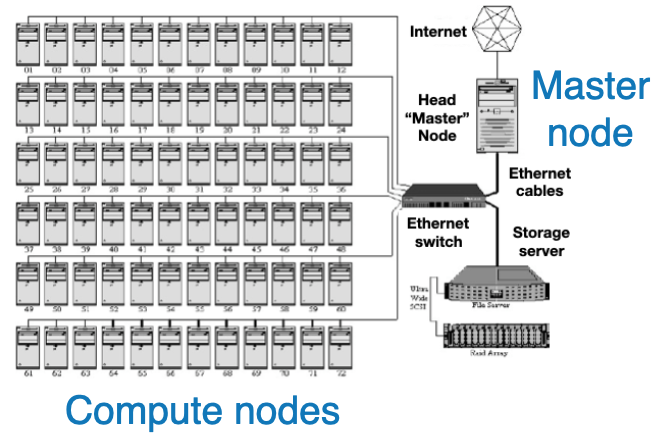
- Uses separate memory across multiple computers (
compute nodes), enabling collaborative processing in compute-clusters (networks)(e.g.HadoopandMPI) - Message Passing Interface (MPI) is a library for communication in distributed memory systems, enabling parallel processing across multiple nodes.
- Break up computational jobs on the level of data
- Generally done on
super-computers(i.e many computers networked together)![]()
Hybrid:Often HPC tasks combine shared & distributed methods (e.g. MPI + CUDA)
`